7-11
7.5.3 Removing the MPAN Board
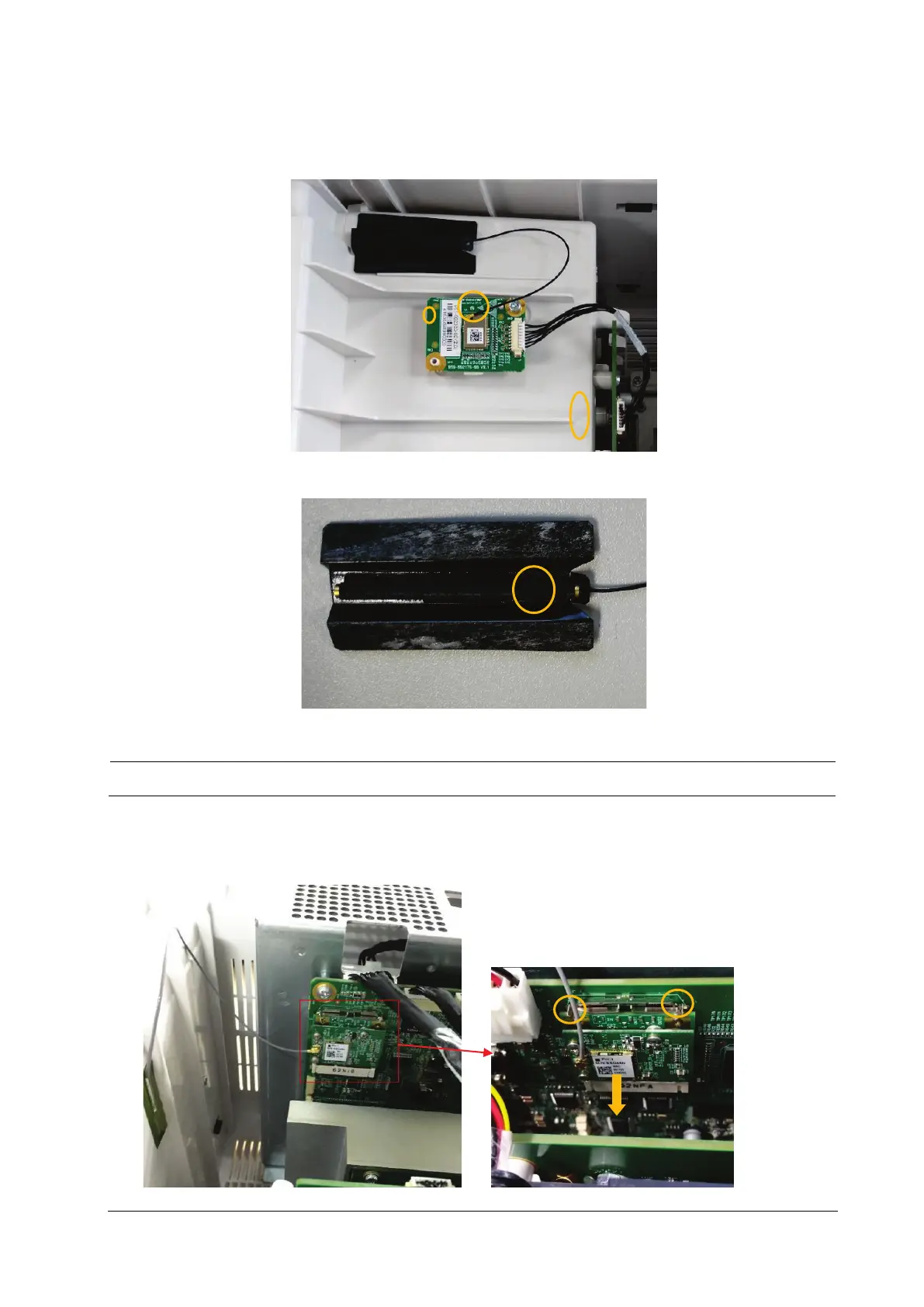
1. Pull out the MPAN board connection line at the end of internal module rackCOM board; then pull out the MPAN
antenna connector inserted on the MPAN board; unscrew one M3×6 screw to remove the MPAN board.
2. Tear the MPAN antenna fixing piece. Then, the MPAN antenna can be removed.
Use proper force to remove the cable carefully lest it would be broken.
7.5.4 Removing the Wi-Fi Module
1. Press the clips at two sides of the Wi-Fi socket, and take out the Wi-Fi module from the socket.



 To Next Page