7-10
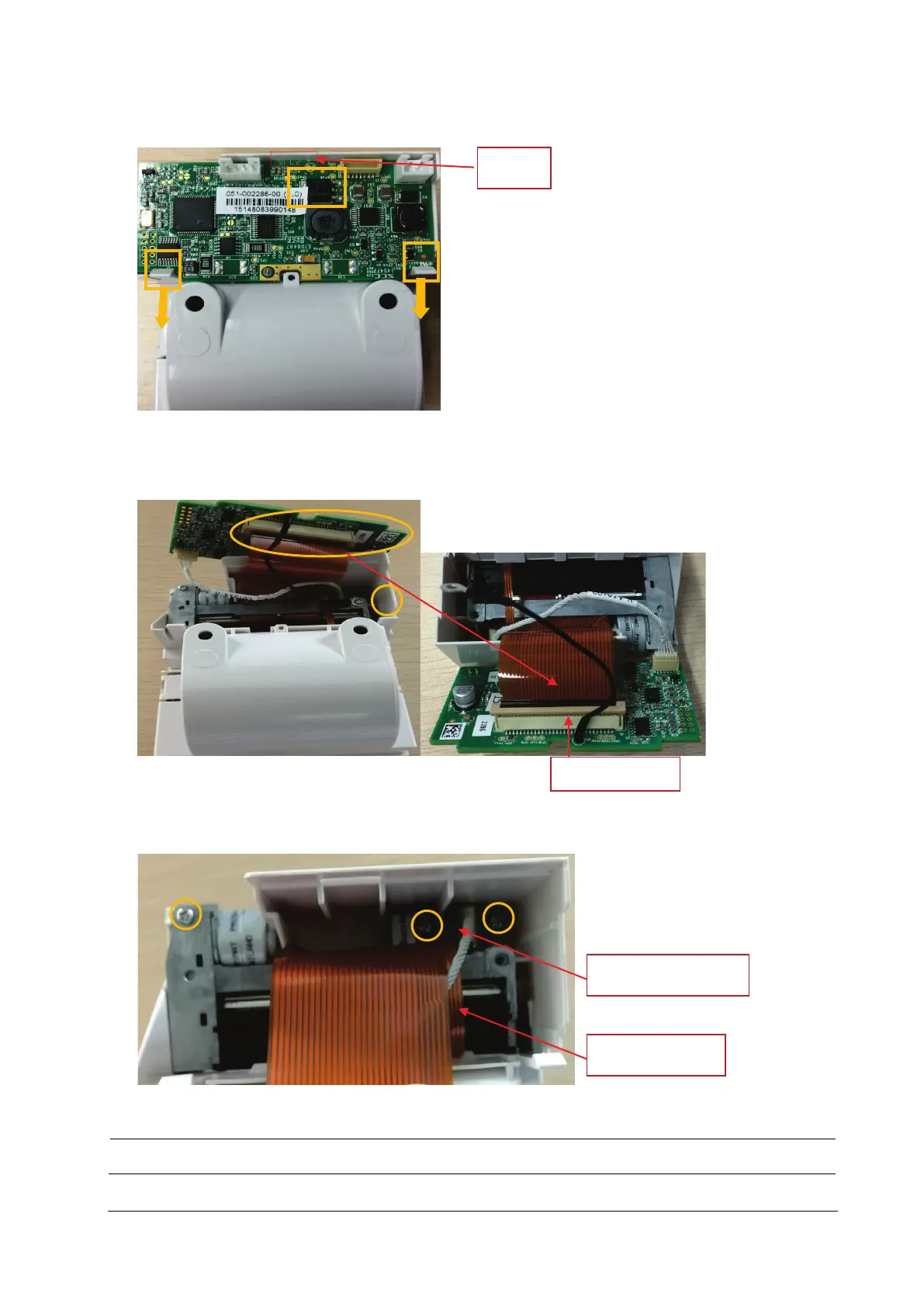
2. Release the two clips backward and take out the recorder drive board. Pay attention to the snap in the front.
3. First pull up the pressing buckle by about 1 mm to remove the flexible cable; remove the connection line from the
drive board to the button board; unscrew one PT2×6 screw, and remove the ground cable of the drive board.
Remove the recorder drive board.
4. Remove the other PT2×6 screw and take out the thermal printhead.
5. Loosen and remove the two PT2×6 screws and remove the button board of recorder.
Use proper force to remove the cable carefully lest it would be broken.
Snap
Recorder button board
Thermal print head



 To Next Page