7-8
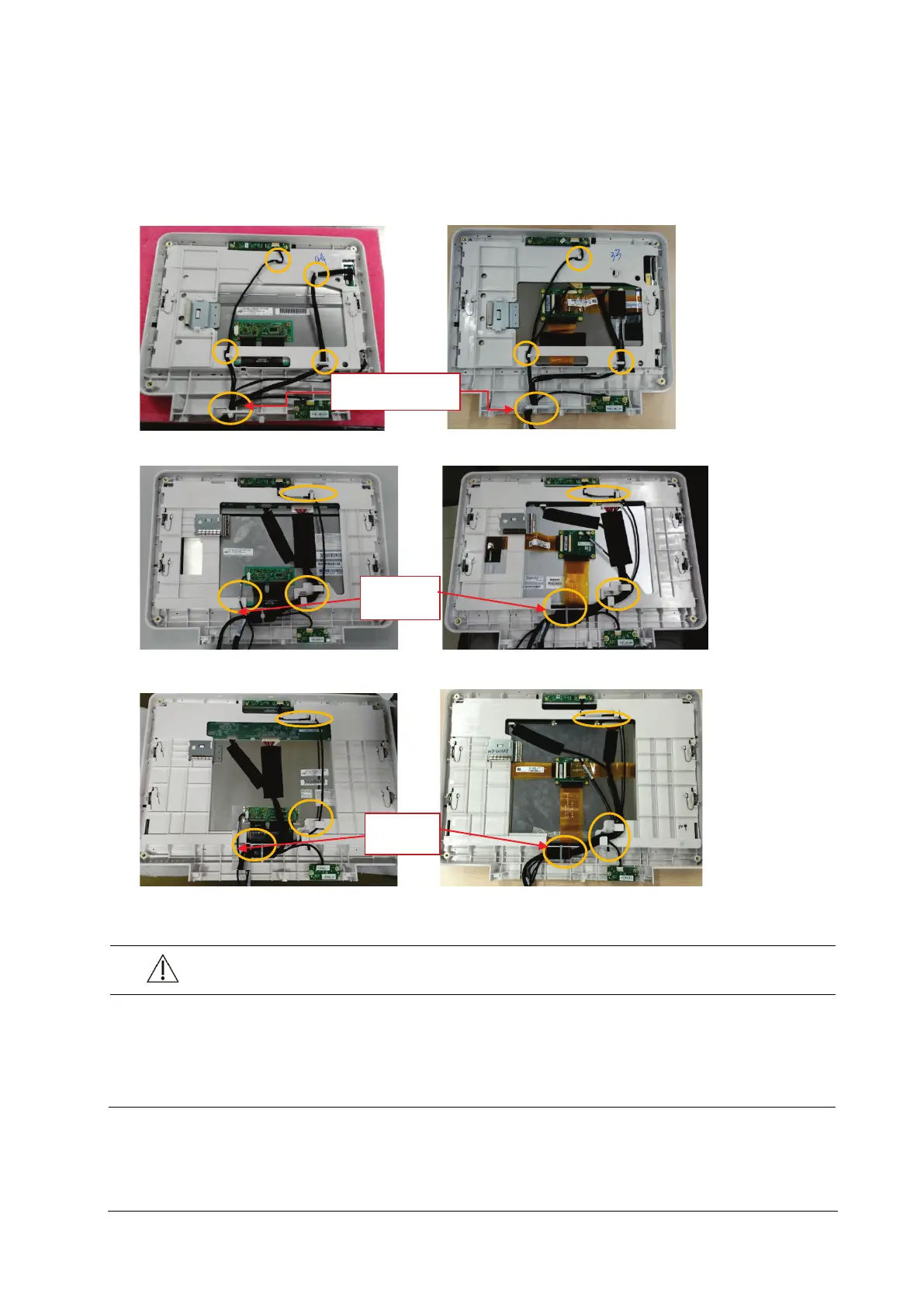
7.4.3 Removing the Screen Assembly Connection Line
1. Cut off the cable time used to tie the connection lines, and remove the connection line connector connected to the
display screen and touch screen control board. All the connection lines can be removed by releasing the buckling
position for clamping cable on the front case.
(N12/M12-NLT ) (N12/M12-SHARP)
(N15/M15-NLT ) (N15/M15-SHARP)
(N17/M17-NLT ) (N17/M17-SHARP)
CAUTION
Prevent pressure on the front face of display screen during disassembly.
Remove the LCD screen assembly in an environment as dust-free as possible; the display screen and
touch screen are integrated materials and cannot be disassembled. Indicates a potential hazard or unsafe
practice that, if not avoided, could result in minor personal injury or product/property damage.
Cable tie
Cable tie
Cable tie



 To Next Page