6-9
6.4.2 Guide to Software Upgrade Operations
6.4.2.1 System Software Upgrading Method
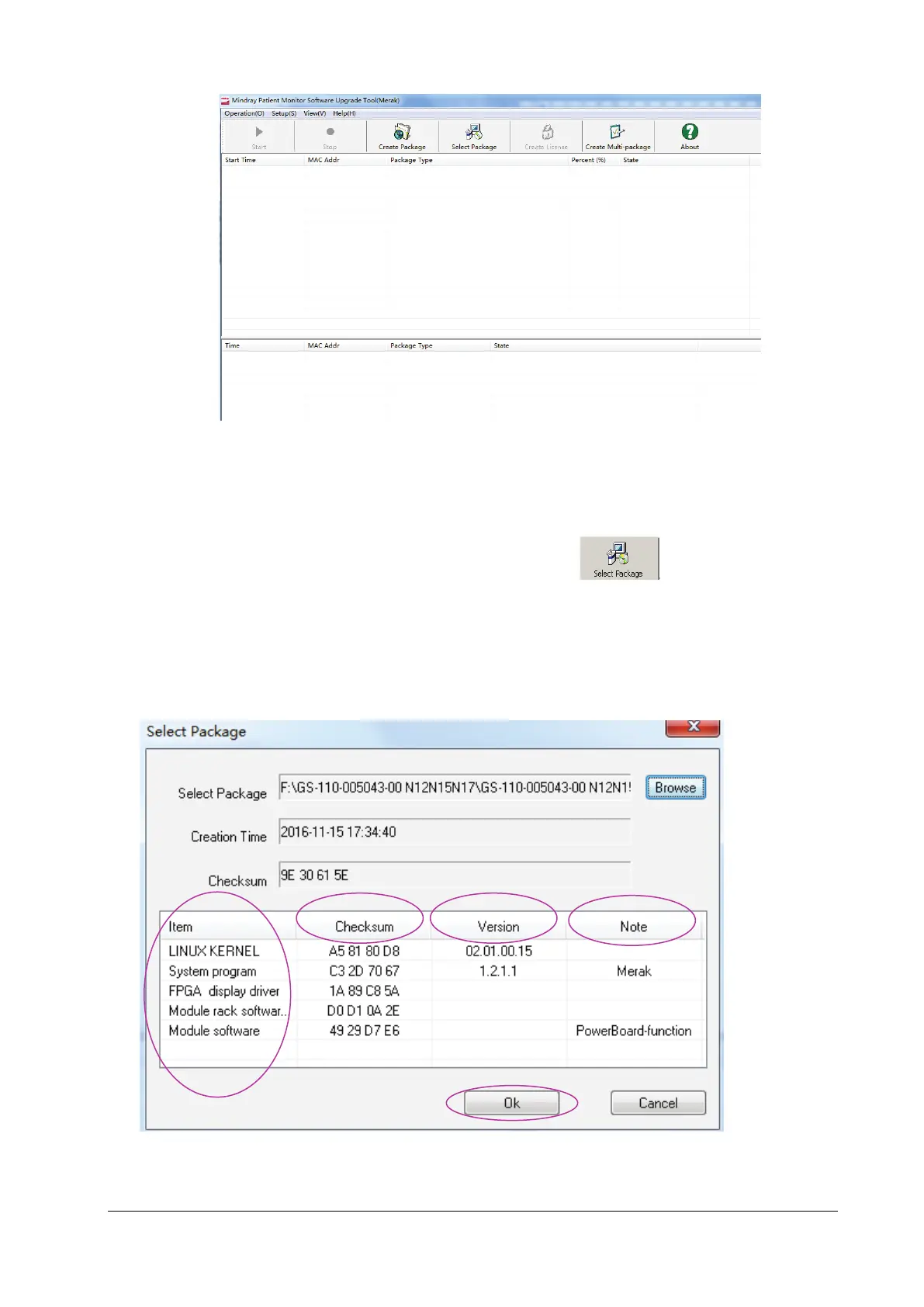
1. Enter the main interface for downloading of system upgrade, and click .
Select the prepared system software upgrade package file through browsing, check to ensure that the selected
downloading content (including the information such as the upgrade item, check sum, version and description) is
correct, and then click OK.
Now, the Start hot key of the main menu is enabled.
Confirm that the downloading network cable is connected correctly, make sure that the monitor has been powered
off, and click the Start hot key of the upgrade tool to enter the downloading procedure of software.



 To Next Page