7-3
7.3.2 Disconnecting the Base
Be sure to place the monitor face up when disconnecting the base. To lay the monitor face down, make
sure that the surface is non-abrasive and static-free, lest the touch screen would be scratched. Be sure to
remove the base first before proceeding with other parts.
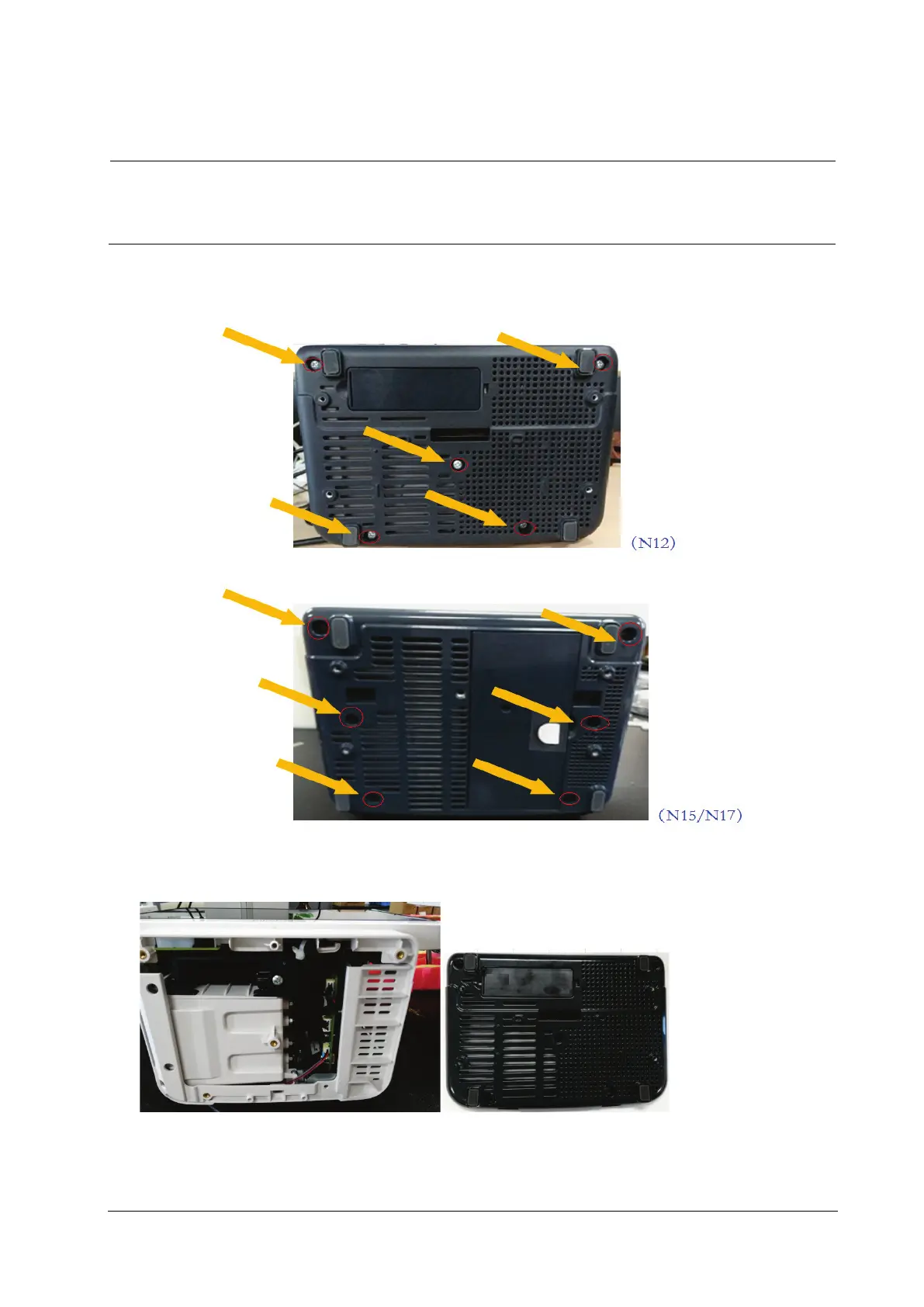
1. As shown in the figure below, place the monitor face up, unscrew the M4×8 screws (5 for the N12/M12 series and 6
for the N15/M15/N17/M17 series) from the bottom case;
2. Pull out the base.
For the N12/M12 series machines, the base assembly can be removed when the base is pulled out.
For the N15/M15/N17/M17 series machines, the base assembly can be removed when the connection line
connected to the battery interface board of main board is pulled out.



 To Next Page