7-13
N12/M12
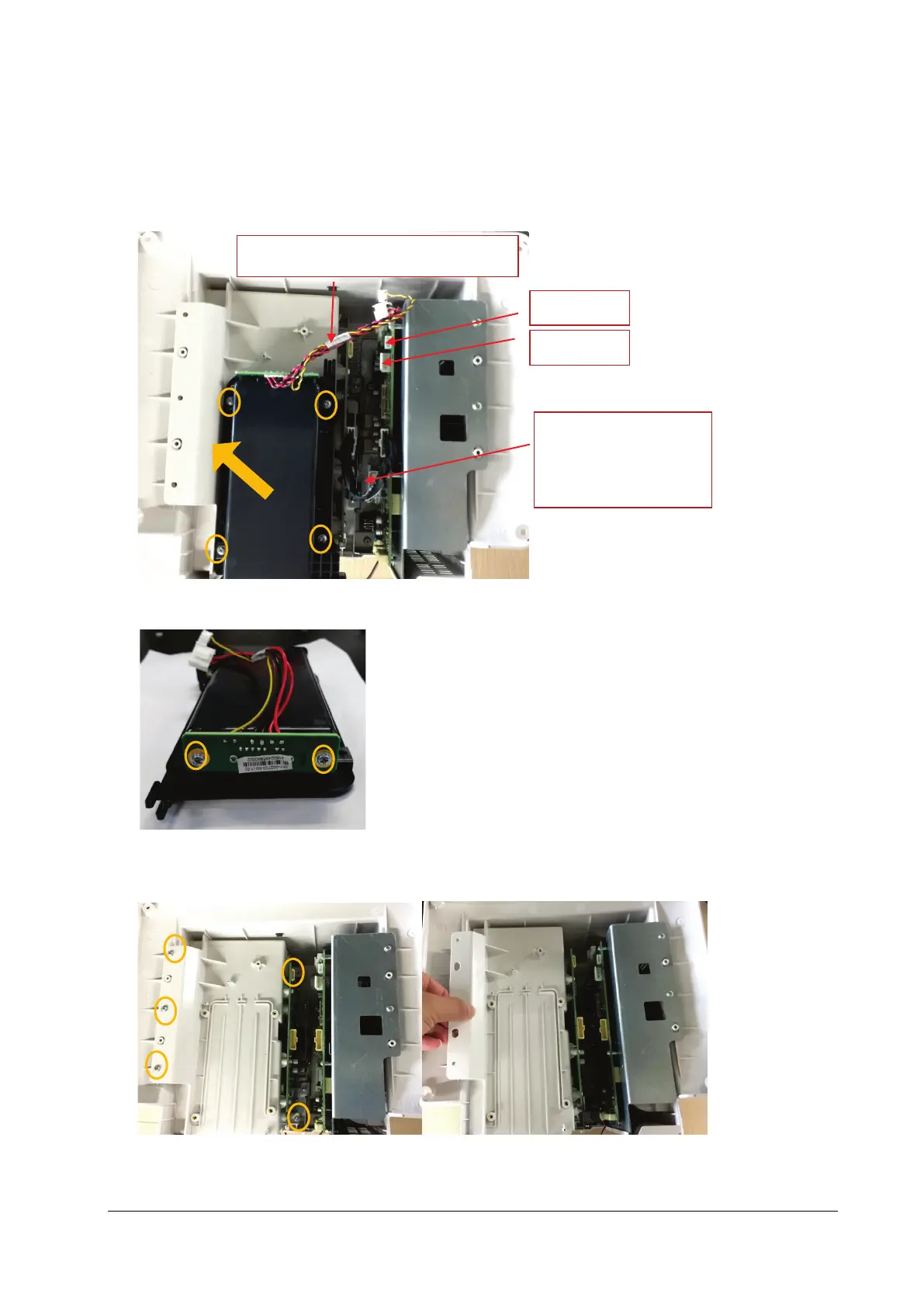
1. Remove the connection line of battery interface board from the main board end, and then take out the connection
line of internal module rack COM board; unscrew the four M3X6 screws, and force upward to take out the battery
cavity assembly as indicated in the figure.
2. Loosen and remove the two M3X6 screws, and remove the battery interface board.
3. Loosen and remove the five M3X6 screws, and force upward vertically to remove the internal module rack assembly
as indicated in the figure.
Connection line of battery interface board
J10
J20
Connection line of
internal module rack COM
board



 To Next Page