4-8
Calibration
Tools required:
A steel gas cylinder with CO
2
(concentration range: 3%~7%) and balance gas N
2
A steel gas cylinder with >40% O
2
and balance gas N
2
(applicable to sidestream CO
2
module with O
2
module
equipped)
T-shape connector
Tubing
Flowmeter
1. Make sure that the sidestream or microstream CO
2
module has been warmed up or started up.
2. Check the airway for leaks and perform a leakage test as well to make sure that the airway has no leakage.
3. Select Main Menu→Maintenance→enter the required password→Module→CO2.
4. In the CO2 menu, select Zero.
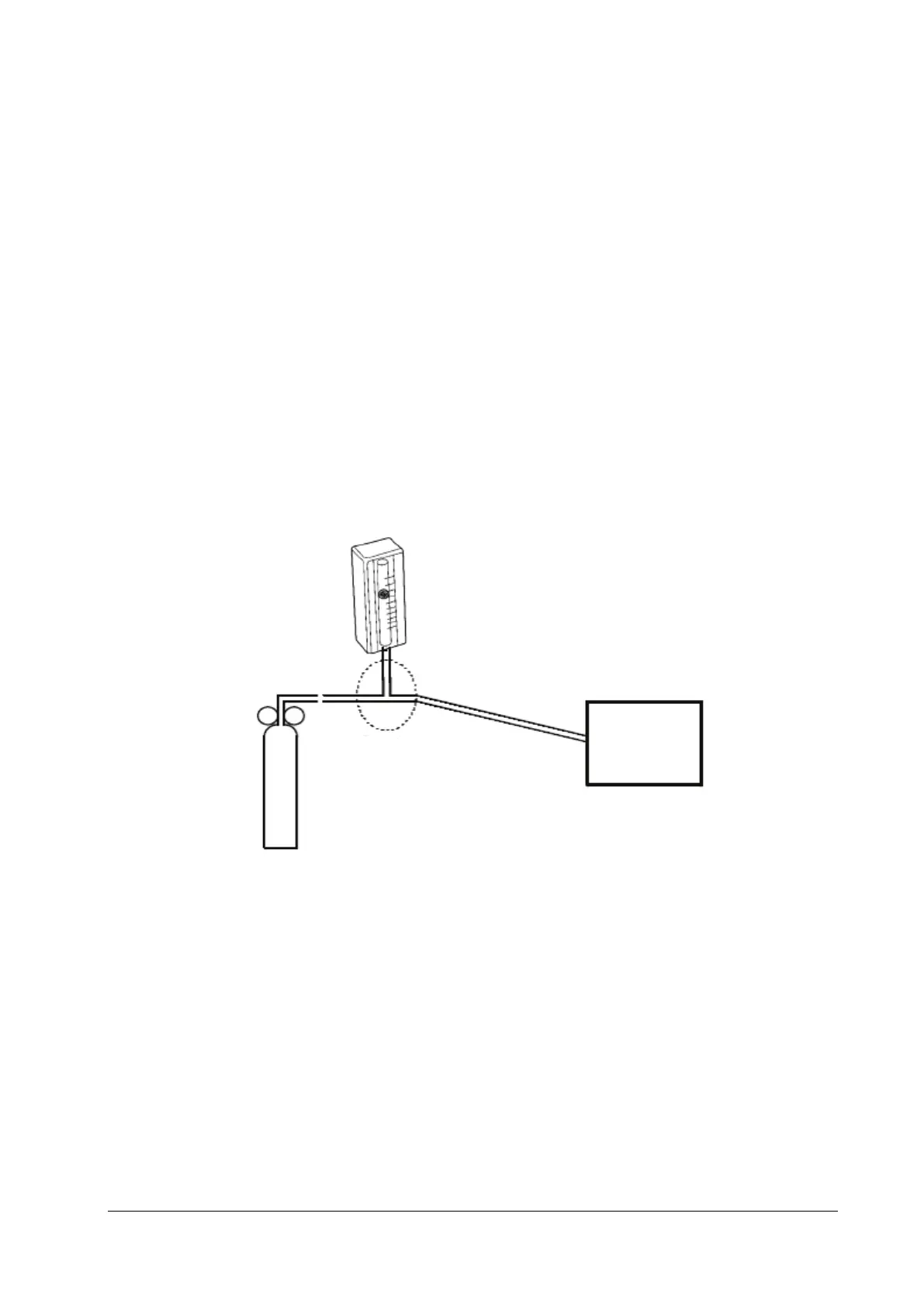
5. After the zero calibration is finished successfully, connect the equipment as follows:
6. Open the relief valve, and adjust it until the flowmeter has a stable reading between 10 ml/min and 50 ml/min.
7. In the Calibrate CO2 menu, enter the CO
2
concentration in the CO2 field.
8. In the Calibrate CO2 menu, the measured CO
2
concentration is displayed. After the measured CO
2
concentration
becomes stable, select Calibrate CO2 to calibrate the CO
2
module.
9. Replace the cylinder to the steel gas cylinder with >40% O2 and balance gas N2(applicable to sidestream CO2
module with O2 module equipped) and calibrate O2.
If the calibration is finished successfully, the message Calibration Completed! is displayed in the Calibrate CO2 menu.
If the calibration failed, the message Calibration Failed! is displayed. In this case, check whether the operations are
correct and perform another calibration. If the calibration fails several times, return the module to Mindray for repair.
Monitor
T-shape connector
Tubing
Relief valve
Flowmeter
Gas cylinder



 To Next Page