4-22
1. Connect the patient simulator, the PiCCO IBP test cable and the PiCCO module.
2. Let the patient simulator outputs 0 mmHg respectively to the pArt channel and the pCVP channel.
3. Select the pArt parameter interface to access the pArt Setup menu, and then select Zero.
4. Select the pCVP parameter interface to access the pCVP Setup menu, and then select Zero.
5. Set static pressure to 200 mmHg on the patient simulator.
6. Select Main Menu→Maintenance→enter the required password→Module. In the IBP menu, set the calibration
pressure to 200 mmHg.
7. Select the Calibrate button next to the desired IBP channel to start a calibration.
The message Calibration Completed! is displayed after a successful calibration. Otherwise, a corresponding message
will be displayed.
Method 2:
Tools required:
Standard sphygmomanometer
Squeeze bulb
Tubing
T-shape connector
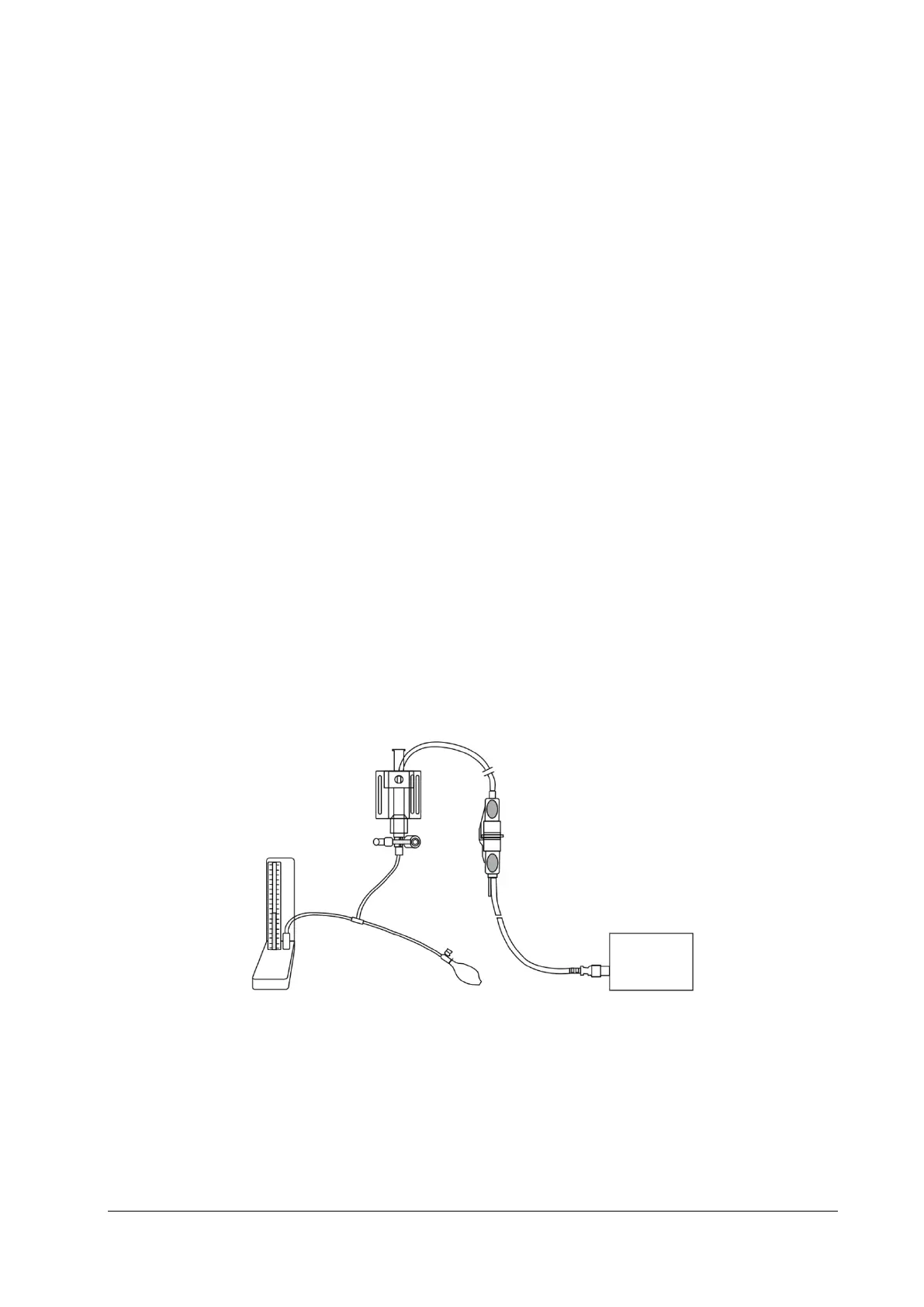
1. Connect the 3-way stopcock, the sphygmomanometer and the squeeze bulb through a T-shape connector, as
shown below.
2. Turn on the 3-way stopcock to the air to zero the transducer, and then open the stopcock to the
sphygmomanometer.
3. Select Main Menu→Maintenance→enter the required password→Module. In the IBP menu, set the target
calibration value of the target channel.
4. Inflate using the squeeze bulb until the reading of sphygmomanometer approximates the preset calibration value.
5. Adjust the calibration value in the Maintain IBP menu until it is equal to the reading of sphygmomanometer.
6. Select the Calibrate button next to the desired IBP channel to start a calibration.
Sphygmomanometer
T-shape connector
3-way stopcock
Pressure transducer
Connector cable of pressure transducer
IBP
module



 To Next Page