118
Personal Program
Use the Personal Program to create a folder with stitches you use the most for
a special project. Stitch patterns as well as their alterations are saved in the
Personal Program.
Personal Program
Creating a personal Display
The following alterations can be saved:
Stitch width
Stitch length
Needle position
Thread tension
Mirror Images
Pattern extend
Long stitch
Balance
Pattern repeat 1–9x
If the memory has already been filled with embroidery motifs and
stitch pattern combinations, no further stitch patterns can be saved
in the Personal Program. A messsage appears. The content in the
memory must first be deleted to ensure there is sufficient free
capacity.
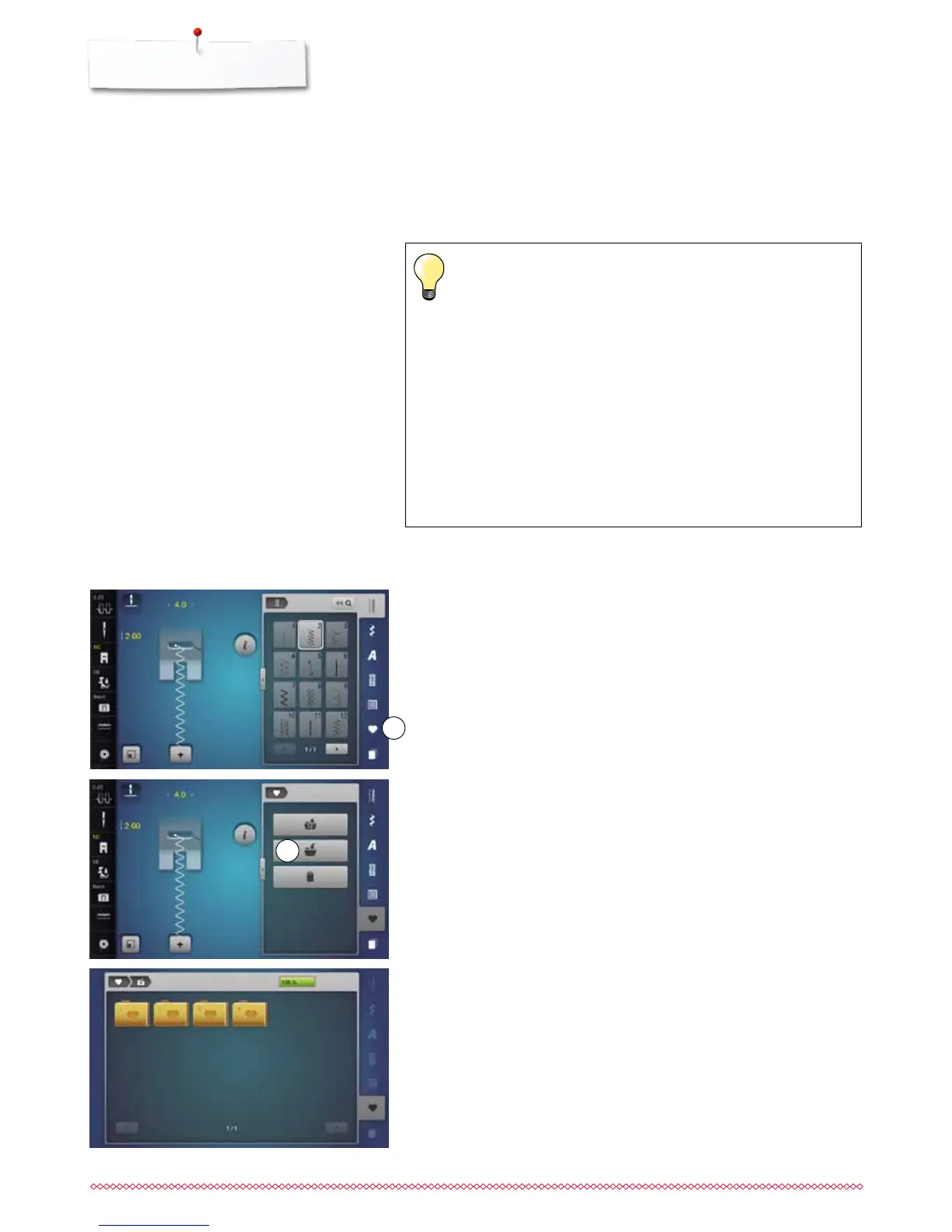
Programming/Saving first stitch pattern
⦁
select e.g. the zig-zag in the «Practical stitch»-Display
⦁
make alterations
⦁
touch «Personal program»-button 1
1
⦁
touch «Save»-icon 2
2
Preparing stitch patterns
►
a Display with four folders appears
⦁
select the folder where the stitch pattern is to be saved, e.g. 1
►
each folder can accommodate 100 stitch patterns in maximum



 To Next Page