157
Embroidery motifs
Motifs in combination with functions
To activate the functions touch the appropriate icon and make adjustments with
the stitch width and stitch length knobs.
⦁
turn the stitch width knob
►
the embroidery motifs is moved in sideways (horizontally)
⦁
turn the stitch length knob
►
the embroidery motif is moved vertically
►
the alteration is displayed in the icons in 1/10 mm
⦁
turn stitch width and stitch length knob
►
if both icons display the same number, the motif has been moved
diagonally
⦁
touch the yellow-framed icon or the «Center»-icon
►
the motif is repositioned to the center of the hoop
⦁
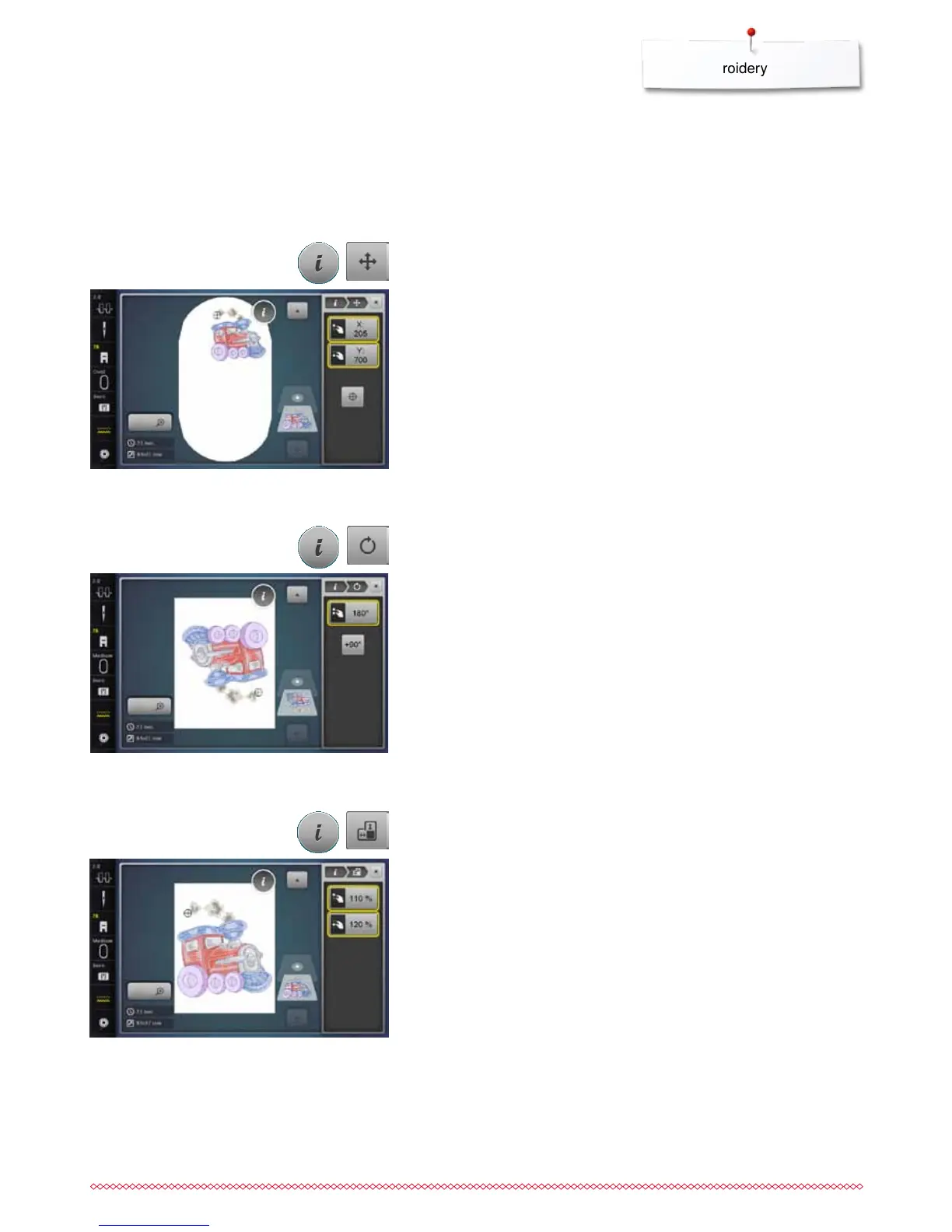
touch «i»-icon
⦁
touch «Move motif»-icon
Moving embroidery motifs
⦁
turn stitch width knob to the right
►
the motif rotates to the right
⦁
turn stitch width knob to the left
►
the motif rotates to the left
►
the postion is displayed in the icon in degrees (°)
⦁
touch the yellow-framed icon
►
the position of the motif is reset to basic setting (0°/360°)
⦁
touch «+90»-icon 1-4x
►
the motif rotates in 90°-steps (0°, 90°, 180°, 270°, 360°)
⦁
touch «i»-icon
⦁
touch «Rotate motif»-icon
Rotating embroidery motifs
⦁
turn stitch width knob clockwise or counterclockwise
►
the embroidery motif is stretched or condensed horizontally
⦁
turn stitch length knob clockwise or counterclockwise
►
the embroidery motif is stretched or condensed vertically
►
the alteration is displayed in percent (%) in the icons
⦁
touch yellow-framed icon
►
the size of the motif is reset to basic setting
⦁
touch «i»-icon
⦁
touch «Alter embroidery motif in height or width»-icon
Altering embroidery motifs in height or width



 To Next Page