28
Sewing preparation
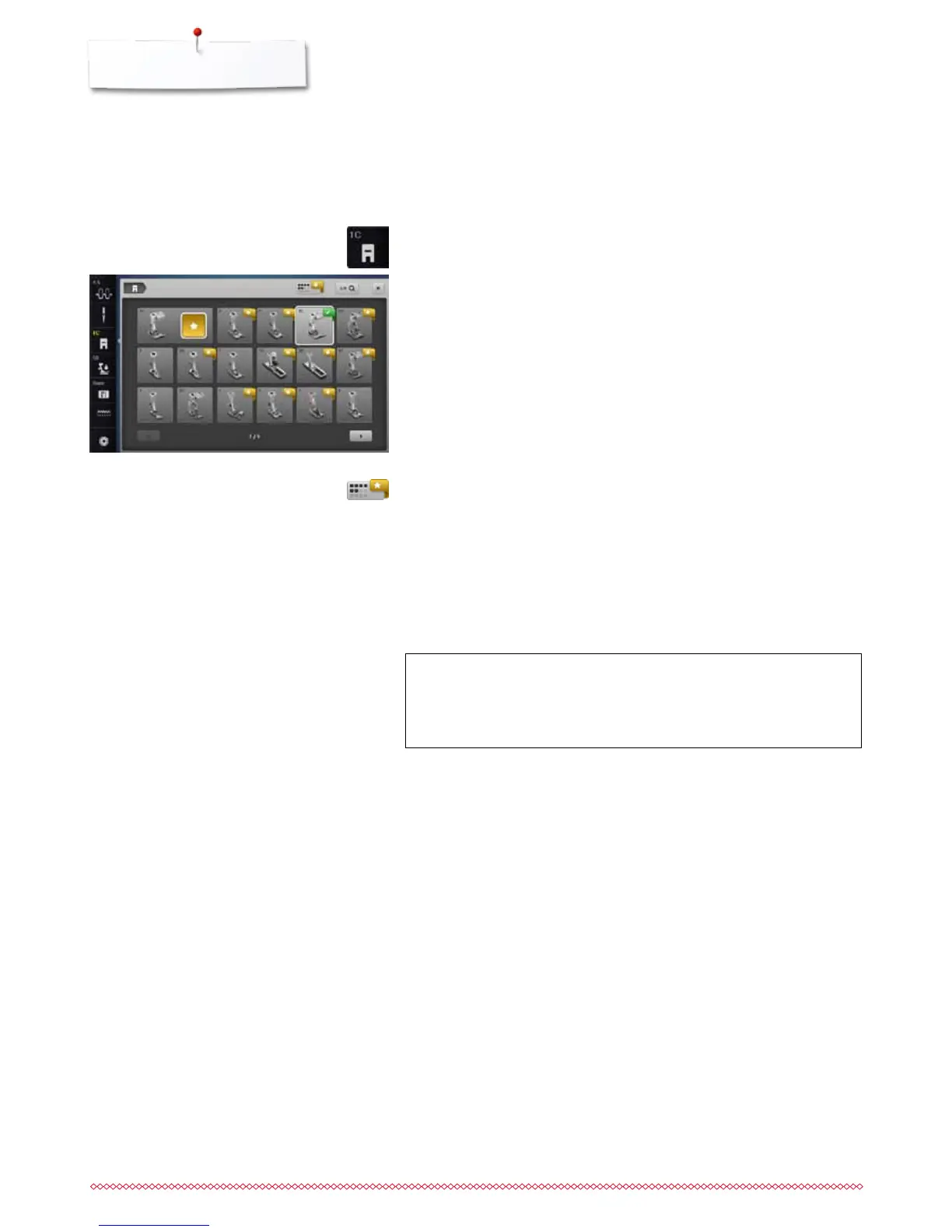
For every selected stitch pattern the optimal presser foot is displayed in
«Presser foot selection»-icon.
Display
►
yellow flag = optional choice for selected stitch pattern
►
green flag = optimal element is selected
ATTENTION!
It is IMPORTANT to select the attached presser foot to enable
the sewing computer to recognize it and to activate the
respective safety settings.
Selecting a Presser Foot
Optional presser feet
⦁
touch icon
►
the optional presser feet for the selected stitch pattern are displayed directly
Saving
⦁
touch the «Presser foot selection»- or the «Close»-icon
►
the settings are saved and the Display closes
Return to basic settings
⦁
touch the icon with the selected presser foot or «clr»-button
►
no presser foot is selected
⦁
attach the recommended presser foot
⦁
touch «Presser foot selection»-icon
►
the «Presser foot selection»-Display appears
⦁
touch the icon showing the attached presser foot or attach another presser
foot which is displayed in the overview and specially marked as optimal
presser foot and touch the respective icon in the «Presser foot selection»-
Display.
⦁
scroll through the overview via the arrow icons below the presser foot icons
or touch «0-9»-icon and enter the number directly.
►
if the needle risks hitting the presser foot, the sewing computer cannot be
started and an error message appears
►
the attached presser foot is now displayed in «Presser foot selection»-icon



 To Next Page