164
Embroidery motifs
Combinations
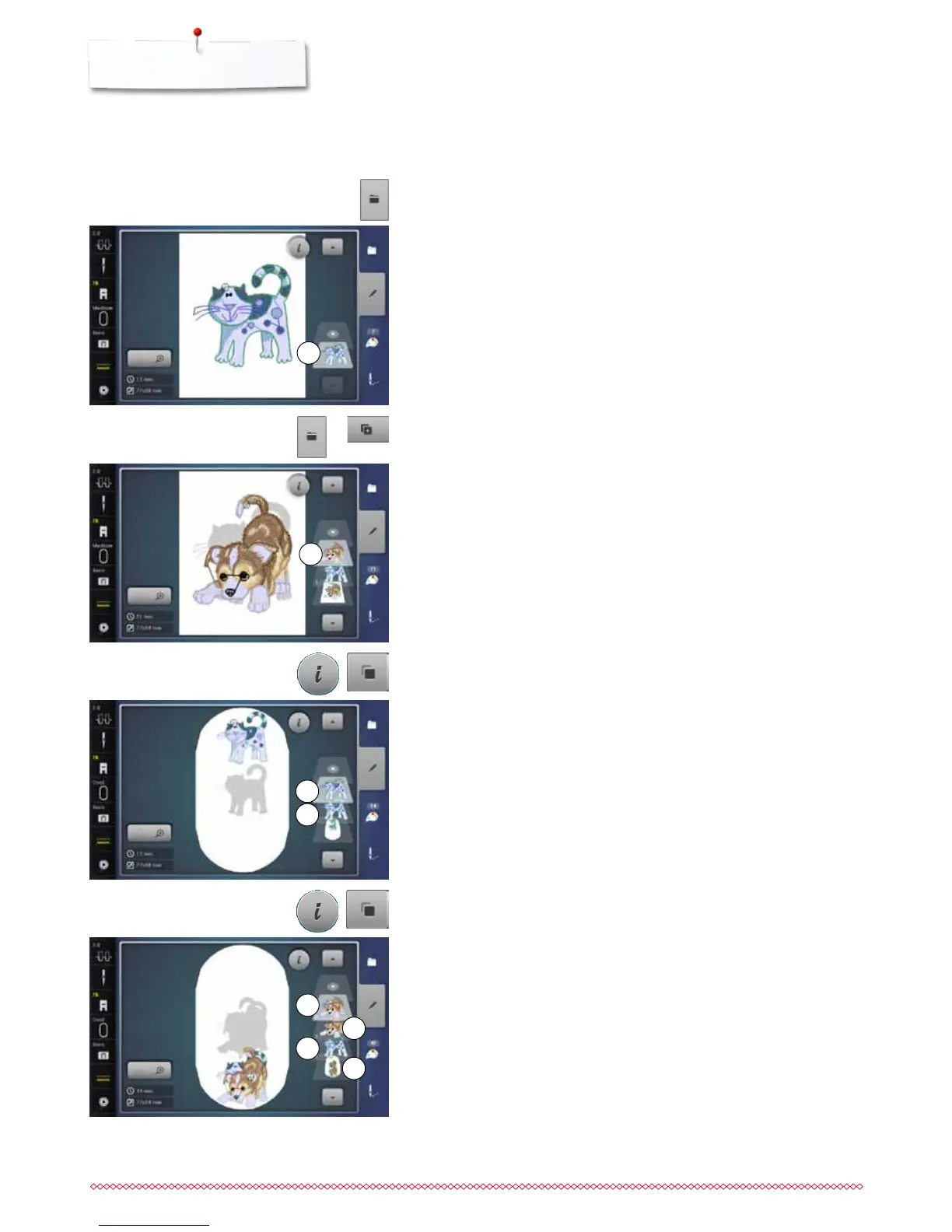
Creating combinations
Adding embroidery motifs
⦁
touch «Add embroidery motif»-icon or
⦁
press «Selection»-button
⦁
touch «Add motif»-icon
⦁
select the desired motif or alphabet character from the selection menu
►
the selected motif 2 is added
⦁
select the desired motif from the selection menu of the embroidery
computer
►
the motif 1 appears in the «Edit»-Display
Duplicating a motif
⦁
touch «i»-icon
⦁
touch «Duplicate motif»-icon
►
the active motif 3 is duplicated 4
2
4
3
1
Duplicating a combination
⦁
activate a combination 5
►
touch «i»-icon
⦁
touch «Duplicate motif»-icon
►
the active combination 6+7 is duplicated 8
Within in a duplicated combination the single motifs cannot be selected
individually, contrary to the initial combination.
5
8
6
7



 To Next Page