45
Setup Program
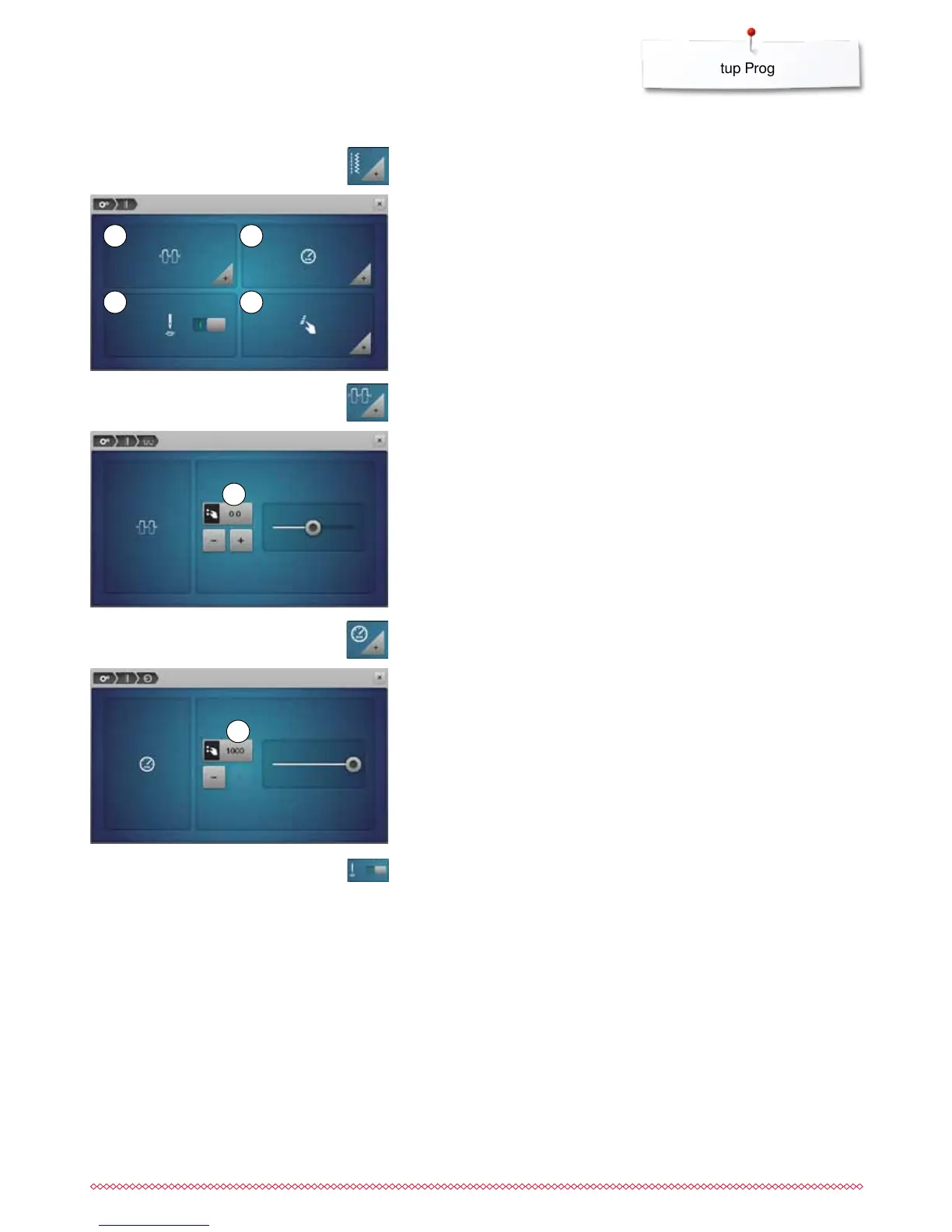
Altering Upper thread tension
⦁
touch «Thread tension»-icon
⦁
move round knob in the Display to the left/right using the Touchscreen pen
or the finger or
⦁
turn the stitch width or the stitch length knob or
⦁
touch «+»/«-»-icon
►
alters the basic setting of the upper thread tension 1 at plus or minus two
basic values
►
0.0 = basic setting
Sewing settings
Sewing speed control
⦁
touch «Sewing speed control»-icon
⦁
move the round knob in the Display to the left/right using the Touchscreen
pen or the finger or
⦁
turn the stitch width or the stitch length knob or
⦁
touch «+»/«-»-icon
►
alters the maximal sewing speed 2
►
the number in the yellow-framed icon indicates the stitches per minute, the
basic value is displayed by a small white dot
Securing stitches at pattern begin
►
the function is active (standard)
►
4 securing stitches are sewn before a stitch pattern starts
⦁
touch gray icon
►
function is inactive = no securing stitches will be sewn
1
2
1
3
2
4
1 Altering Upper thread tension
2 Sewing speed control
3 Securing stitches at pattern begin
4 Programming «Function»-buttons/«Function»-icon
⦁
touch «Sewing setting»-icon



 To Next Page