8
Key to Signs
DANGER!
Very important!
Risk of injury!
ATTENTION!
Very important!
Risk of damage!
Tips!
Glossary
BERNINA USB stick Mobile storage medium
Balance Correcting abnormalities in stitch formation due to the fabric
Fabric fold Folded edge of material
BSR BERNINA-Stitch-regulator. Quilting with consistent stitch length within a certain speed
clr Clear. Deleting settings or data
Hook «Catches» the needle-thread loop, forming the stitch together with the lower thread
LMS Length Measuring System for buttonhole
Memory Long Term Memory
Satin stitching Dense Zig-zag
Bartack Buttonhole-bead cross-connections
All rights reserved
For technical and product improvement reasons, the sewing computer's features, parts and accessory are subject to
unannounced changes and alterations at any time. The accessory included can differ from country to country.
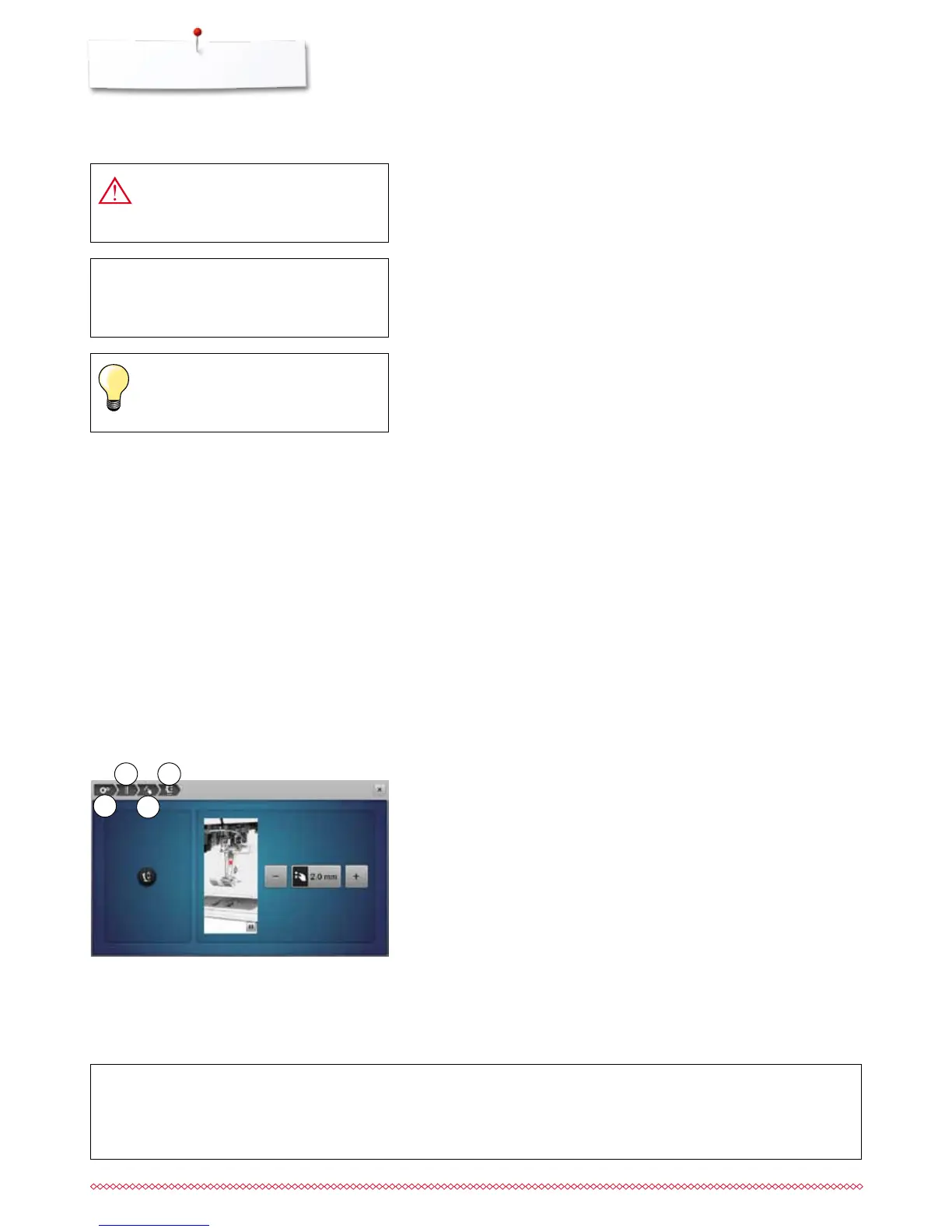
Key to Signs
Breadcrumb navigation
1 Setup program is selected
2 Sewing settings are selected
3 Programming «Function»-button/«Function»-icon is selected
4 Programming hovering position of the presser foot is selected
⦁
having selected the corresponding icon (as for this example 1-3) the
desired display opens
1
2
3
4



 To Next Page