152
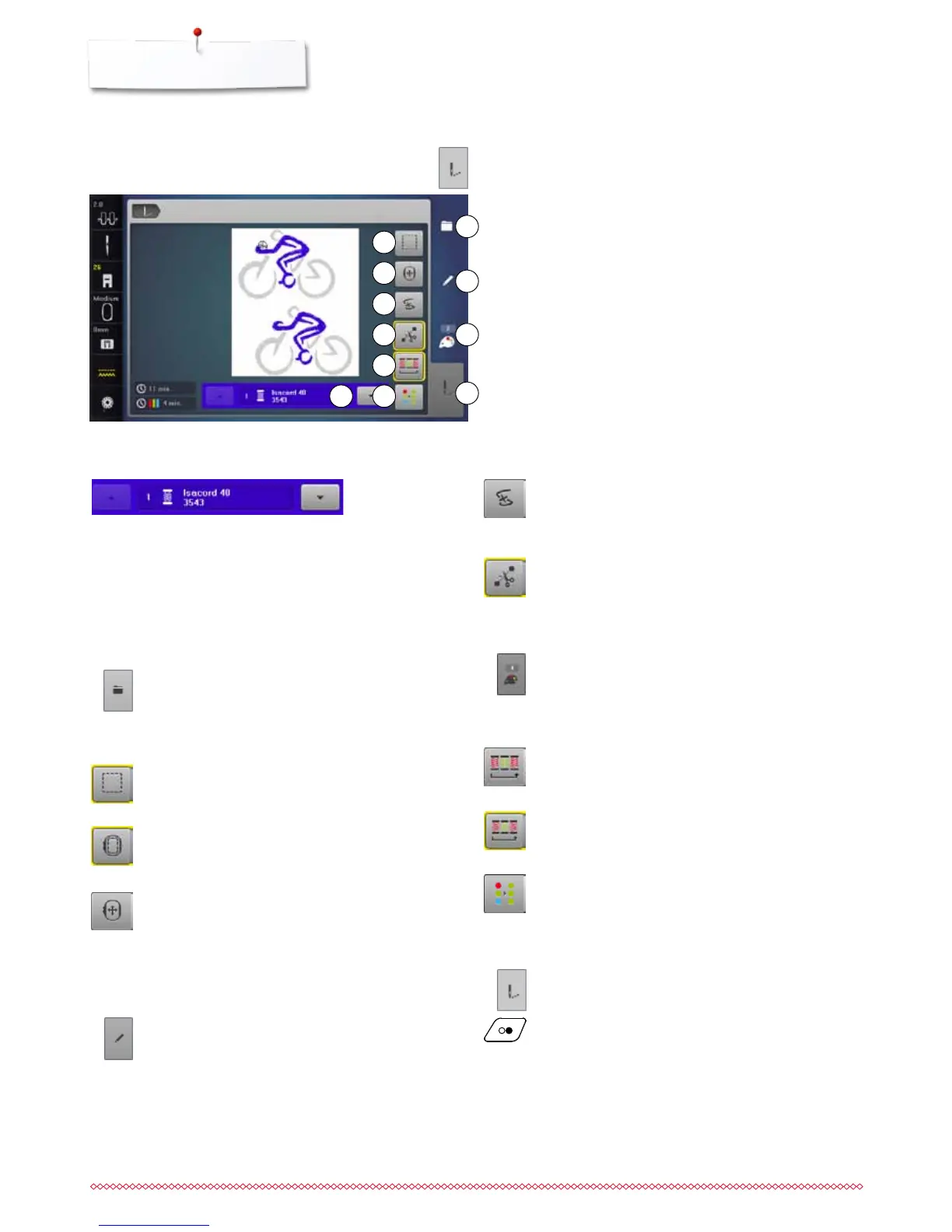
Overview Display
Overview Embroidery menu
⦁
press «Embroidery menu»-button
With some functions the instruction to use the knobs appears.
Functions
1 Color information
2 Selection
3 Basting
4 Moving the hoop
5 Edit
6 Thread breakage
7 Cutting connecting stitches
8 Color numbers
9 Embroidering motifs according to color sequence/Reducing
color changes
10 Single/Multi-color motif
11 «Embroidery menu»-button
Embroidery menu
►
the «Embroidery»-Display is opened
►
the embroidery computer is ready to embroider
The embroidery computer must be started by pressing
the «Start/Stop»-button on the headframe.
Color information
Information about the active color.
⦁
touch the arrow icons up or down
►
the current color is changed
►
the hoop moves to the first stitch of the current
color
The active color can also be embroidered individually
or in another sequence.
Selection
⦁
select new motif
⦁
add motif
⦁
save motif
⦁
delete motif
Thread breakage
In the left Display the current color of the motif is
shown in the normal size.
In the right Display the motif is enlarged.
Edit
In this Display the motif can be edited.
Cutting connecting stitches
Generally, the function is active (yellow-framed).
Connecting stitches are automatically cut.
⦁
touch the icon
⦁
connecting stitches must be trimmed manually
Color numbers
Display of the motif color numbers.
⦁
touch the icon
►
Display providing the color information to the
selected motif is opnened
Single/Multi-color motif
If the icon is active, the entire motif will be embroidered
in one color (without stopping).
If the icon is inactive, the colors will be embroidered
individually.
5
8
6
7
9
10
4
1
2
3
Basting
⦁
touch the icon
►
the embroidery motif is outlined with a straight stitch
⦁
touch icon again, the symbol changes
►
the basting is now done along the hoop
⦁
touch the icon again
►
basting stitches are deactivated
Moving the hoop
If the fabric has to be re-hooped when stitching a large
embroidery motif (e.g. lettering, borders etc.), the hoop
has to be moved to the last stitch of the already
embroidered part with the stitch width and stitch length
knob.
►
the movement is displayed in the icons
Embroidering motifs according to color sequence
With the icon deactivated, the number and sequence of
colors remain as initially set.
Reducing color changes
With the icon activated, the motif sections with identical
colors are resequenced and color changes reduced.
11



 To Next Page