27
Sewing preparation
Security Program
⦁
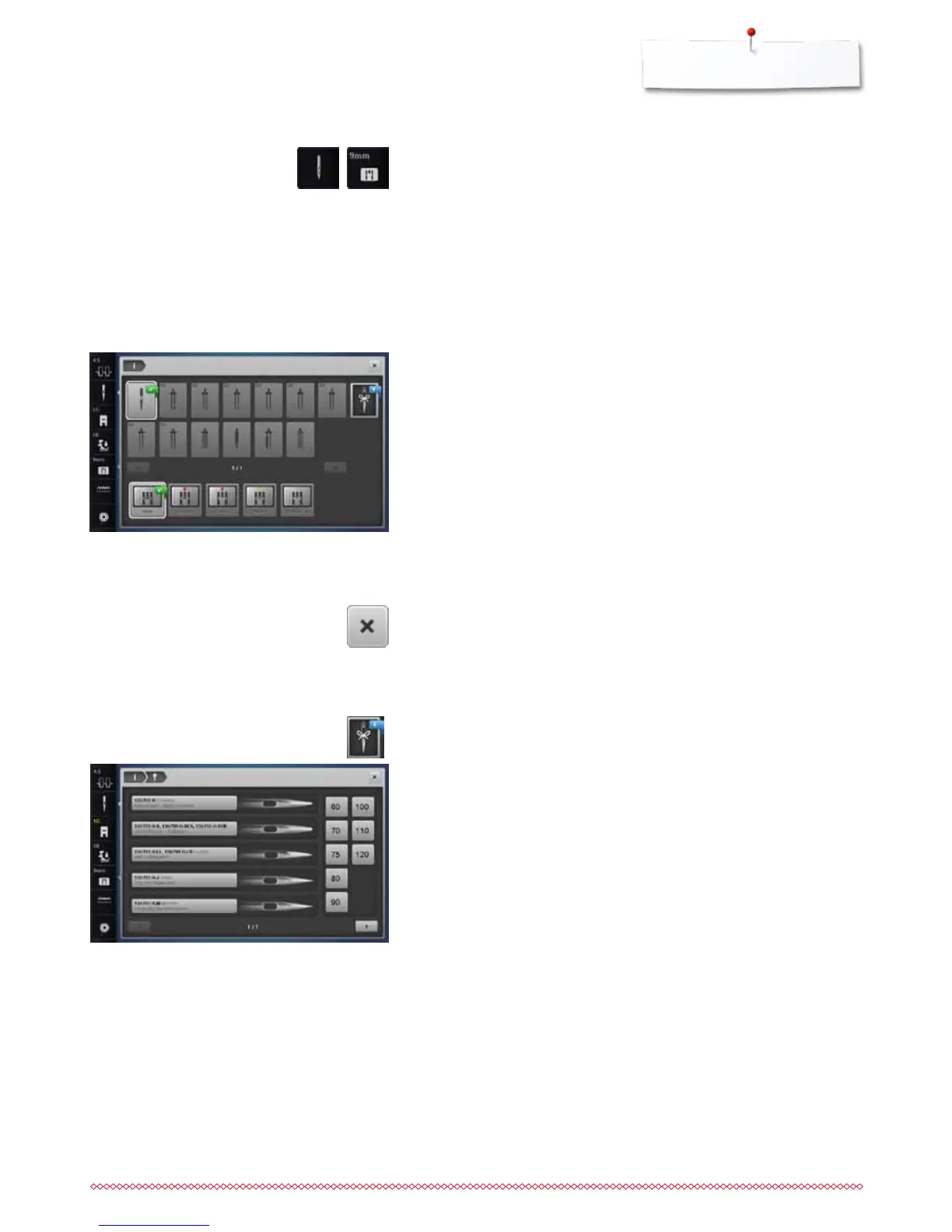
touch «Needle»- or «Stitch plate»-icon
►
«Needle-/Stitch plate overview»-Display appears
Display
►
yellow flag = recommended, optimal selection
►
green flag = optimal element is selected
If an inappropriate needle/stitch plate has been selected for the selected stitch
pattern, an animation will be displayed and the sewing computer cannot be
started.
The function remains active even when the sewing computer is turned off and
on.
Selecting the needle
⦁
touch desired «Needle»-icon
►
stitch width is limited automatically
►
this prevents the inserted special needle (double needle etc.) from hitting
the presser foot or the stitch plate = no needle breakage
►
numbers in the needle icons indicate the needle distance in mm
⦁
touch «Standard needle»-icon
►
Standard needle is activated again
►
the stitch width limitation is deactivated
Selecting the stitch plate
⦁
touch desired «Stitch plate»-icon
►
stitch width is limited automatically
►
this prevents the inserted needle from hitting the presser foot or the stitch
plate = no needle breakage
Saving
⦁
touch «Close»-icon or «Needle»- or «Stitch plate»-icon
►
the settings are saved and the Display closes
Needle Chart
⦁
press «Needle linfo»-icon
►
«Needle index»-Display appears
Selecting needle
⦁
select attached needle and needle size



 To Next Page