181
Cleaning
Cleaning
Cleaning the Display and the sewing computer
Wipe with a soft, damp cloth.
Feed dog area
Clean the sewing computer after every use - remove any lint from under the
stitch plate and in the hook area.
⦁
turn power switch to «0» (off)
⦁
remove plug from electrical outlet
⦁
remove presser foot and needle
⦁
open the bobbin door
⦁
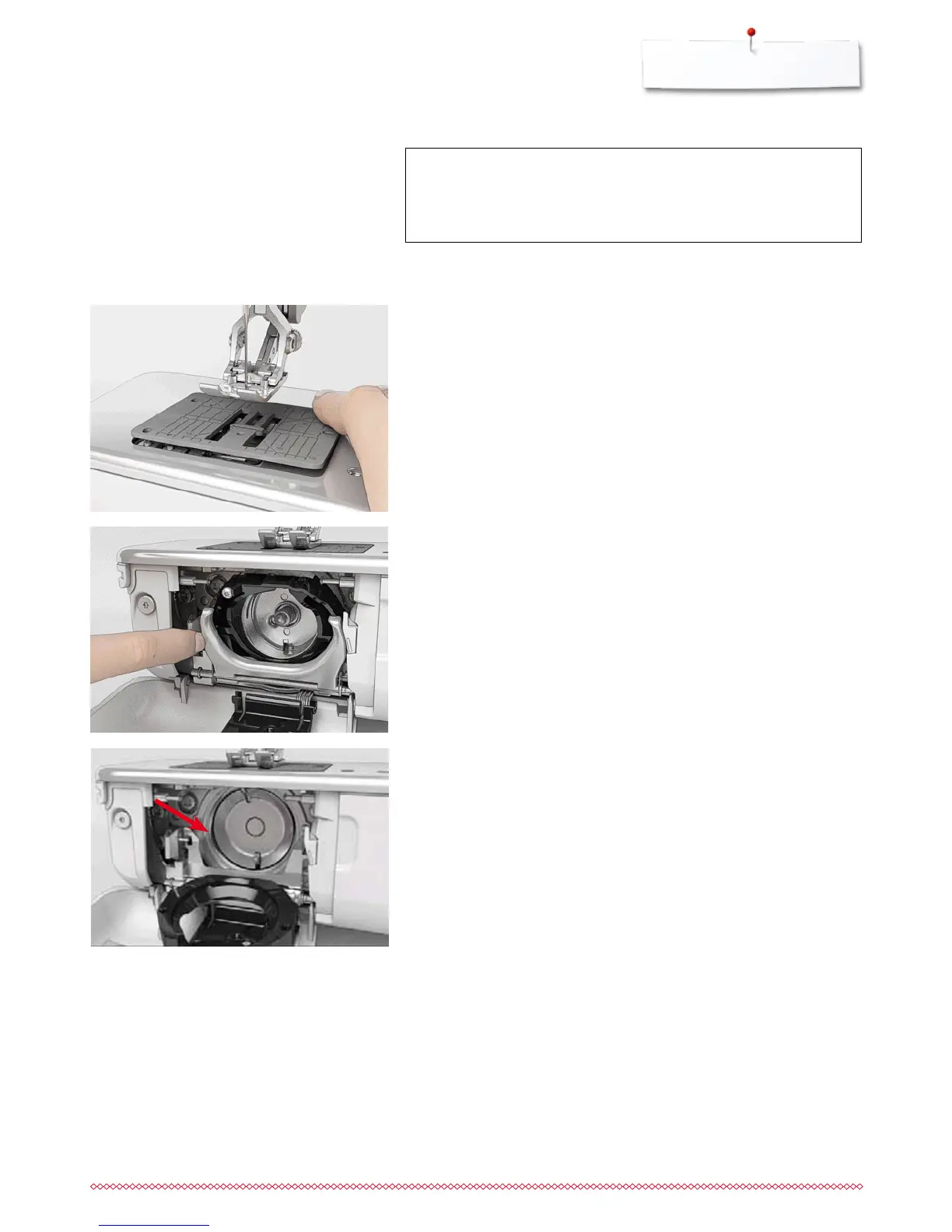
press the stitch plate down at the right back corner until it flips up
⦁
remove the stitch plate
⦁
clean the area with the lint brush
⦁
replace the stitch plate
ATTENTION!
Disconnect plug from the socket before cleaning or lubricating!
Never use alcohol, petrol, white spirit or any type of solvent to
clean the sewing computer!
⦁
clean the hook race with a brush; do not use any pointed objects
⦁
hold the hook at the pin in the center with two fingers
⦁
lead the hook, lower edge ahead, angular top-down behind the hook race
cover
⦁
position the hook with the two lugs meeting the openings in the hook, the
colored mark on the hook driver should be visible through the hole in the
hook
⦁
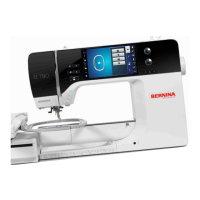
insert the hook
►
the hook is magnetic and therefore fastened to correct position
⦁
close the hook race cover and the fastening bracket, release bracket must
engage
⦁
as a check, turn the handwheel
⦁
insert the bobbin case
Cleaning the hook
⦁
turn power switch to «0» (off)
⦁
remove plug from electrical outlet
⦁
remove bobbin case
⦁
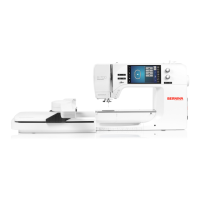
push release lever to the left
⦁
flap down the fastening bracket along with the black hook race cover
⦁
remove the hook


 To Next Page