173
Embroidery motifs
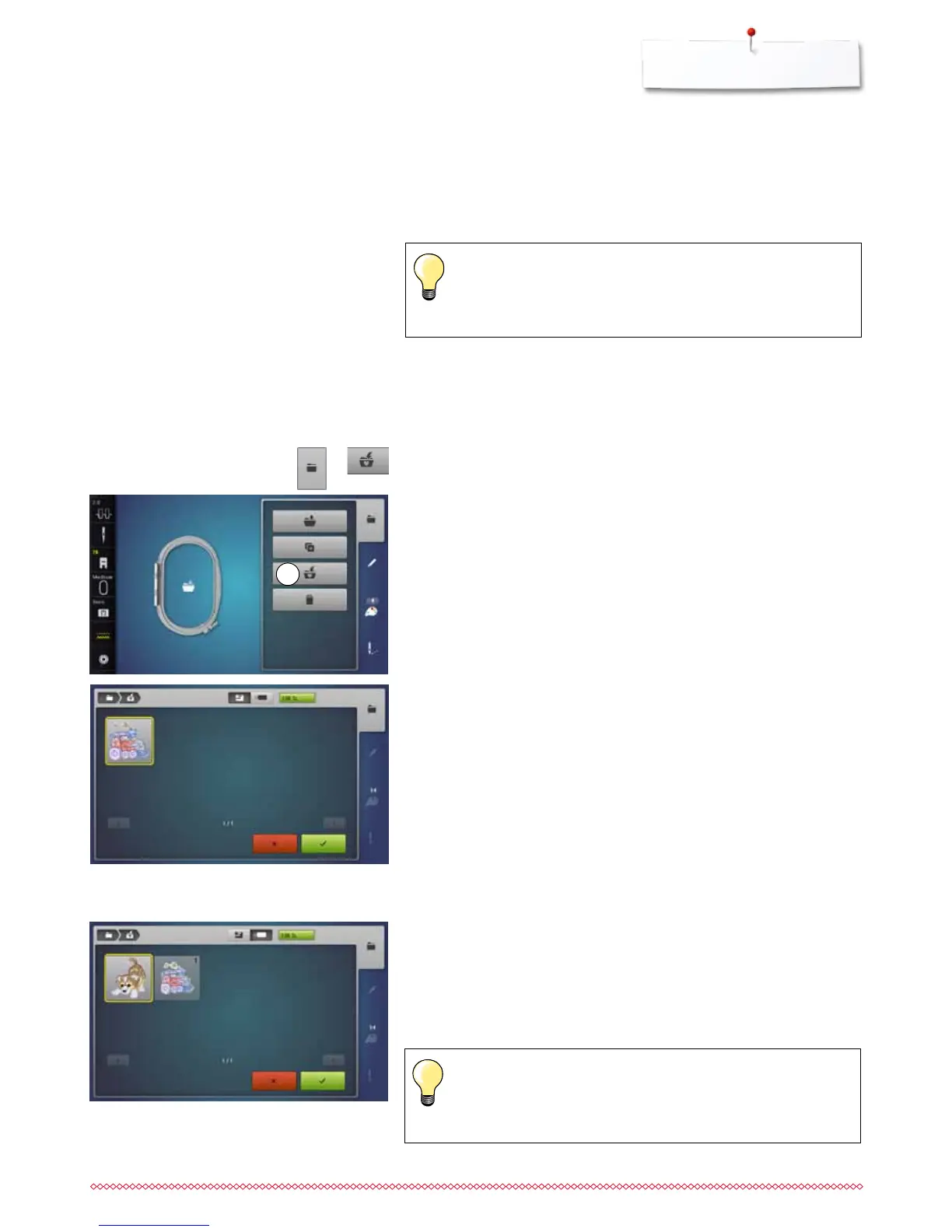
Saving embroidery motifs
⦁
press «Selection»-button
⦁
touch «Save»-icon 1
Embroidery motifs from the embroidery computer, the USB stick or designs
created in the BERNINA Embroidery Software can be altered in different ways,
then saved.
Embroidery motifs can either be saved in the embroidery computer memory or
on an USB Stick.
Embroidery motifs which were altered in size and saved are
regarded as new motifs when they are recalled. That is why all
percentages say 100%, and the former alteration can no longer be
seen.
⦁
select desired embroidery motif
⦁
alter if desired
The motif to be saved is displayed in a yellow frame.
►
«Embroidery computer»-icon is active
►
the «My Designs» folder is opened automatically
►
the system memory capacity (free capacity) is displayed in percent (%) in
the green bar
⦁
select the motif to be saved
►
the embroidery motif is saved in numerical order in the «My Designs» folder
►
the «Edit»-display appears again
1
Memory Embroidery computer
The motif to be saved is displayed in a yellow frame.
⦁
insert USB Stick
⦁
touch «USB-Stick»-icon
►
the system memory capacity (free capacity) is displayed in percent (%) in
the green bar
⦁
select the motif to be saved
►
the motif is saved on the stick
Empty USB sticks are available as optional accessory at the
BERNINA-dealer.
Sticks of other brands are unlikely to be supported, especially sticks
providing a large memory capacity.
USB-Stick



 To Next Page