160
Embroidery motifs
By using the Touchscreen pen any position within the motif can be selected
directly in the «Edit»-Display.
⦁
select and edit motif
⦁
attach the respective hoop
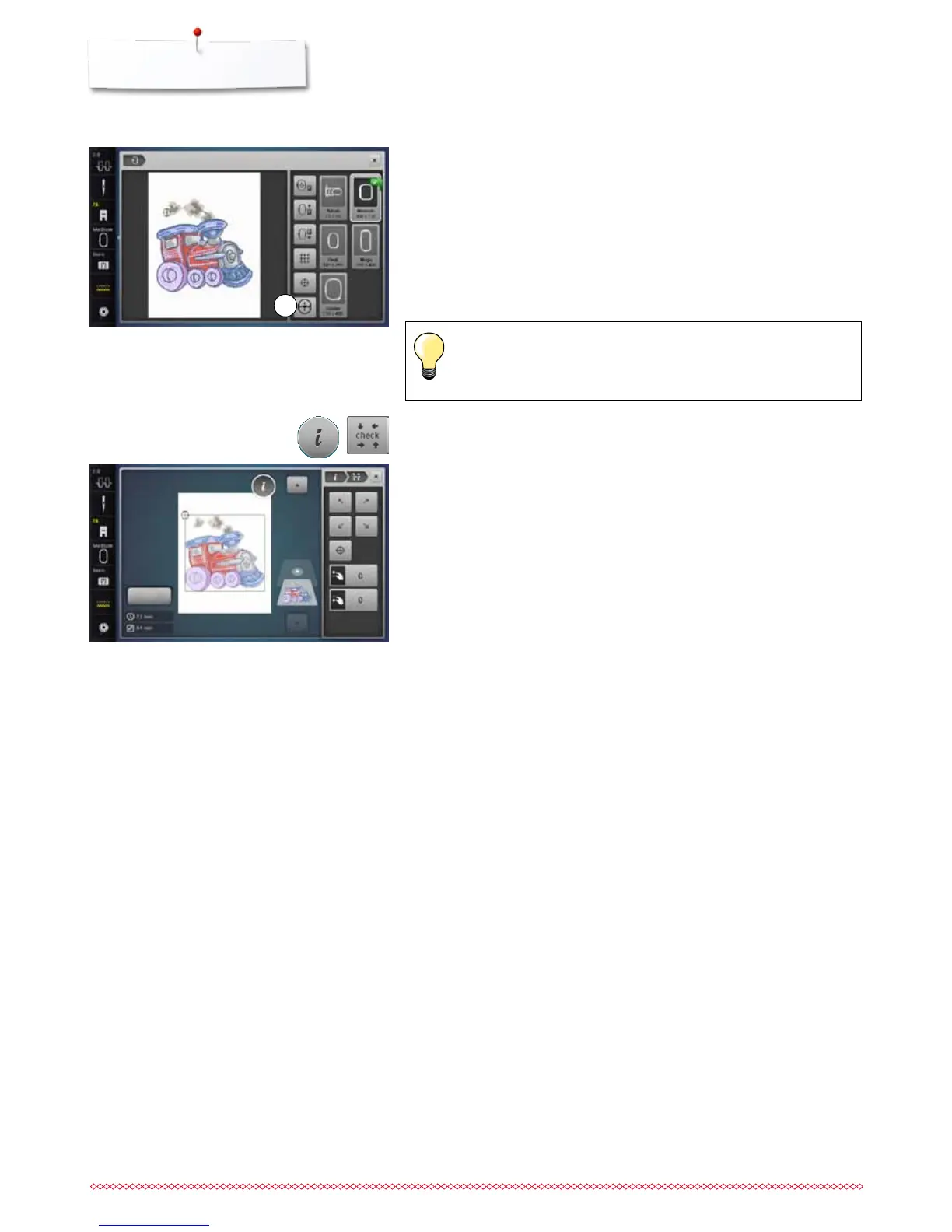
The «Motif center»-icon must be deactivated in order to utilize Absolute check.
⦁
check the motif within the hoop by using the Touchscreen pen
⦁
select any point in the motif with the Touchscreen pen
►
the cursor (marking the needle position) moves to the selected area
►
if the icon «Virtual positioning» 1 is activated (yellow-framed), the hoop is
moved to position the needle over the selected area
Absolute embroidery check
If the thread breaks, place the Touchscreen pen on the area of the
Display where the thread broke and the hoop moves to that area.
1
Checking the motif size
The «Check motif size»-function reads the attached hoop size and stitching
area:
⦁
touch «i»-icon
⦁
touch «Check»-icon
⦁
select the four corners using the arrow icons
⦁
touch «Motif center»-icon
►
the needle moves to the center position of the motif
⦁
turn the stitch width knob to the left or to the right
►
the embroidery motif is moved horizontally
⦁
turn the stitch length knob to the left or to the right
►
the embroidery motif is moved vertically



 To Next Page