42
Functions - Display
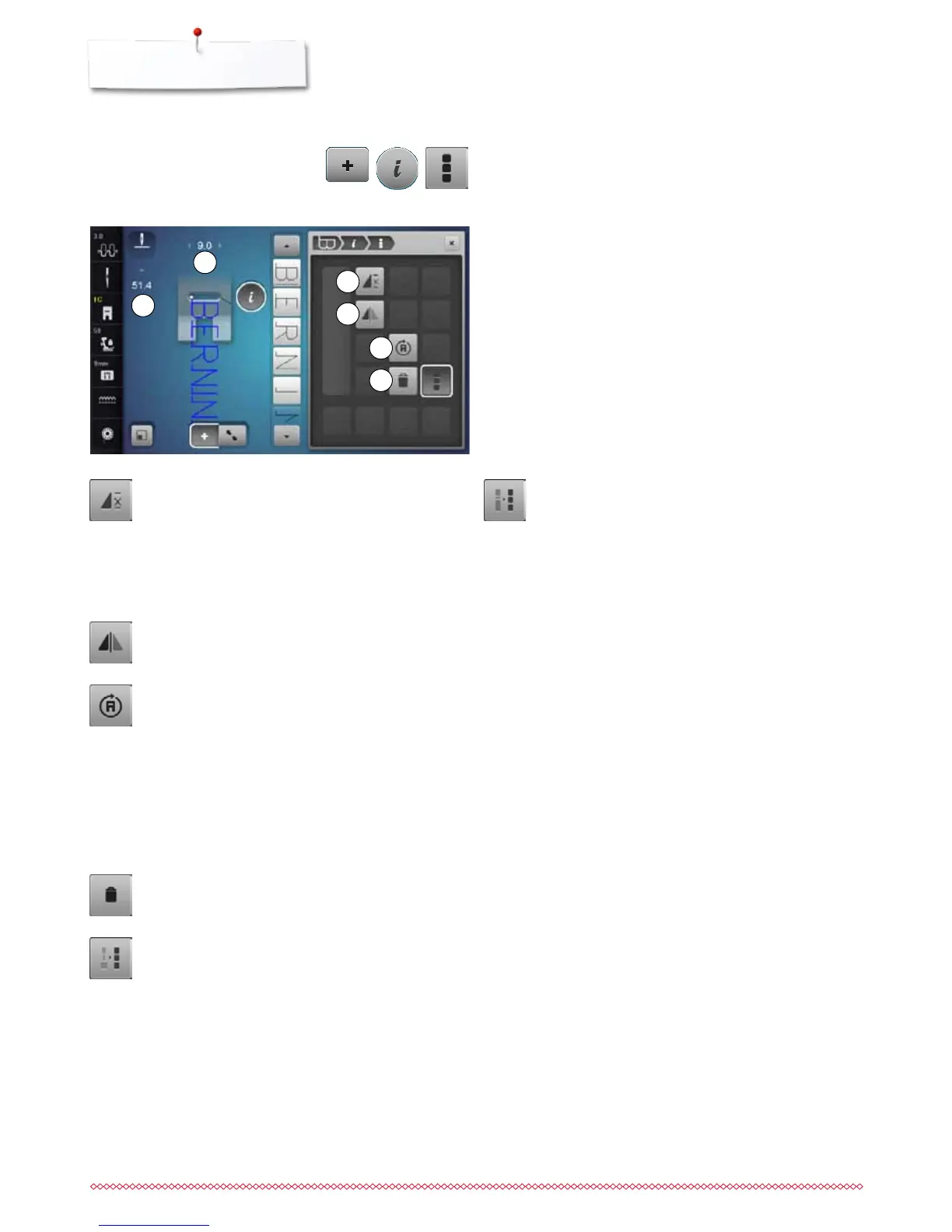
Functions
1 Combination repeat
2 Mirror image left/right
3 Multi-Directional sewing
4 Deleting
⦁
touch «Combi mode»-icon
⦁
select the stitch pattern
⦁
touch «i»-icon
⦁
touch «Edit whole combination»-icon
Combination repeat
⦁
touch icon 1x
►
number 1 appears: the sewing computer stops at
the end of a pattern combination
⦁
touch icon 2-9x
►
numbers 2-9 appear: the sewing computer stops at
the end of a stitch combination after the number of
repeats selected
Mirror image left/right
The sewing computer sews the whole combination
mirrored, left/right referring to the sewing direction.
Multi-Directional Sewing
►
use the stitch width knob to rotate the stitch pattern
or combination in 0.5°-steps, the stitch length knob
for 1°-steps or the direct-selection buttons for
rotating in 45°-steps into the desired direction
►
the sewing direction is shown in the left part of the
Display
►
the start is marked with a white dot the end with a
red cross
►
the function only appears if the selected stitch can
be sewn in multiple directions
Deleting
Deletes the whole combination.
Adjusting the width in the combination
⦁
touch «Stitch width Display»-icon 5
►
«Stitch width»-Display appears
⦁
touch «Adjust width in combination»-icon
►
the width of all the stich patterns are adjusted to the
widest stitch pattern within the combination
Adjusting the length in the combination
⦁
touch «Stitch length Display»-icon 6
►
«Stitch length»-Display appears
⦁
touch «Adjust Length in Combination»-icon
►
the length of all the stich patterns are adjusted to
the longest stitch pattern within the combination
1
2
3
4
5
6



 To Next Page