BERNINA International AG Seestrasse 161 CH-8266 Steckborn Schweiz Seite 124 von 172
DRAFT – VERSION
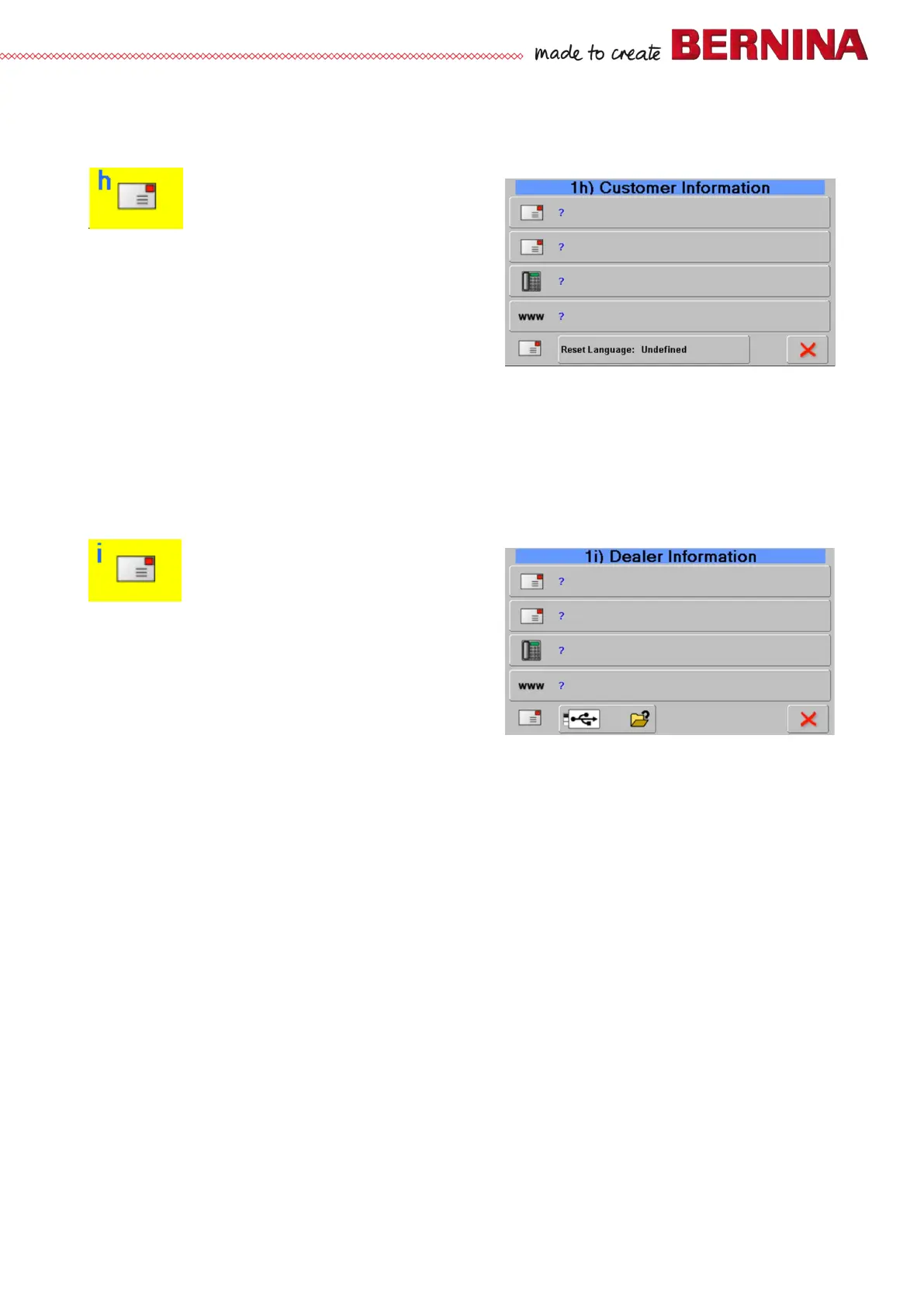
1h Customer related data (Customer Information)
Customer addressee date can be entered here
Check:
• Name of customer
• Address of customer
• Telephone number of dealer
• Email address of customer
Tip:
• A virtual keyboard opens on selecting a field, and data can be entered.
• Selecting the ‘Reset Language’ button resets the language to ‘undefined’.
Language can be reselected after restarting the machine.
1i Dealer related data (Dealer Information)
Dealer addressee date can be entered here
Check:
• Name of dealer
• Address of dealer
• Telephone number of dealer
• Internet address of dealer
Tip:
• A virtual keyboard opens on selecting a field, and data can be entered.
• Dealer data can also be read and entered in .txt format from BERNINA USB data stick.
Important: The file must be named dealerdata.txt (see example below).
• The dealer-related data will automatically appear on the screen when a maintenance reminder is
triggered.
For example:
BERNINA Nähmaschinen AG
8266 Steckborn
0123456789
www.bernina.com



 To Next Page