BERNINA International AG Seestrasse 161 CH-8266 Steckborn Schweiz Seite 147 von 172
DRAFT – VERSION
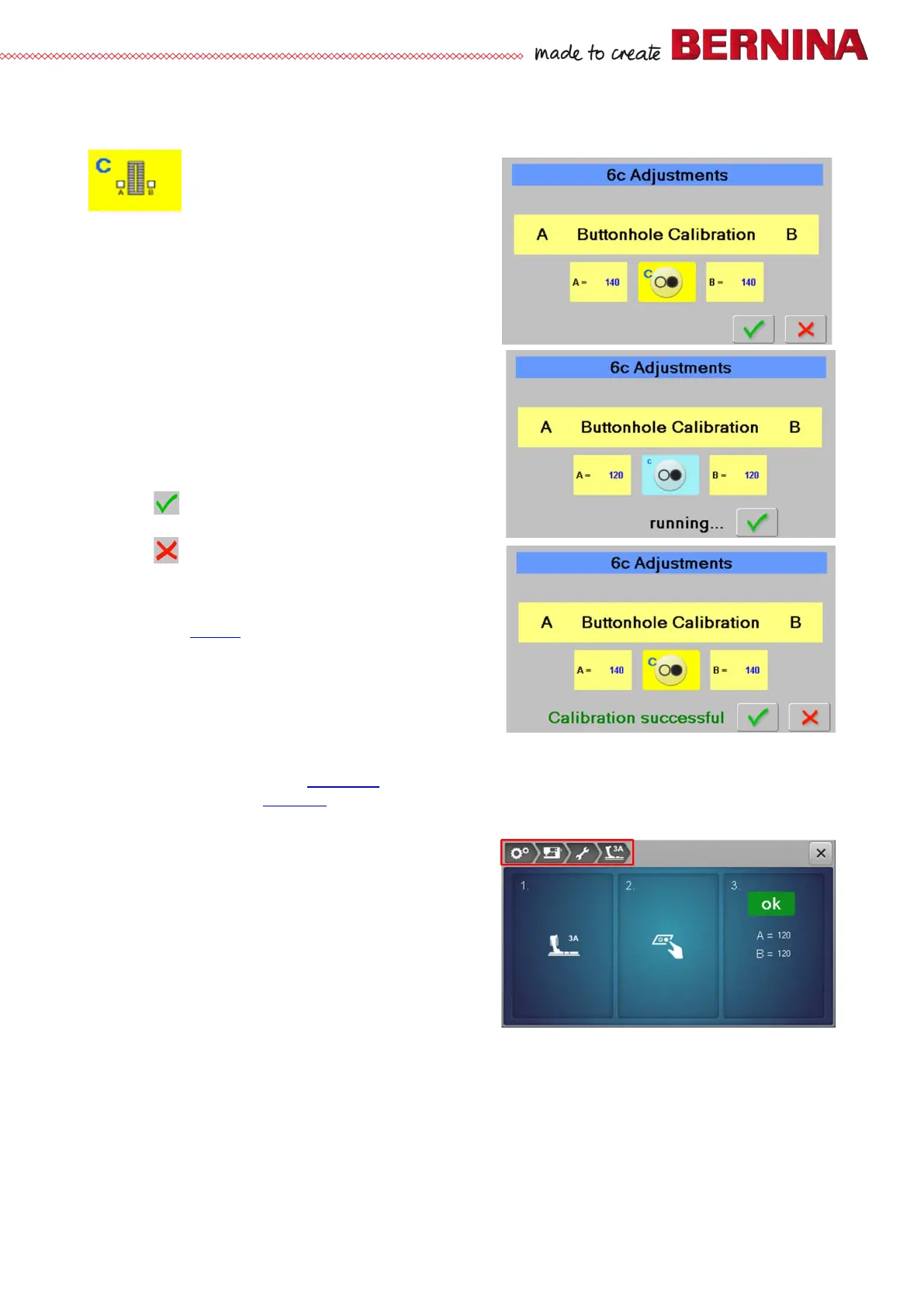
6c Buttonhole calibration
Is used to carry out buttonhole calibration
Check:
• Attach buttonhole foot with slide 3A.
• Select test 6c.
• Lower presser foot.
• Press Start-/Stop button.
• Buttonhole foot calibration starts.
• ‘Running’ appears, and the colour of the Start-/Stop
icon changes to light blue.
• The buttonhole foot moves back and forth, and signals
A and B are recorded.
• A ‘Calibration successful’ message appears if the
calibration has been successful.
• A ‘Calibration failed’ message appears if the calibration
failed.
• Press to save and return.
• Press to return without saving.
Repair note:
• Check the ABC sensor board for dust or stains. Clean if
necessary (see 2.9
).
• Check the balance adjustment done previously.
• Check the mechanical parts of the buttonhole foot with
slide (smooth sliding of carriage, motion of the signal
prism).
• Check foot recognition in test 4l.
• Replace buttonhole foot with slide.
• Check cables and plugs for deformation and/or wear and tear.
• Replace ABC sensor board (see 4.2.10
).
• Replace PCBA-Base (see 4.2.4).
User view in Setup menu:



 To Next Page