BERNINA International AG Seestrasse 161 CH-8266 Steckborn Schweiz Seite 149 von 172
DRAFT – VERSION
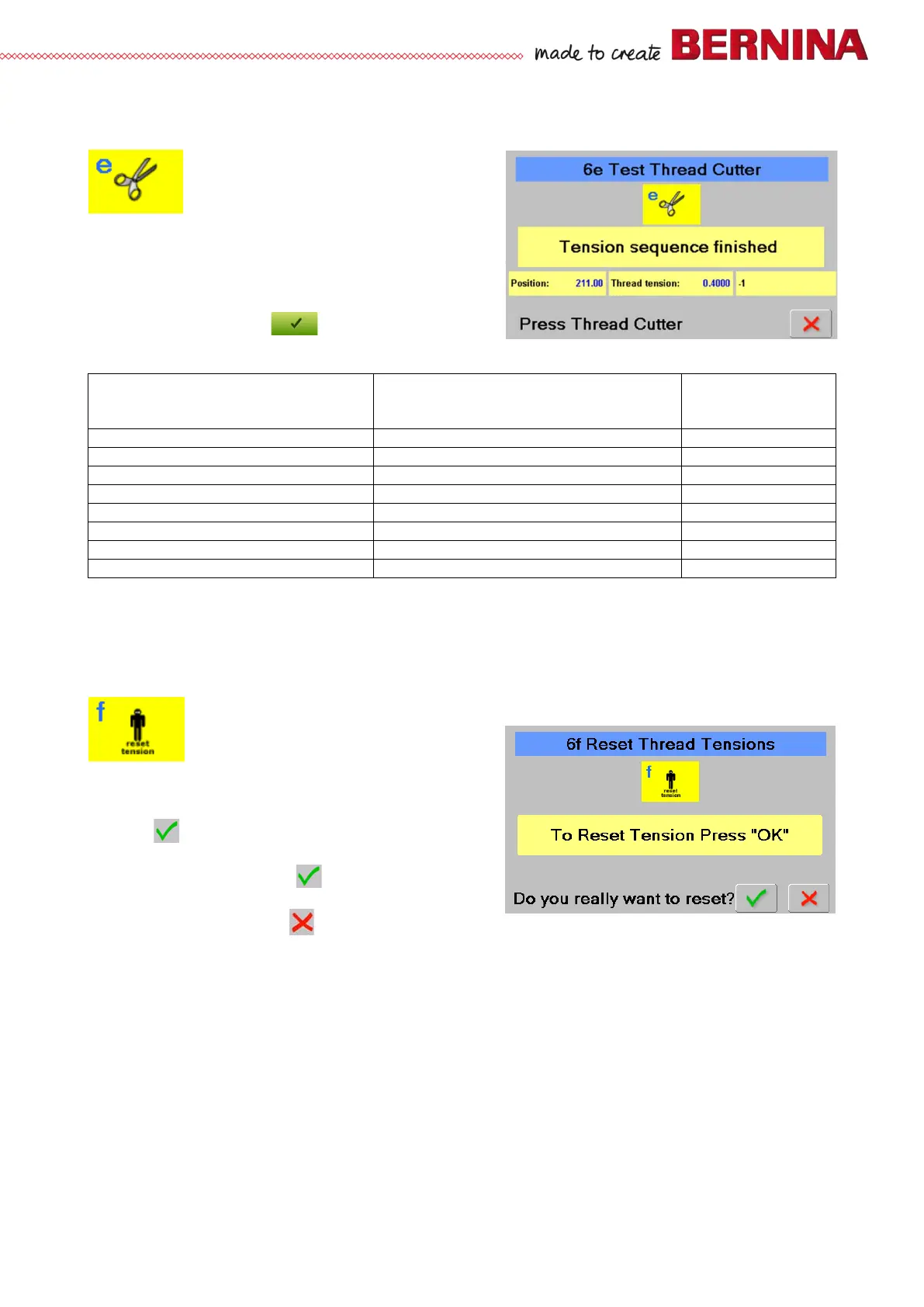
6e Thread cutting
Is used to carry out, step by step, thread cutting function test
Check:
• Select test 6e.
• Press thread cutter key to change between the different
processes.
• A new window opens, and the first step is prompted.
• Press green check key to see the next step (8
steps in total). See table:
Prompt: Action
position
Start thread cutting sequence
Start thread cutting sequence
Lower thread in thread reservoir
Lower thread cached by tread catcher
Upper thread caught by thread catcher
Upper thread cached by tread catcher
Separate upper and lower thread
Upper and lower thread cut
Tension sequence finished
Tension sequence finished
* Value in degree on machine can slightly differ from given value
6f Resetting upper-thread tension to default
Is used to reset from customer changed tension value
Check:
• Select test 6f.
• ‘To Reset Tension Press OK’ appears.
• Press to continue.
• ‘Do you really want to reset?' appears.
• If the answer is Yes, press to reset the upper-
thread tension to default and return to section 6.
• If the answer is No, press to leave the upper-
thread tension settings and return to section 6.



 To Next Page