BERNINA International AG Seestrasse 161 CH-8266 Steckborn Schweiz Seite 162 von 172
DRAFT – VERSION
Chapter 8 – Firmware Update
8.1 Update Procedure
Note:
• The BERNINA 590, 570 QE, and 535 do not have the same firmware (FW).
• Update files are available for downloading from Infogate.
• Update files for BERNINA 590, 570 QE, 540, and 535 CANNOT be saved on the same BERNINA USB
data stick.
Note:
If the files are saved in a folder or subfolder on the USB stick, the machine will not be able to find them and
will consequently not be able to update.
1 Save the update files to a BERNINA USB stick (> 512 MB).
For BERNINA dealers: https://infogate.bernina.com
For BERNINA end customers: www.bernina.com/downloads
2 Connect BERNINA USB stick to machine and switch main switch ON.
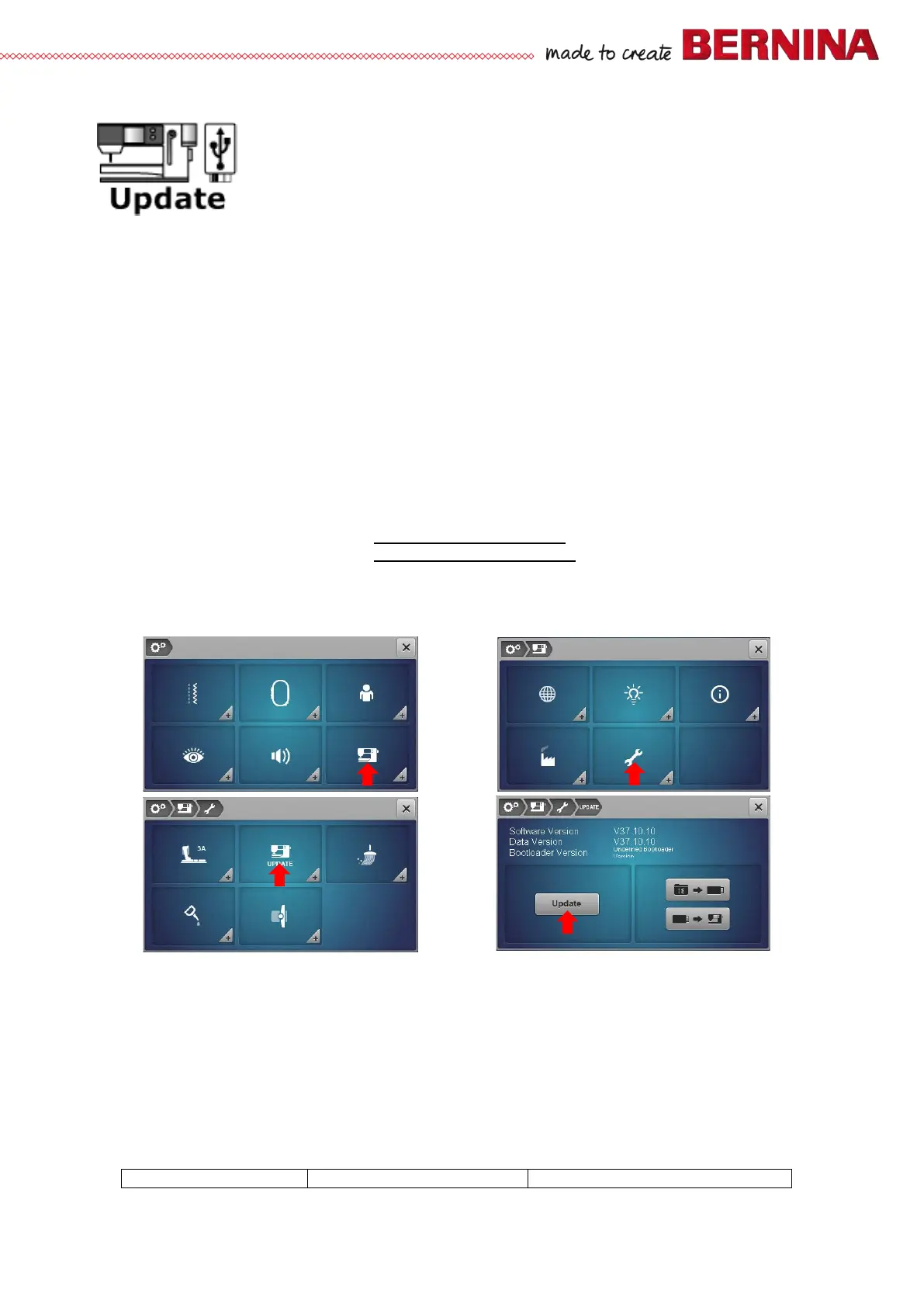
3 Select Setup Program, then press the Update button.
4 The ‘Update’ windows opnes. Press ‘Update’ icon. The updating process starts.
5 The update files will be checked, data and settings saved to the USB stick and a reset triggered.
6 On resetting the update will be carried out and the machine will start and run in update mode
automatically.
7 The saved settings and data are copied back from the USB stick to the sewing machine and the
application changes to normal mode.
8 Now the machine is ready for normal usage with the new version.
9 If the update can not be started or in the event of problems occuring while updating, one of the error
messages below may appear:



 To Next Page