BERNINA International AG Seestrasse 161 CH-8266 Steckborn Schweiz Seite 136 von 172
DRAFT – VERSION
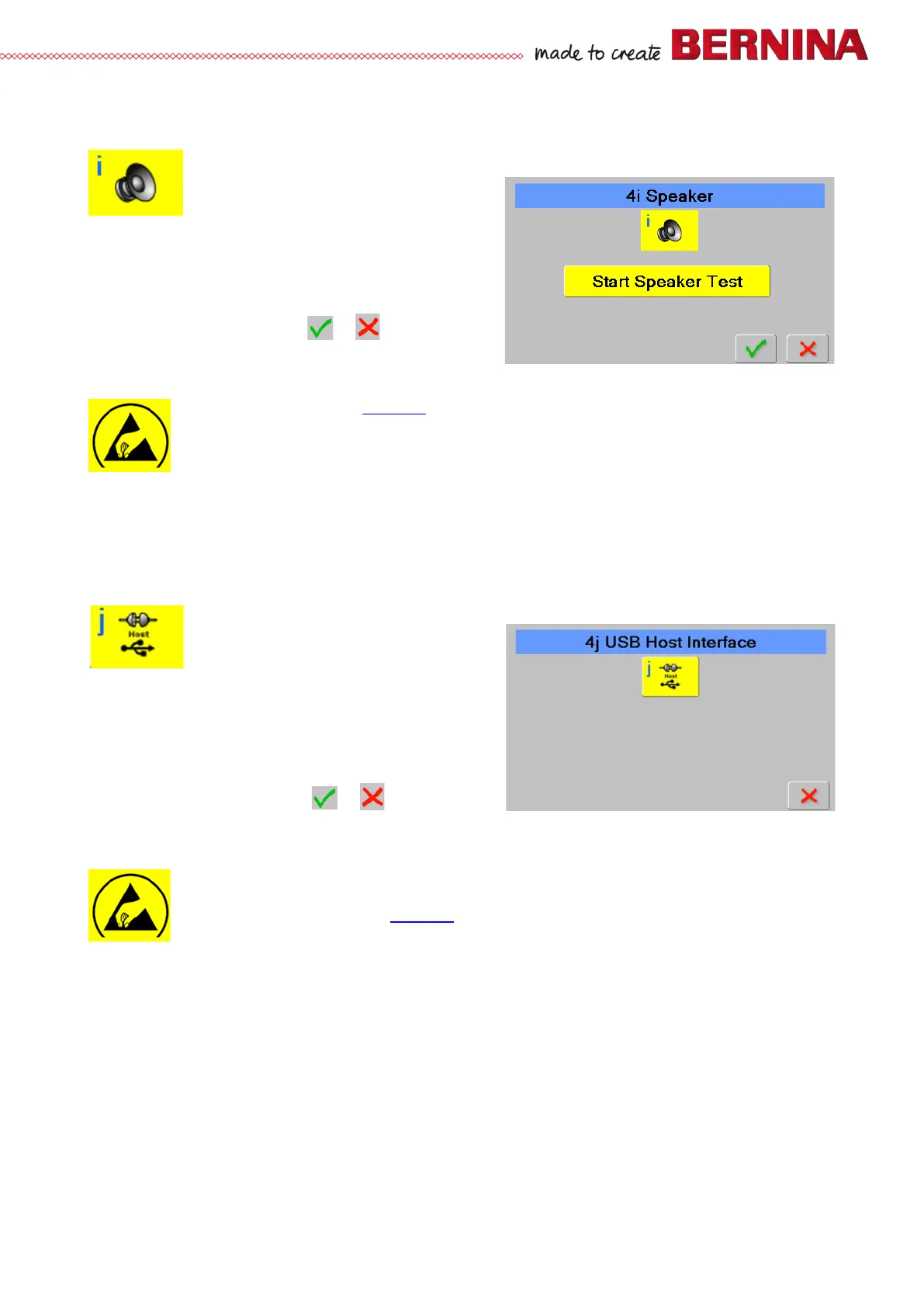
4i Speaker
Is used to check buzzer function
Check:
• Select test 4i.
• Press ‘Start Speaker Test’ bar to start the test.
• A few beep sounds can be heard.
• Press bar again to finish the test.
• To return to section 4, press or .
Repair note:
• Replace PCBA-Base (see 4.2.4
).
4j USB ports
Is used to check USB ports
Check:
• Select test 4j.
• Connect a USB cable from the USB host to a USB
client.
• Press icon in the screen to start the test.
• A 'Successful' or 'Test Failed' message will appear.
• To return to section 4, press or .
Repair note:
If 'Test Failed' message appears:
• Repeat the test using another USB cable.
• Check host and client ports on machine.
• Replace PCBA-Base (see 4.2.4
).



 To Next Page