BERNINA International AG Seestrasse 161 CH-8266 Steckborn Schweiz Seite 29 von 172
DRAFT – VERSION
3.5 Touch screen calibration
Since the 5 Series (VIO) comes with a capacitive touch screen, calibration doesn’t apply.
3.6 EEPROM missing or misprogrammed
Issue:
Machine starts up until briefly before the welcome screen would appear. ‘User update’ mode appears instead
of Welcome screen, and asks for an update. The stepping motors don't initialise, and the machine cannot be
operated at all. The machine cannot be started in Service Program.
Possible sources:
• When replacing the PCBA-Base the EEPROM might not have been moved to the new PCBA-Base, or
the EEPROM is faulty for some reason.
Solution:
Connect new EEPROM and recalibrate machine according to table.
Enter series number as prompted
Upper-thread tension unit
Presser-foot height light barrier (micro switch)
Button length measuring system (buttonhole calibration)
Electronic balance calibration
• The EEPROM was plugged in the wrong way (turned by 180°), causing a shortcircuit which might also
have destroyed the PCBA-Base.
Solution:
Attach EEPROM the correct way as described in the Service Manual. Replace EEPROM and PCBA-Base if
necessary.
3.7 Machine doesn't start after repair
Issue:
Machine doesn’t start anymore after work has been done on machine.
Possible sources:
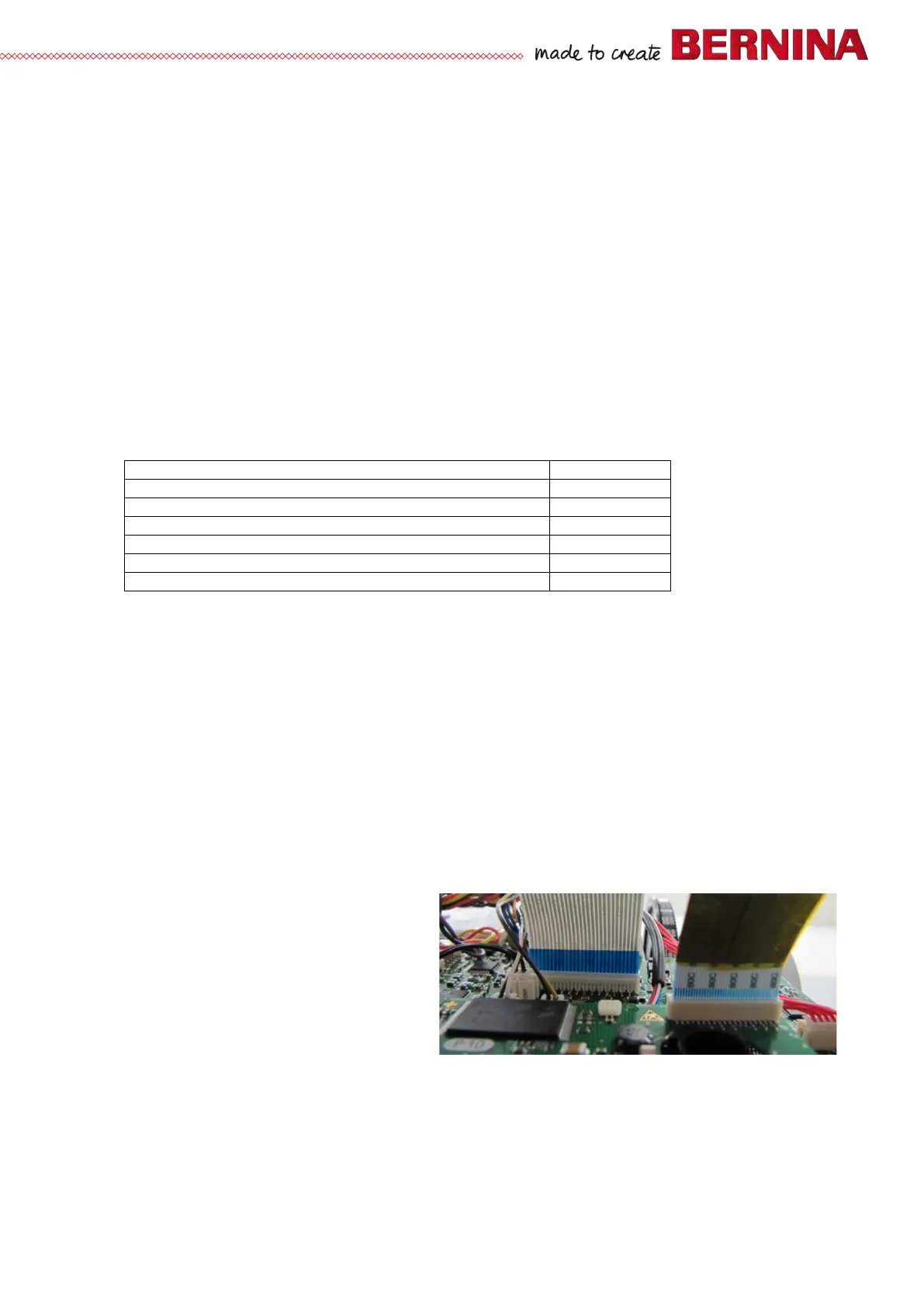
• Ribbon cable has been fitted the wrong way. Connection between the PCBAs is therefore uncertain.
Solution:
Fit ribbon cable properly (see picture).
Note:
The wide ribbon cable supplying the front cover
and its functions is plugged with the blue
stabilizing film downward. In this way the
contacts of the ribbon cable can be checked.
This also applies for the very narrow, EMV-
properties-enhancing ribbon cable. View
from below
Exceptions in the 5 Series (VIO):
The narrow, touchscreen-supplying ribbon cable has the blue stabilizing film at the top.



 To Next Page