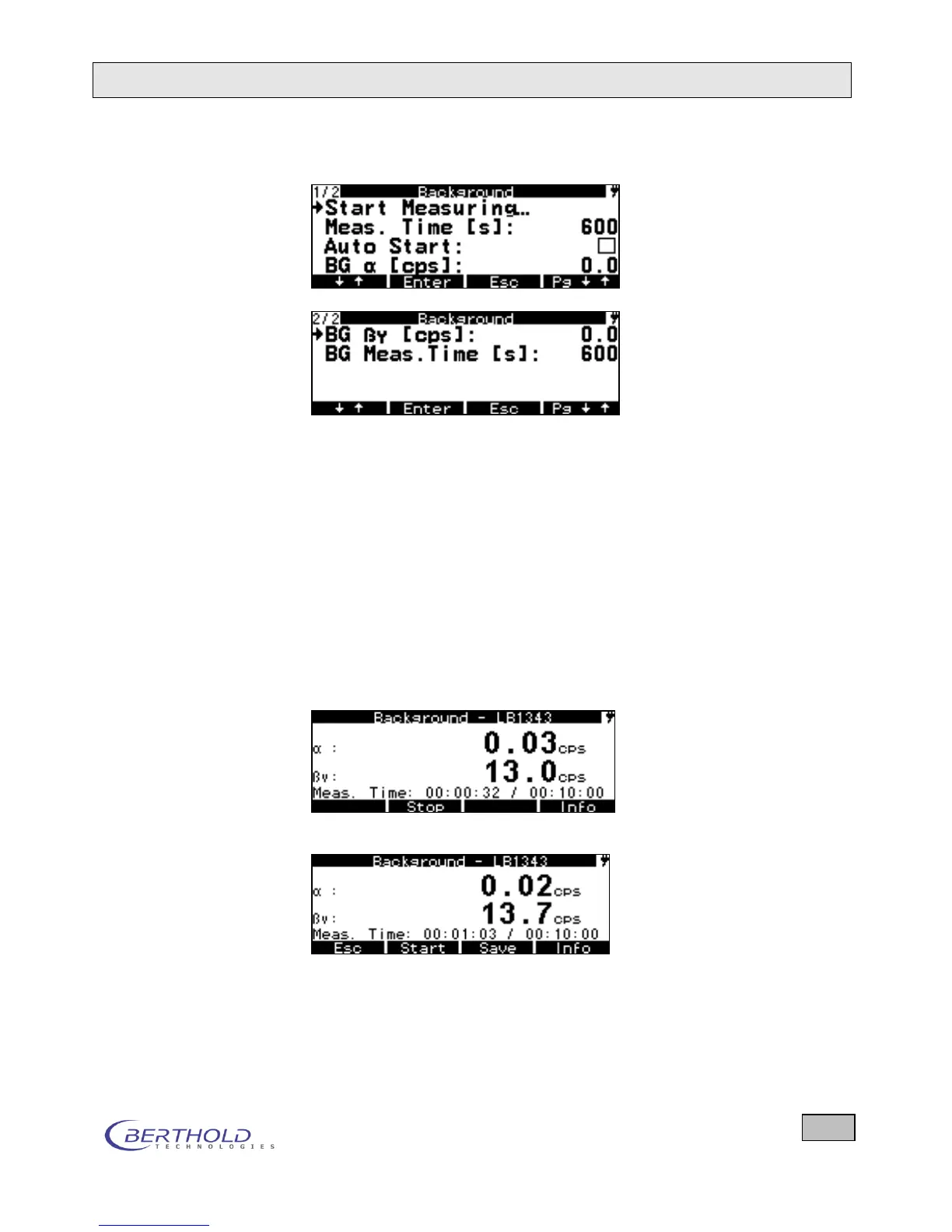
The functions and settings are explained below:
Figure 6.4: Background menu with options for the contamination probe
The currently stored background is always subtracted from
each measurement (in each measurement mode).
Start measurement Starts the background measurement in one or both measuring
channels simultaneously – using the parameters defined on this
page.
The background can also be entered manually in cps in the row
BG α or BG β, provided the Background menu is enabled for
reading and editing. The following display appears after the
start of the background measurement:
Background measurement
a) Ongoing measurement (after 32 seconds)
b) Measurement stopped after 1:03 minutes
Figure 6.5: Background measurement









 To Next Page