KBF P + KBF LQC + KBWF (E6) 11/2016 page 124/189
15.5.4 E-Mail
As soon as an alarm was triggered, an e-mail is sent to the configured e-mail address.
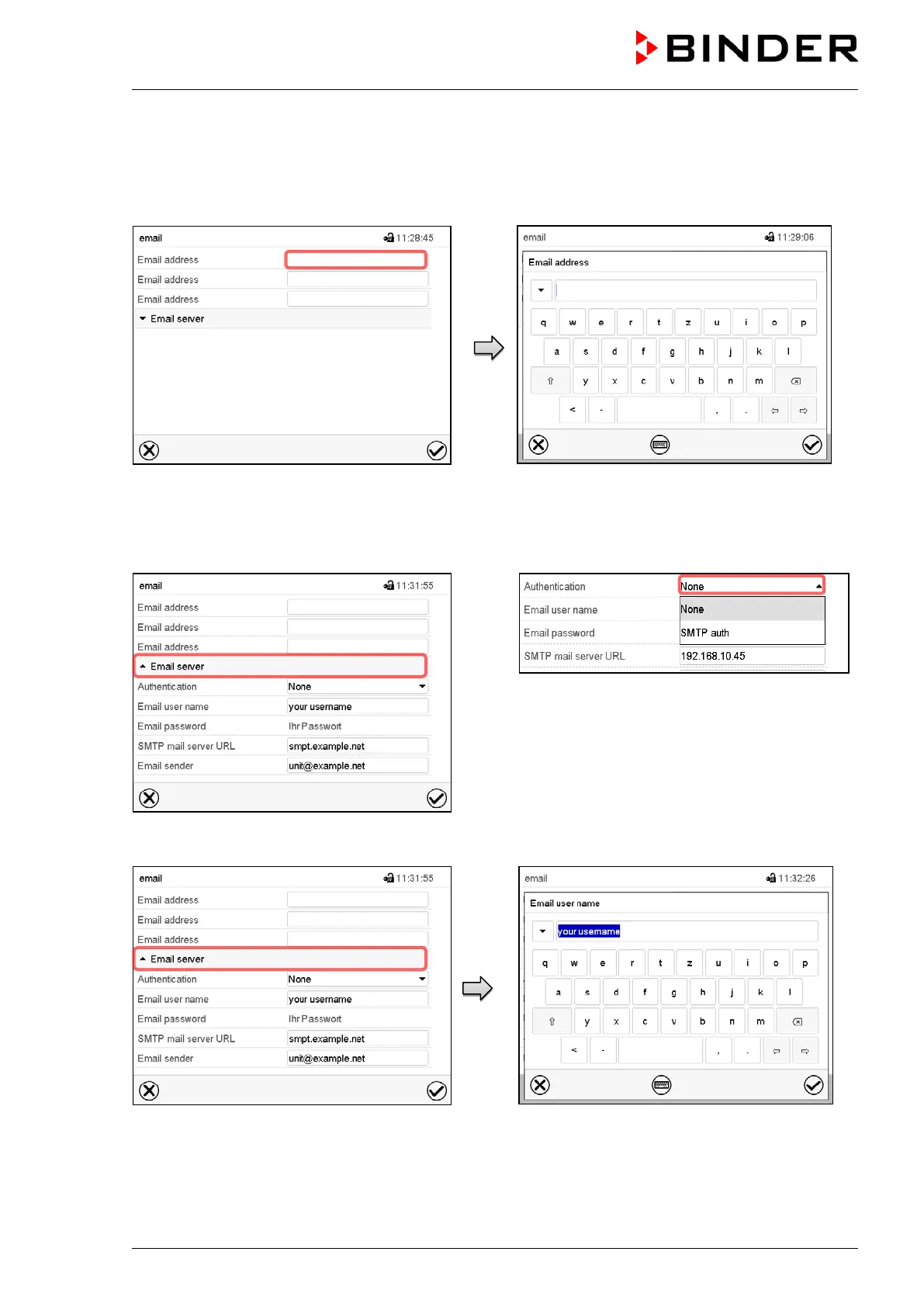
Path: Main menu > Settings > Email
“Email” submenu.
Select the field of the e-mail address to be
entered.
“Email address” entry menu.
Enter the e-mail address. You can use the Key-
bord change icon for entry.
Press the Confirm icon.
Select the field “Email server” to access the
server settings
In the field “Authentication” select the desired
setting “None” or “SMTP” auth“.
With the setting “SMTP auth”, you can enter a
password under “Email password”.
Select the field “Email user name”.
Enter the desired user name and press the
Confirm icon.











 To Next Page