KBF P + KBF LQC + KBWF (E6) 11/2016 page 54/189
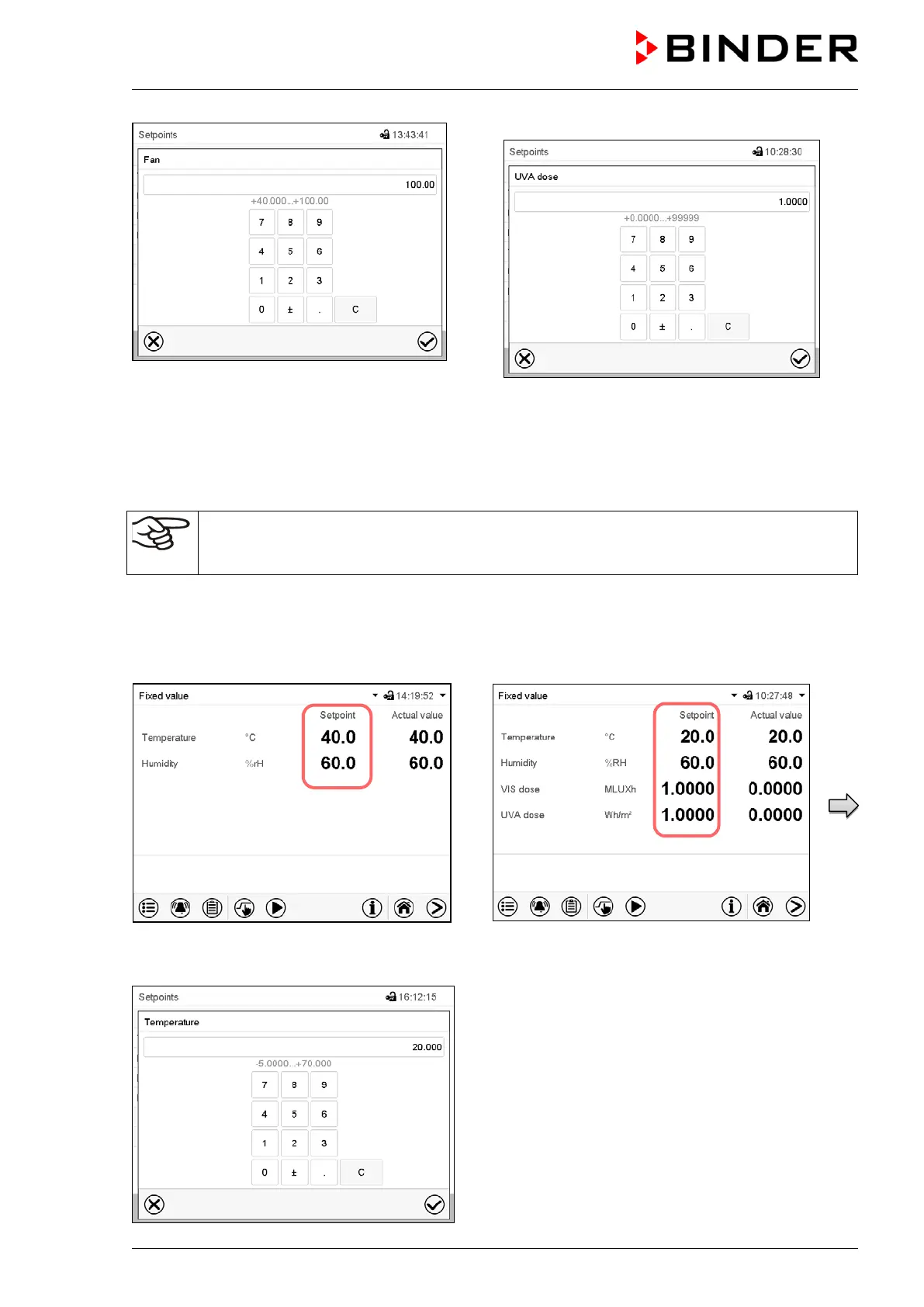
“Fan” entry menu.
Enter the desired setpoint and press the Con-
firm icon.
“UVA Dose” entry menu.
Enter the desired target dose and press the
Confirm icon.
Proceed accordingly to enter the VIS target
dose.
When entering a value outside the setting range, the message: “Value outside of limits! (Min:
xxx, Max: xxx)” appears (xxx is a wildcard for the limits of the respective parameter). Press the
Confirm icon and repeat the entry with a correct value.
8.2 Direct setpoint entry via Normal display
Alternatively you can also enter the setpoints directly via Normal display.
Normal display with KBF P / KBWF.
Normal display with KBF LQC.
Select the setpoint you want to change.
Example: “Temperature” entry menu.
Enter the desired value and press the Confirm
icon.











 To Next Page