KBF P + KBF LQC + KBWF (E6) 11/2016 page 49/189
6.3 Turning on/off humidity control
Turning off humidity control is required when operating the chamber without water connection in order to
avoid humidity alarms. For further information see chap. 18.
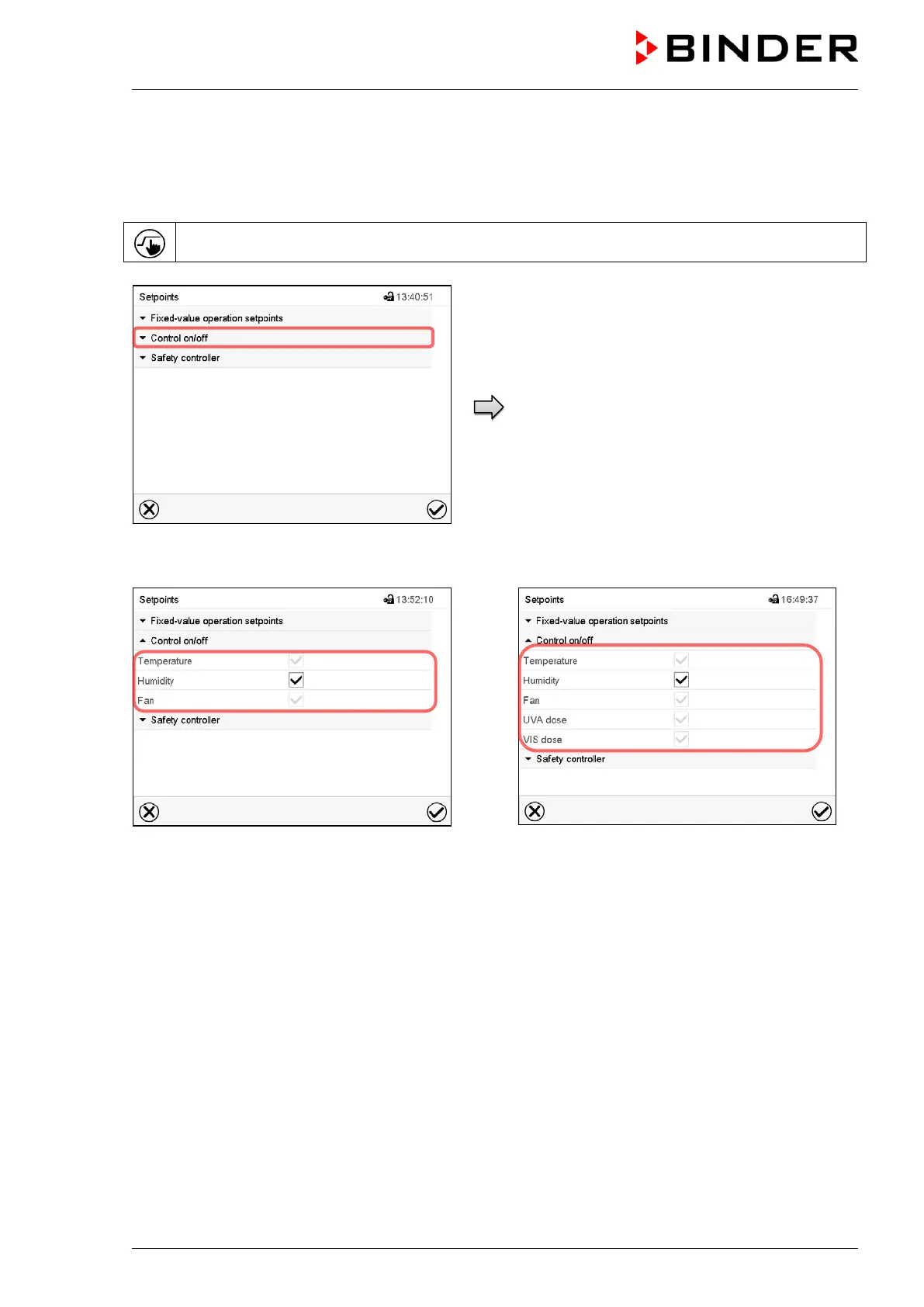
Press the Setpoint setting icon to access the “Setpoint” setting menu from Normal display.
“Setpoints” menu.
Select “Control on/off”.
Display with KBF P / KBWF
Display with KBF LQC
You can turn humidity control (humidification and dehumidification) on or off.
If the “Humidity “checkbox is marked, humidity control is active. Mark / unmark the checkbox to change
the setting.











 To Next Page