KBF P + KBF LQC + KBWF (E6) 11/2016 page 57/189
9. Timer program: stopwatch function
During an entered duration the controller constantly equilibrates to the setpoints entered in Fixed value
operation mode (temperature, humidity, fan speed, configuration of the operation lines). This duration can
be entered as a “Timer program”. During the program runtime, any setpoint changes do not become ef-
fective; the controller equilibrates to the values which were active during program start.
9.1 Starting a timer program
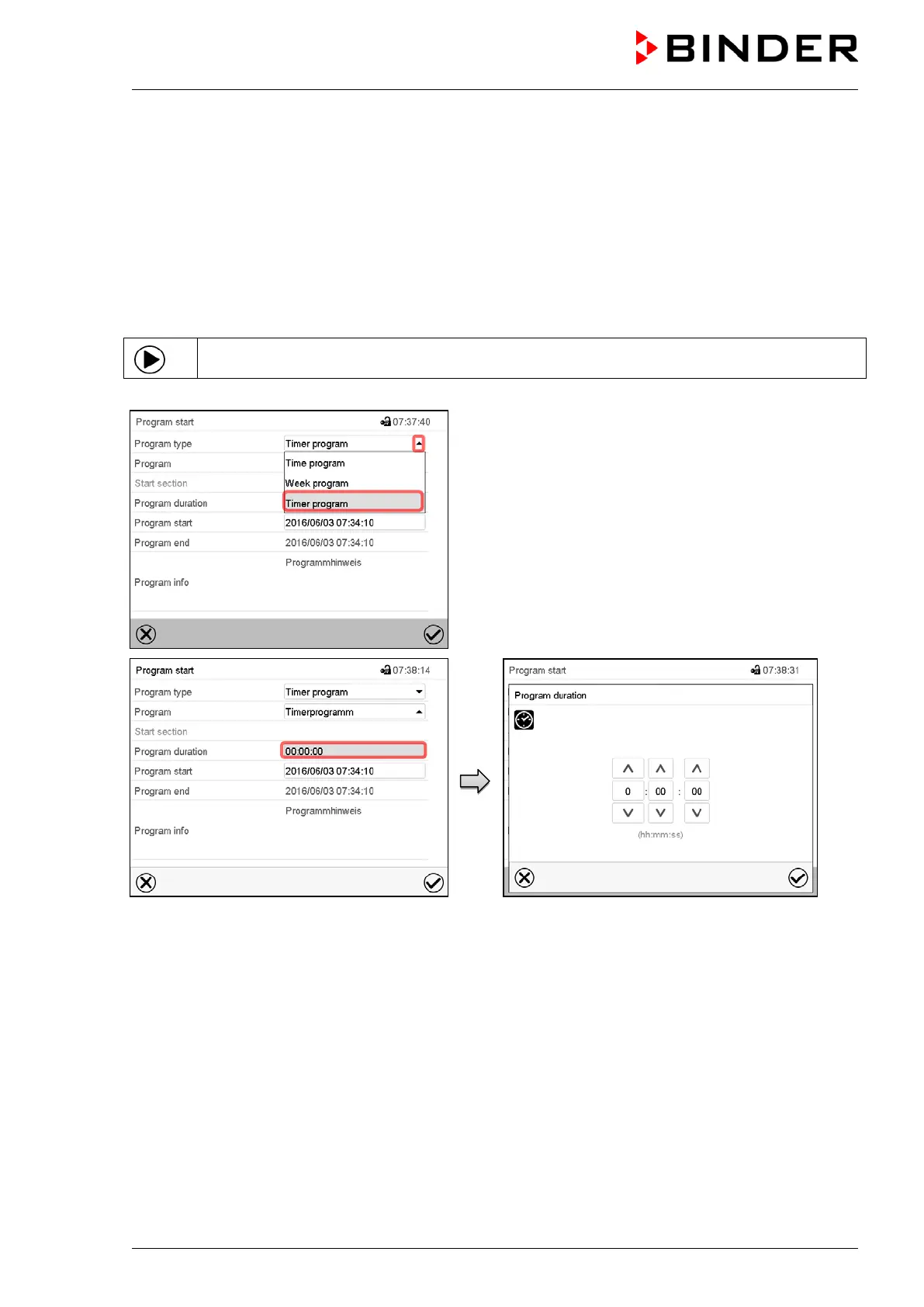
In Normal display press the Program start icon to access the “Program start” menu.
“Program start” menu
In the field “Program type” select “Timer program”.
“Program start” menu.
Select the field “Program duration”
Enter the desired program duration and press the
Confirm icon.











 To Next Page