KBF P + KBF LQC + KBWF (E6) 11/2016 page 61/189
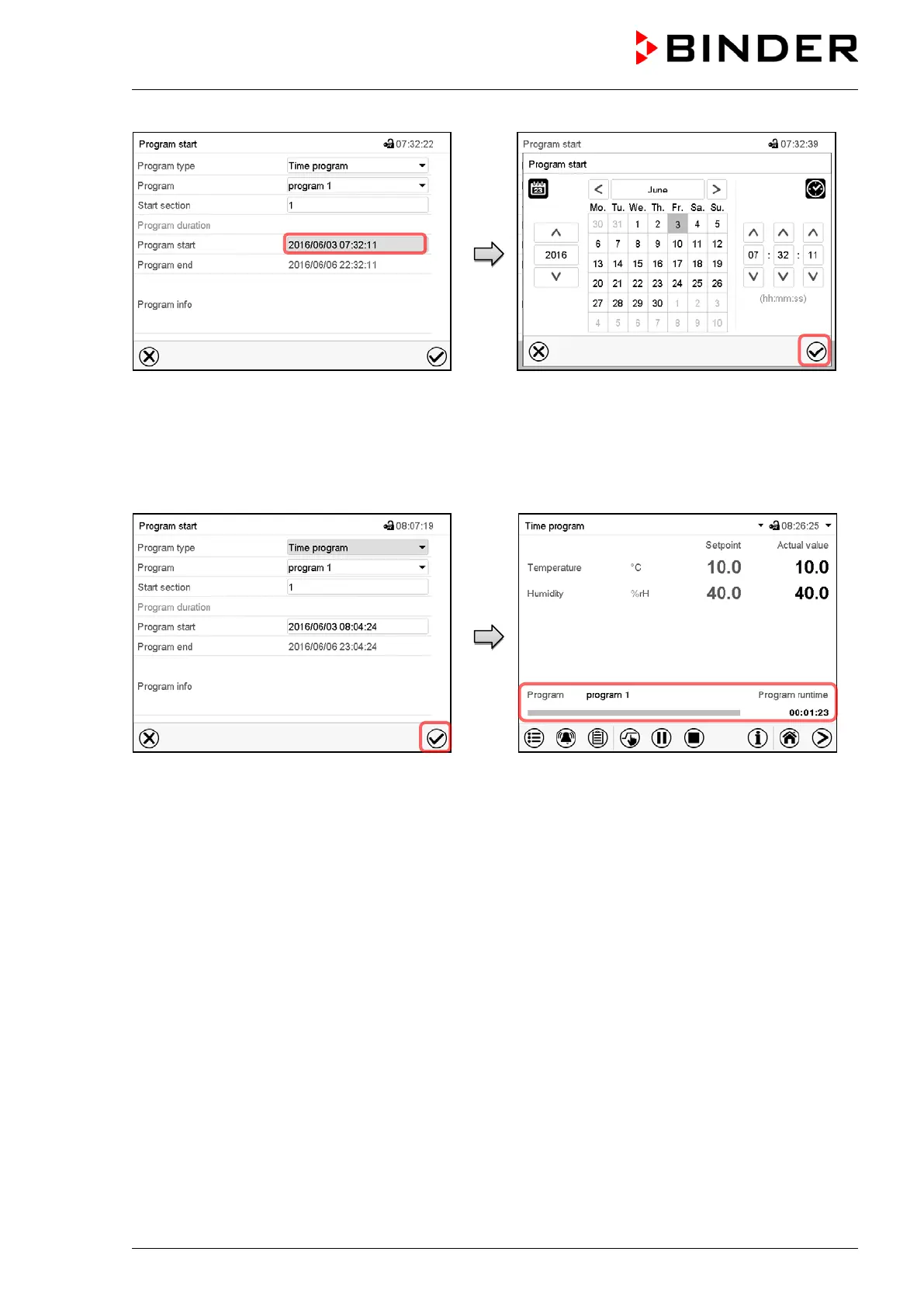
“Program start” menu.
Select the field “Program start”.
“Program start” menu.
Enter the desired program start time and press the
Confirm icon. The program delay time until program
start begins.
The program end is adapted automatically depending
on the entered program duration.
When all settings have been completed, press
the Confirm icon.
Normal display.
Information on the bottom of the screen indicates the
currently running program and the time already
passed. The grey bar shows how much time of the
whole time is elapsed. If program duration has been
set to infinite, the grey bar is not displayed.
10.1.1 Performance during program delay time
During the configured program delay time until program start, the controller equilibrates to the current
setpoints of Fixed value operation mode. Modifications of these setpoints are effective. When the config-
ured moment for program start is reached, the program delay time ends and the program starts running.











 To Next Page