KBF P + KBF LQC + KBWF (E6) 11/2016 page 72/189
10.7.3 Light commutation and special controller functions via operation lines
You can define the switching state of up to 16 operation lines (control contacts). They are used to activate
/ deactivate special controller functions.
• Operation line “Humidity off” serves to turn off the humidity.
• Operation line Idle mode” activates / deactivates the operating mode “Idle mode” (chap. 5.4).
• KBF P / KBF LQC: Operation line “Light VIS” serves to turn on/off the cool white fluorescent tubes
• KBF P / KBF LQC: Operation line “Light UVA” serves to turn on/off the BINDER Synergy Light fluores-
cent tubes
• KBWF: Operation lines “Light level 1” and “Light level 2” serve to turn on/off the fluorescent tubes
• KBF LQC: Operation line “LQC An” serves to turn on/off the light integration function.
• KBF LQC: Operation line “LQC reset VIS” serves to reset to zero the integrated VIS values once in a
time.
• KBF LQC: Operation line “LQC reset UVA” serves to reset to zero the integrated UVA values once in a
time.
The other operation lines are without function.
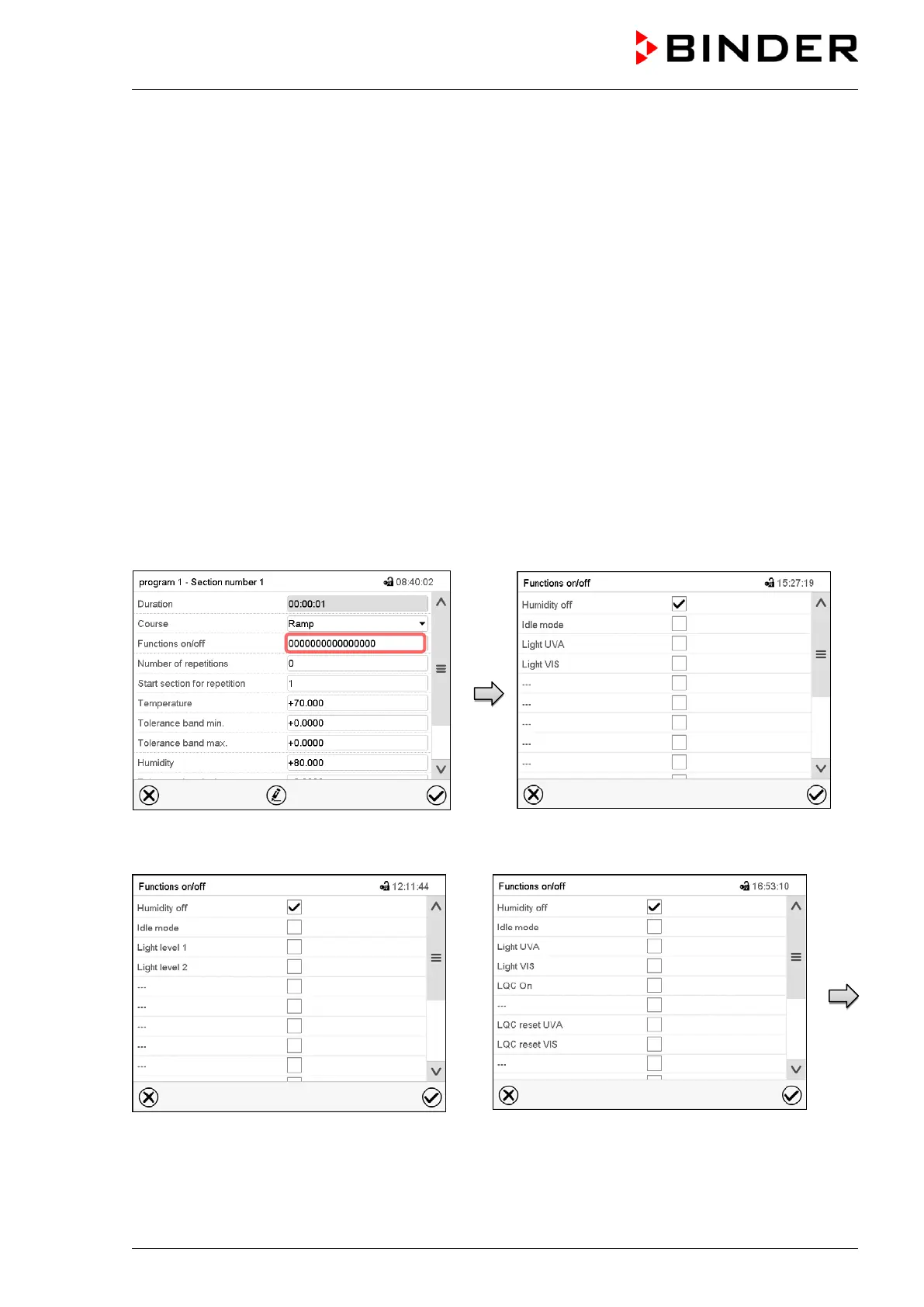
Use the setting “Functions on/off” to configure the operation lines.
Section view.
Select the field “Functions on/off”.
Display with KBF P
Display with KBWF
Display with KBF LQC











 To Next Page