KBF P + KBF LQC + KBWF (E6) 11/2016 page 77/189
Set the tolerance ranges for other parameters accordingly.
If one of those actual values for which a tolerance range has been specified lies outside this program tol-
erance range the whole program course is interrupted. During this program interruption time the controller
equilibrates to the set-points of the current section.
The screen header indicates “Program pause (tolerance band)”. The program runtime indication flashes
and does not proceed any further.
When the corresponding actual values is back within the entered program tolerance range, the program
continues automatically.
10.7.10 Repeating one or several sections within a time program
You can repeat several subsequent sections together. It is not possible to define the start section the
same time also as the target section, therefore you cannot repeat a single individual section.
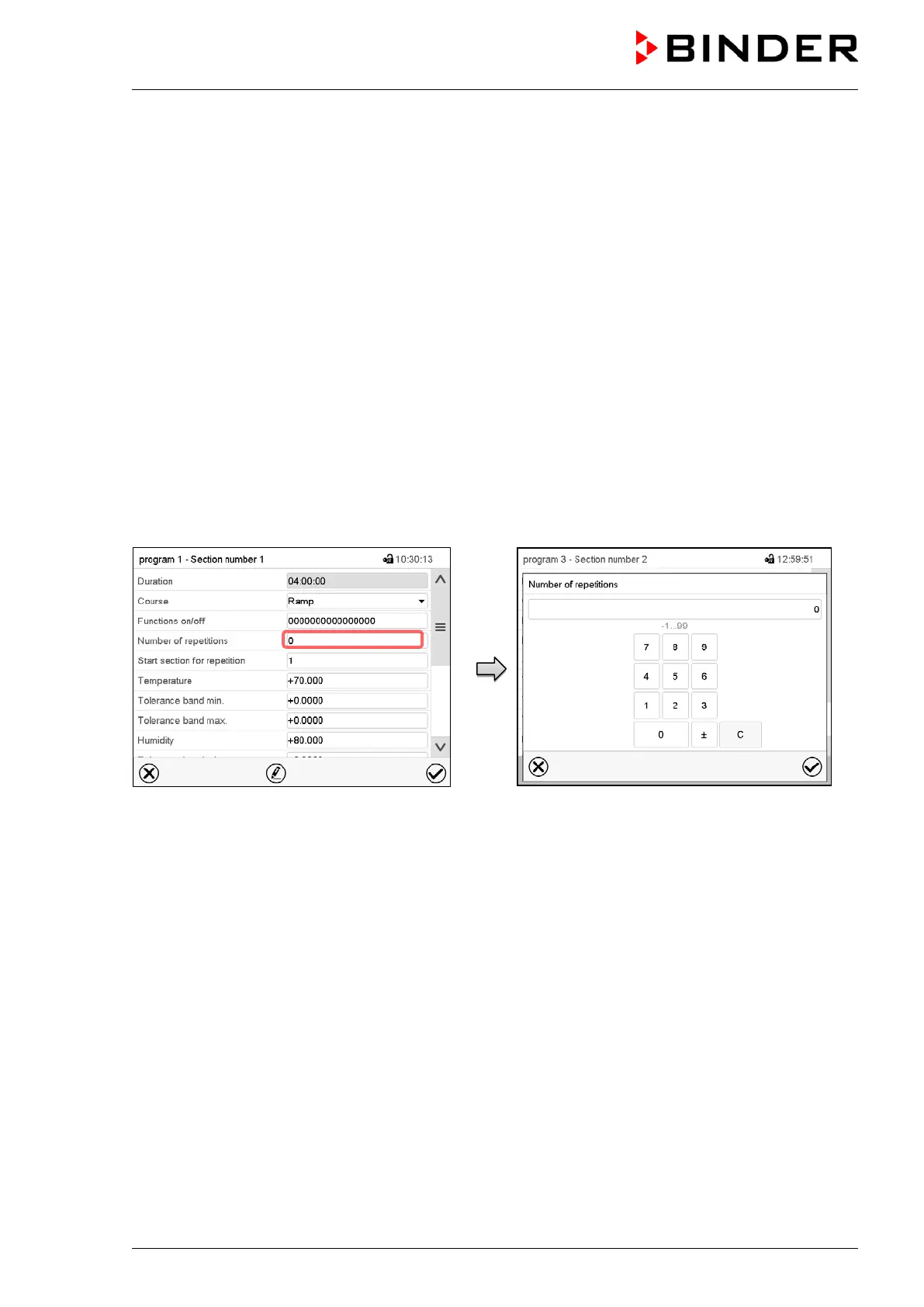
Enter the desired number of repetitions in the field „Number of repetitions“ and the number of the section
to start the repetition cycle with in the field “Start section for repetition” To have sections repeated infinite-
ly, enter the number of repetitions as “-1”.
The selected sections are repeated as many times as selected. Then the program continues.
Section view.
Select the field “Number of repetitions”.
Entry menu “Number of repetitions”.
Enter the desired number of repetitions and press the
Confirm icon.
Setting range: 1 to 99, and -1 for infinite.
The controller returns to the section view.











 To Next Page