KBF P + KBF LQC + KBWF (E6) 11/2016 page 136/189
18. Humidification / dehumidification system
The chamber is equipped with a capacitive humidity sensor. This results in a control accuracy of up to +/-
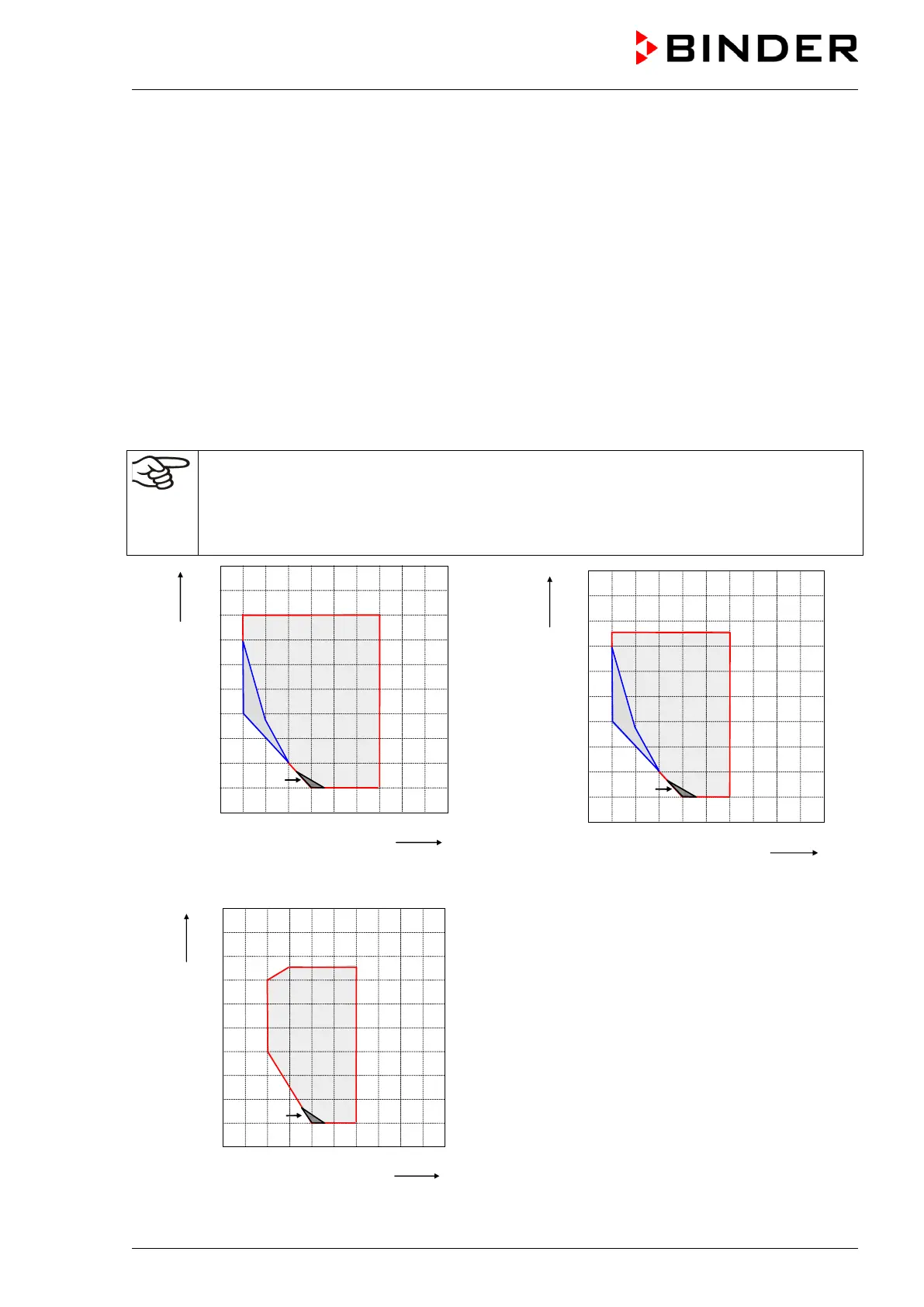
3 % r.H. of the set point. The temperature-humidity diagrams show the possible working ranges for humid-
ity.
• In the “setpoints” menu you can turn humidity control (humidification and dehumidification) on or off
with the setting “Control on/off” (chap. 6.3).
With humidity control turned off, the humidification module cools down. After activation it will take up to
20 minutes until the humidification function is fully available again. This setting is required when
operating the chamber without a water connection in order to avoid humidity alarms.
• Operation line “Humidity off” serves to turn off the humidification / dehumidification system in Fixed
value operation (chap. 8.4, time program operation (chap. 10.7.3) and week program operation (chap.
11.6.9). This allows configuring the disconnection for individual program sections.
When the humidification / dehumidification system is turned off via operation line it remain on standby
(filled and heated). Therefore it is immediately available after turning on.
The preset temperature and humidity values should be situated within the optimum range
(hatched range in the figures below).Only within this area will the chamber
excessive moisture due to condensation.
In the short-term set points outside the optimum range can also be targeted. The control accu-
racies of +/- 3 % r.H., however, cannot be guaranteed in this case.
Chambers without light cassettes Chambers size 240 with illumination
Figure 23: Temperature-humidity diagrams
Range A: Control range of temperature and rela-
tive humidity, condensation free range
Range B:
Discontinuous range (no continuous
operation, up to 24 h)
Range C:
In this range, condensation in the inner
chamber is possible
Chambers size 720 with illumination











 To Next Page