KBF P + KBF LQC + KBWF (E6) 11/2016 page 91/189
12. Notification and alarm functions
12.1 Notification and alarm messages overview
12.1.1 Notifications
Notifications are indicated by information icons displayed in the screen header in Normal display
An information icon serves as an indication of a certain condition.
If this condition persists, in some cases an alarm will be triggered after a fix or configurable interval. As
long as the condition persists, the information icon therefore continues to be displayed also in state of
alarm. If during alarm the conditions ends, e.g., if during a tolerance range alarm the actual value returns
to within the tolerance range, the information icon disappears, whereas the alarm will continue until manu-
al acknowledgement.
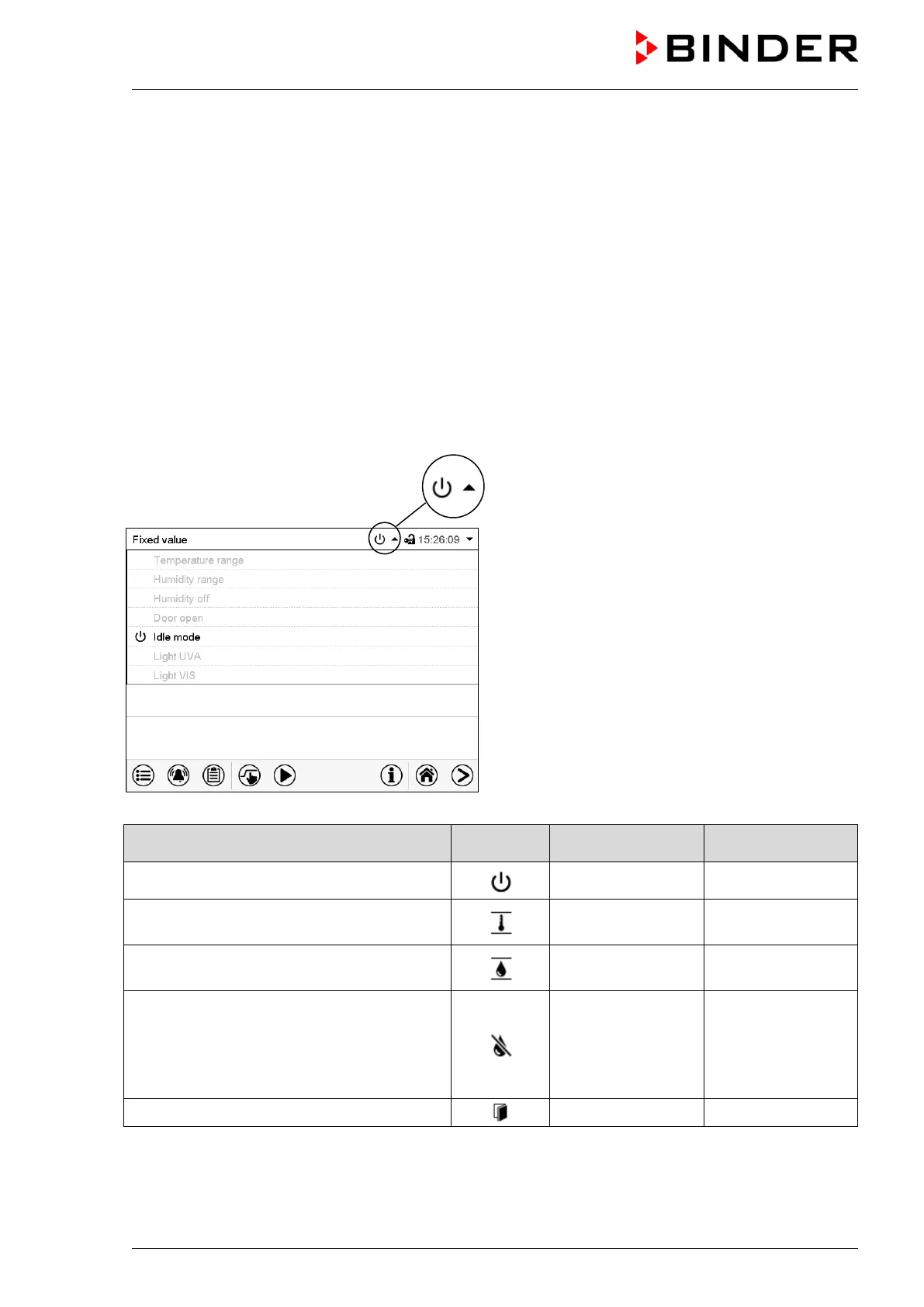
Press the flash icon next to the information icon to access the corresponding text information.
Normal display showing the text information.
Example: Display with KBF P
The currently valid information texts are high-
lighted in black (example: Idle mode)
Condition
Text information
Start after
condition occurred
The controller is in Idle mode (chap. 5.4).
Idle mode
immediately
The current actual temperature value is out-
side the tolerance range (chap. 12.4)
Temperature
range
immediately
The current actual humidity value is outside
the tolerance range (chap. 12.4)
Humidity range
immediately
The humidification / dehumidification system
is turned off (via operation line and/or by
setting “Control on/off”)
or Temperature setpoint below 0 °C or above
95 °C
Humidity off
immediately
Chamber door open
Door open
immediately











 To Next Page