KBF P + KBF LQC + KBWF (E6) 11/2016 page 89/189
11.6.8 VIS target dose value – KBF LQC
-
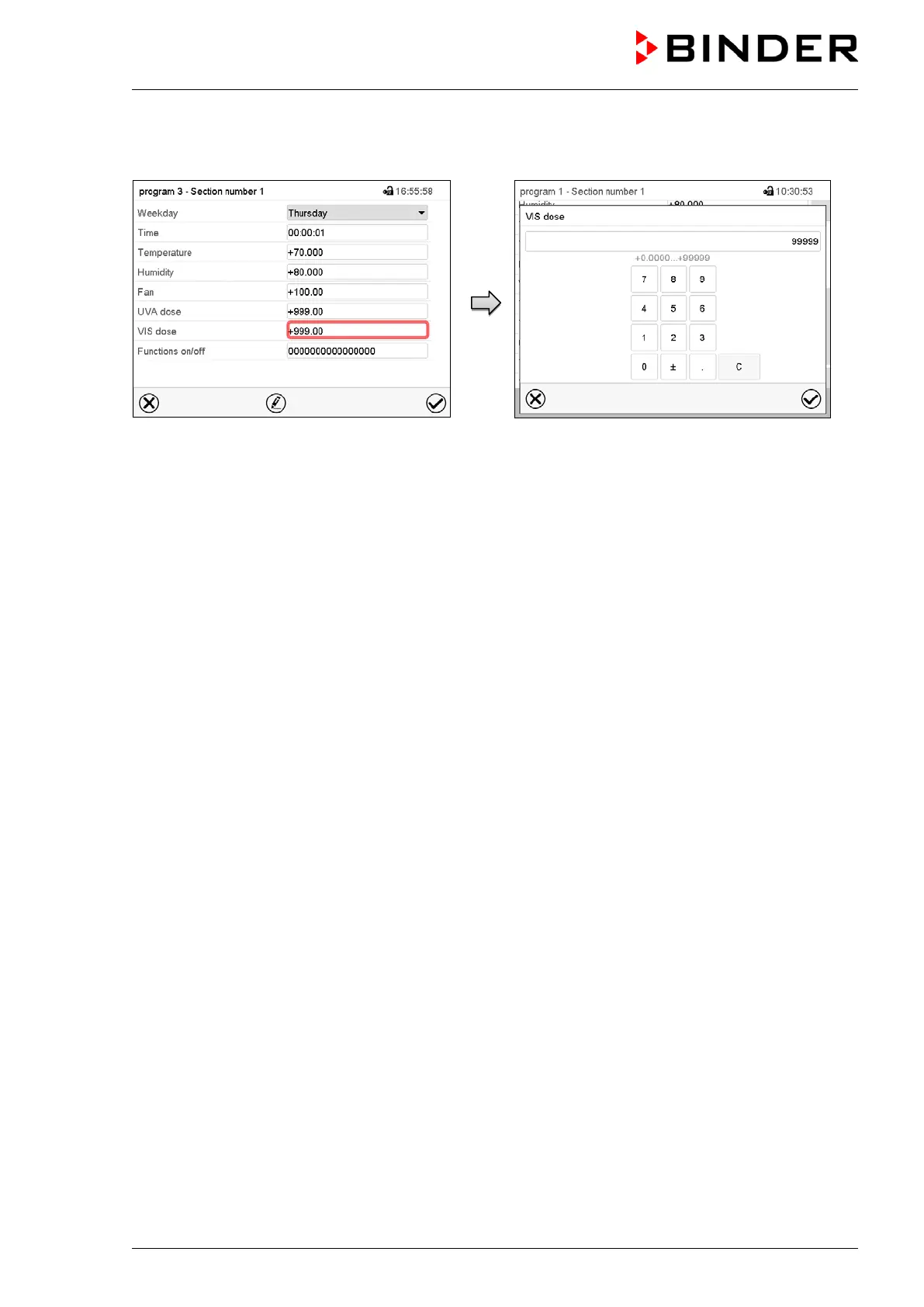
Section view.
Select the field “VIS dose”.
“VIS dose” entry menu.
Enter the target dose value for VIS and press the
Confirm icon.
Setting range: 0 up to 99999 MLUXh.
The controller returns to the section view.
11.6.9 Light commutation and special controller functions via operation lines
You can define the switching state of up to 16 operation lines (control contacts). They are used to activate
/ deactivate special controller functions.
• Operation line “Humidity off” serves to turn off the humidity.
• Operation line Idle mode” activates / deactivates the operating mode “Idle mode” (chap. 5.4).
• KBF P / KBF LQC: Operation line “Light VIS” serves to turn on/off the cool white fluorescent tubes
• KBF P / KBF LQC: Operation line “Light UVA” serves to turn on/off the BINDER Synergy Light fluores-
cent tubes
• KBWF: Operation lines “Light level 1” and “Light level 2” serve to turn on/off the fluorescent tubes
• KBF LQC: Operation line “LQC An” serves to turn on/off the light integration function.
• KBF LQC: Operation line “LQC reset VIS” serves to reset to zero the integrated VIS values once in a
time.
• KBF LQC: Operation line “LQC reset UVA” serves to reset to zero the integrated UVA values once in a
time.
The other operation lines are without function.
Select the desired program and section. You can set the operation lines in the “Functions on/off” field.
For details please refer to chap. 10.7.3.











 To Next Page