KBF P + KBF LQC + KBWF (E6) 11/2016 page 78/189
Section view.
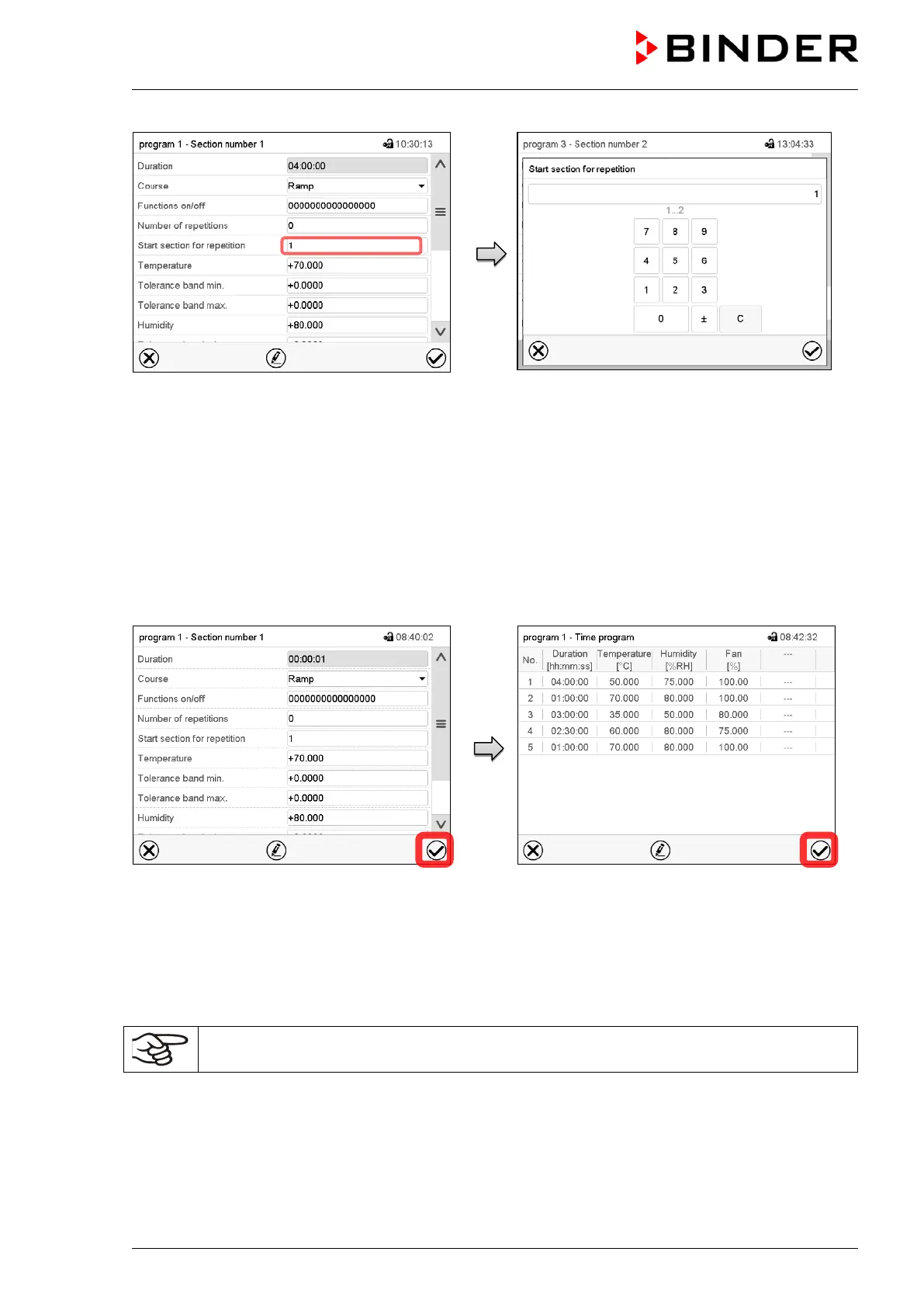
Select the field “Start section for repetition”.
Entry menu „Start section for repetition“.
Enter the section number, at which the repetition
should start and press the Confirm icon.
Setting range: 1 up to one section before the cur-
rently selected section
The controller returns to the section view.
10.7.11 Saving the time program
Section view.
After the all desired values of the program
section have been configured, press the
Confirm icon to take over the programming.
The controller changes to the program view.
Example: Display with KBF P / KBWF
Program view.
Press the Confirm icon to take over the pro-
gramming.
The controller changes to the Normal display.
To save the programming it is absolutely required to press the Confirm icon. Otherwise all
settings will be lost! There is no confirmation prompt!











 To Next Page