KBF P + KBF LQC + KBWF (E6) 11/2016 page 87/189
11.6.4 Temperature setpoint
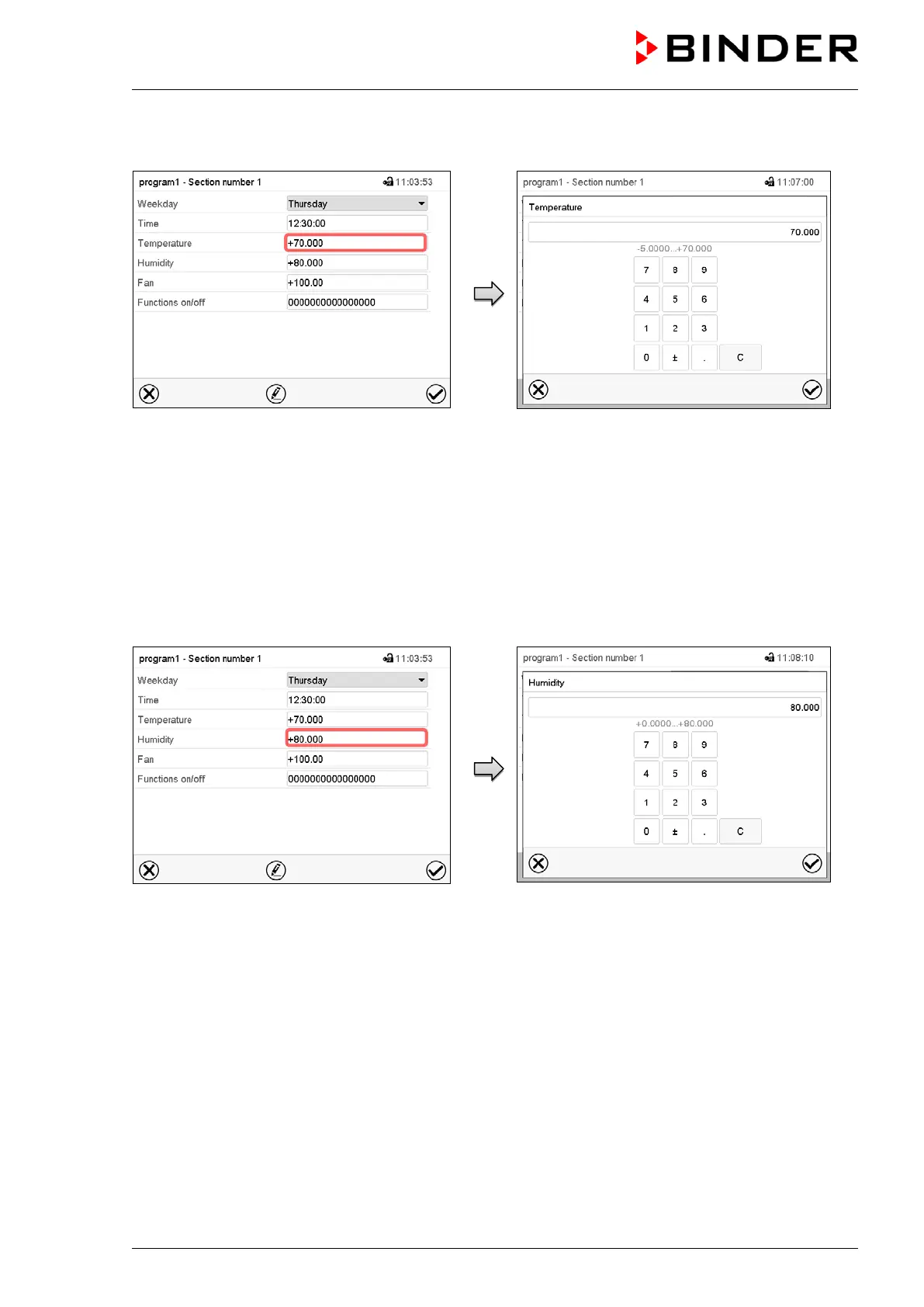
Example: Display with KBF P / KBWF
Section view.
Select the field “Temperature”.
“Temperature” entry menu.
Enter the desired temperature and press the
Confirm icon.
Setting range: -5 °C up to 70 °C
The controller returns to the section view.
11.6.5 Humidity setpoint
Example: Display with KBF P / KBWF
Section view.
Select the field “Humidity”.
“Humidity” entry menu.
Enter the desired value for the humidity and
press the Confirm icon.
Setting range: 0% r.H. up to 80% r.H.
The controller returns to the section view.











 To Next Page