KBF P + KBF LQC + KBWF (E6) 11/2016 page 134/189
17.2 Setting the parameters
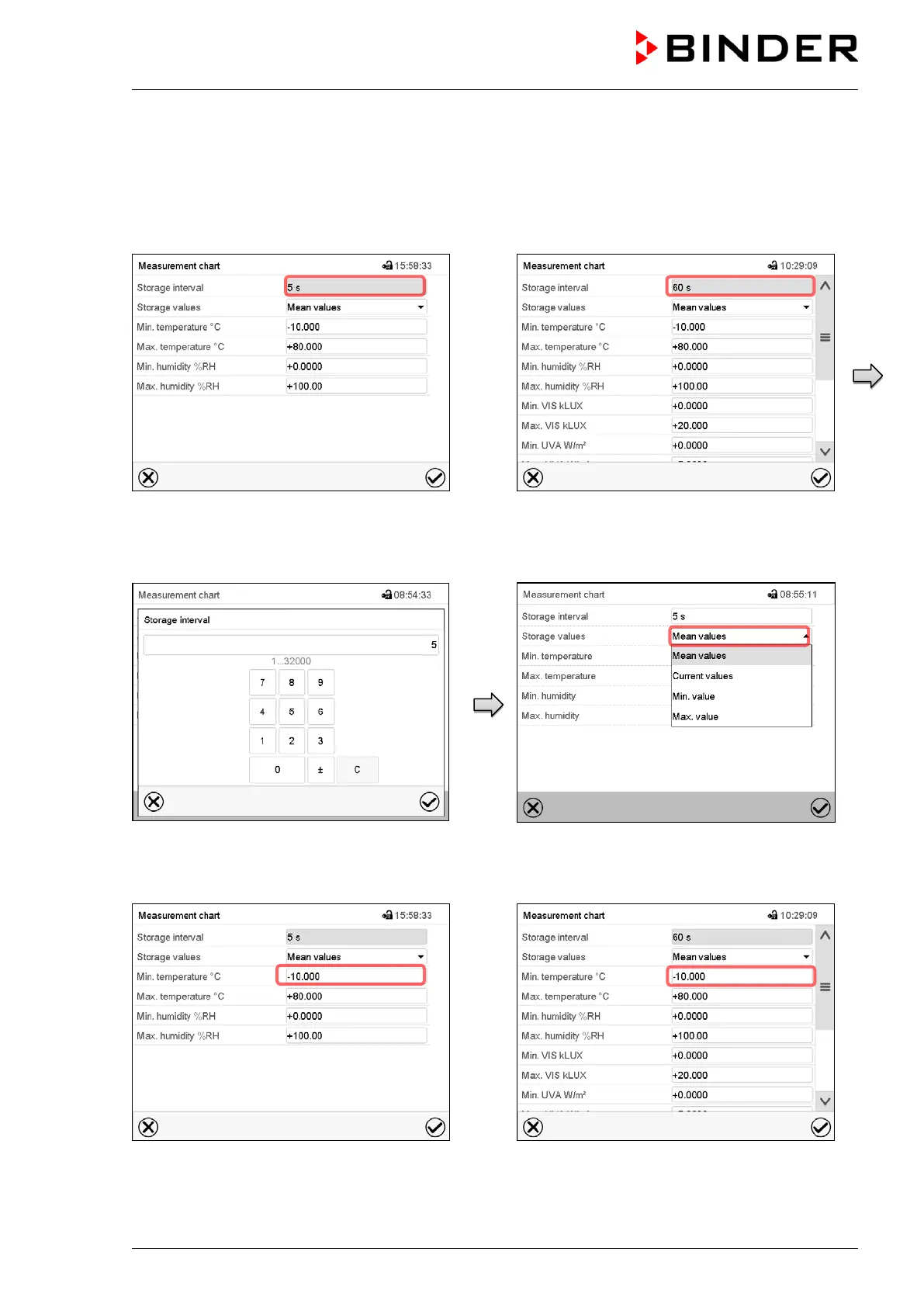
This menu allows setting the storage interval, the type of values to be shown and the scaling of the tem-
perature and humidity charts.
Path: Main menu > Settings > Measurement chart
Display with KBF P / KBWF
Display with KBF LQC
“Measurement chart” submenu.
Select the field “Storage interval”.
“Storage interval” entry menu.
Enter the desired storage interval and press
the Confirm icon
“Measurement chart” submenu.
In the field “Storage values” select the desired
value type to be displayed.
Display with KBF P / KBWF
Display with KBF LQC
“Measurement chart” submenu.











 To Next Page