KBF P + KBF LQC + KBWF (E6) 11/2016 page 56/189
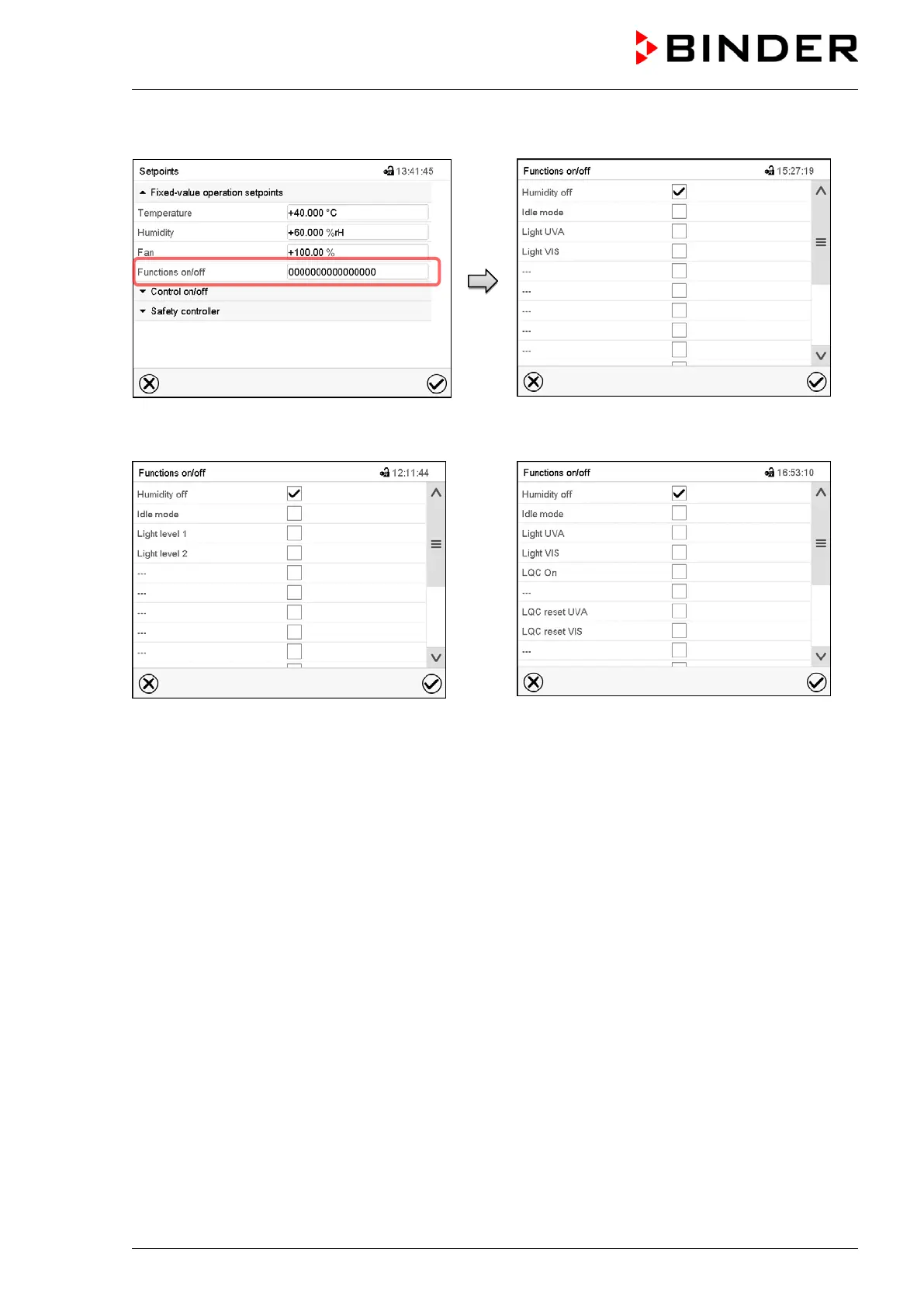
Use the “Setpoints” menu to configure the operation lines.
“Setpoints” menu.
Select the field “Functions on/off”.
Display with KBF P
Display with KBWF
Display with KBF LQC
“Functions on/off” entry menu.
Mark / unmark the checkbox to activate / deactivate the desired function and press the Confirm icon.
Activated operation line: switching status “1” (On)
Deactivated operation line: switching status “0” (Off)
The operation lines count from right to left.
Example:
Activated operation line “Humidity off” = 000000000000000
1
Deactivated operation line “Humidity off” = 000000000000000
0











 To Next Page