Utilities Menu 74
7.4 Digital I/O
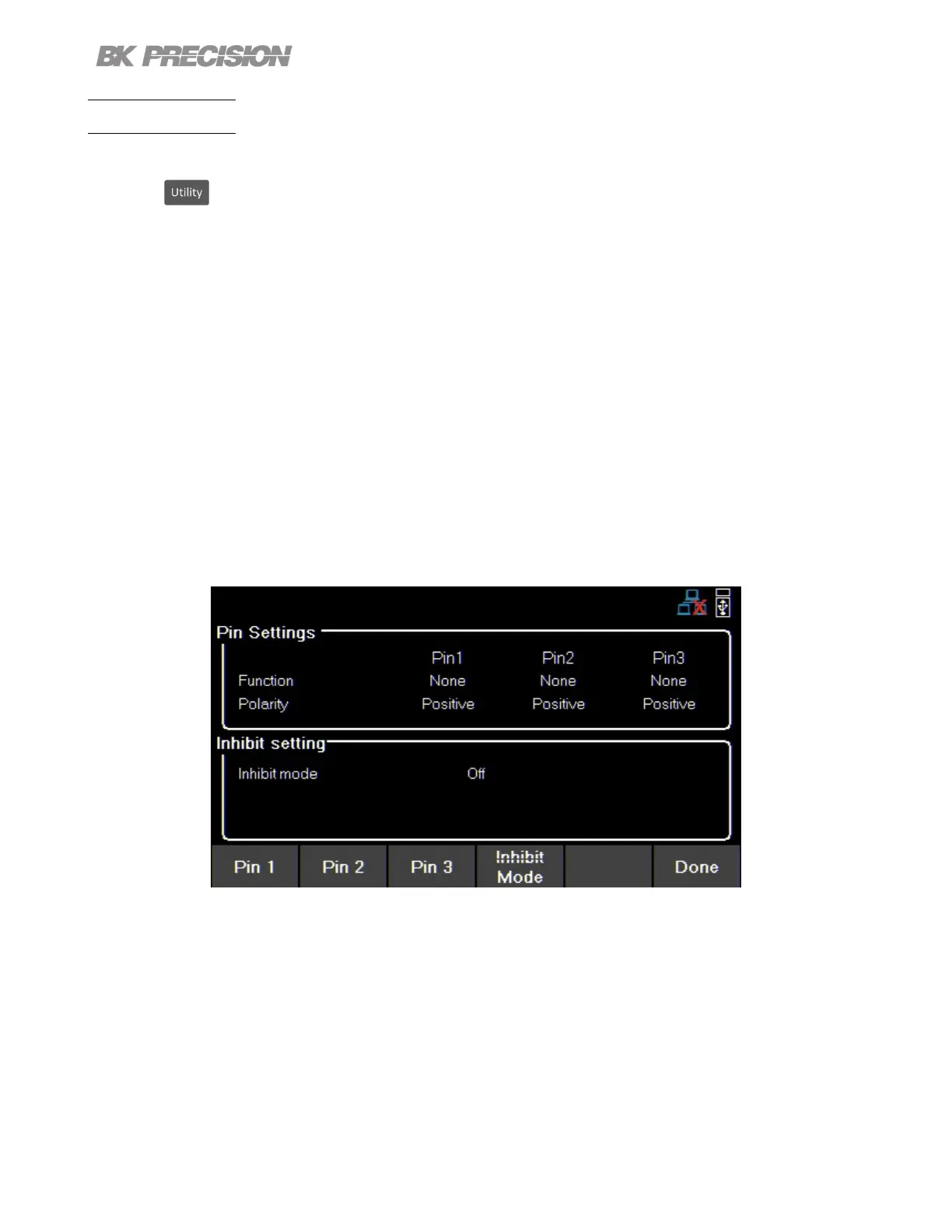
To enter the Digital I/O menu:
Press the button then use the soft key to select Utilities > I/O Cong > Digital I/O.
Select the function and polarity of pins: 1, 2, and 3.
• Pin Functions
– None
– Digital In | Out
– Trigger In | Out
– Fault Out/Inhibit In
– Polarity Pos | Neg
• Inhibit Mode
– O
– Latched
– Live
Figure 7.8 Digital I/O Menu
www.GlobalTestSupply.com
Find Quality Products Online at: sales@GlobalTestSupply.com


 To Next Page
 Loading...








