EasyManua.ls Logo

Brother BAS-600 - Page 77

Brother BAS-600
118 pages
Print Icon
To Next Page IconTo Next Page
To Previous Page IconTo Previous Page
Loading...
(5)
Adjusting the corner knife
sensor
1
mm
-------
------------------]-n
A D <
_b_j
Gauge
dimension
1-~:---
------------------
'\._
Cutlength
MODE
@PROGRAMMING
NUMBER
f)
•l·l•ll•l!!·!lll
1
2
3
4 5
@@@@©
1~!·!111!·!·
PROGRAM
DCO~CJ
KNlFE
CHANG£
&
Cva.EPGM.
4,
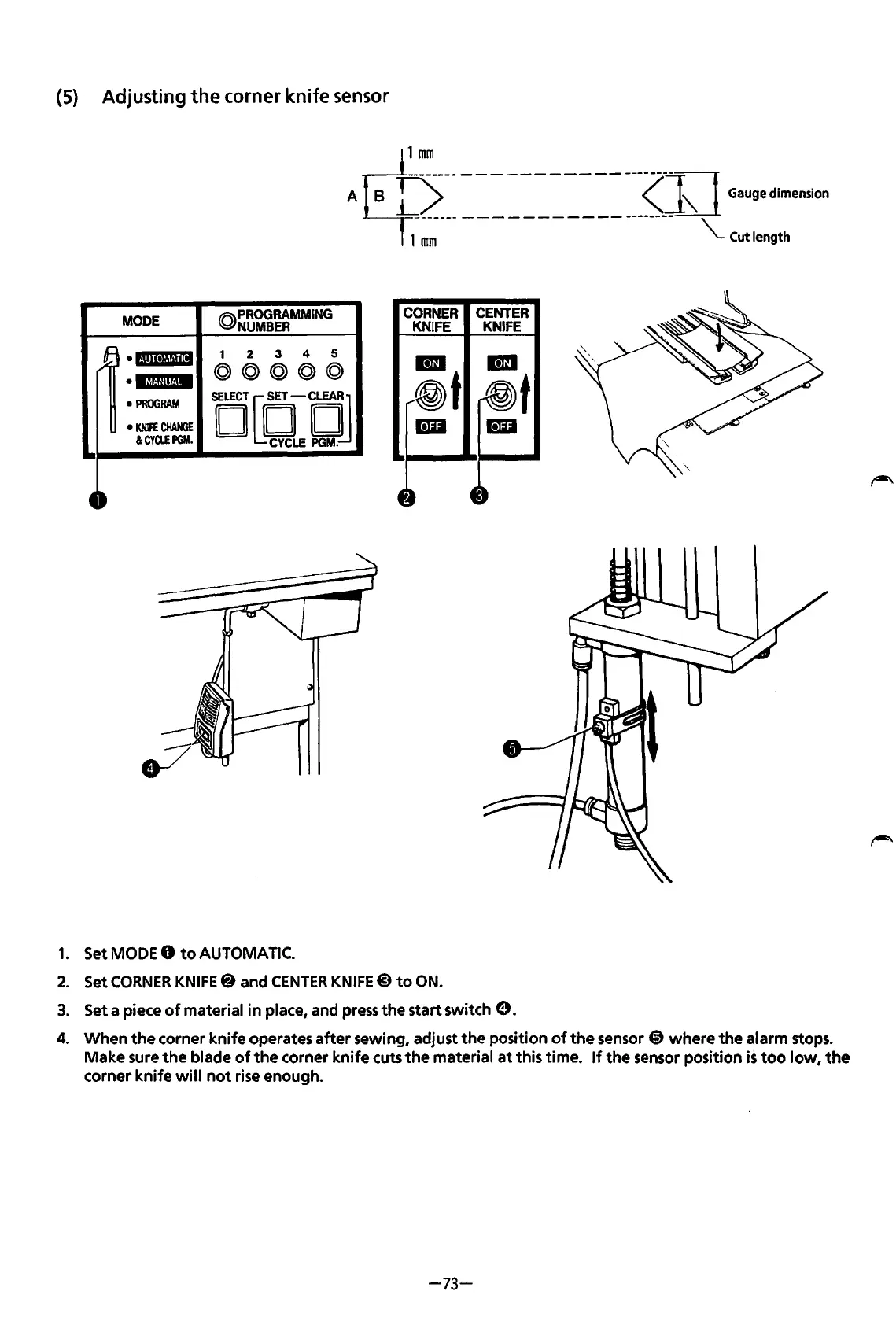
1.
Set MODE 0
to
AUTOMATIC.
CORNER
CENTER
KNIFE KNIFE
2.
Set
CORNER
KNIFE@ and
CENTER
KNIFE@)
to
ON.
3.
Set a piece
of
material
in
place, and
press
the
start switch
e.
4. When
the
corner
knife
operates
after
sewing, adjust
the
position
of
the
sensor @ where
the
alarm stops.
Make sure
the
blade
of
the
corner
knife
cuts
the
material
at
this time.
If
the
sensor position
is
too
low,
the
corner
knife
will
not
rise enough.
-73-
From the library of: Superior Sewing Machine & Supply LLC

Table of Contents

Related product manuals