III - 17
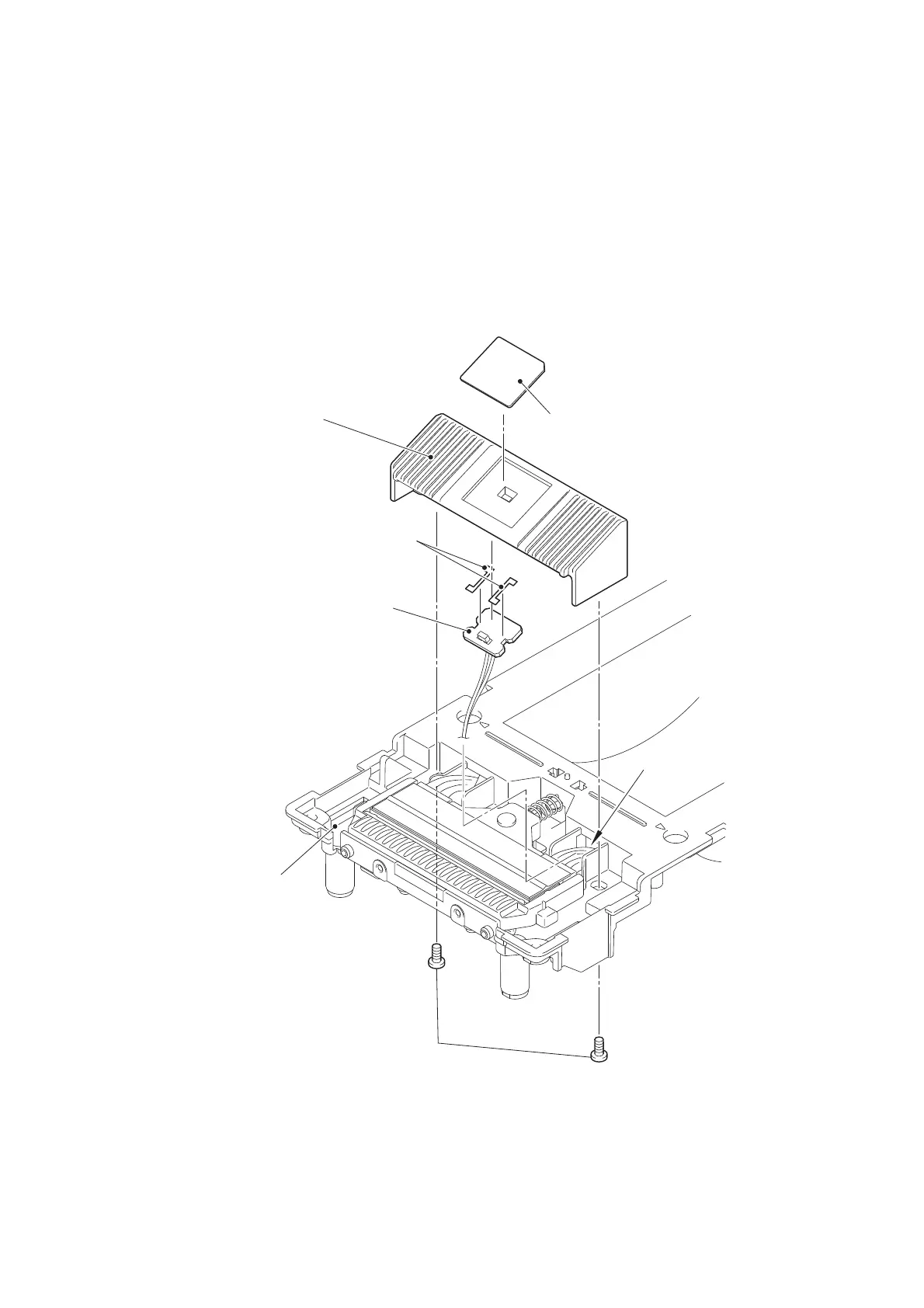
[ 11 ] Removing the Sensor Holder B, T Sensor PCB ASSY, and Sensor Cover C
(1) Turn over the roll cover inner.
(2) Remove the two taptite bind B M2.6X8 screws, and remove the sensor holder B
from the roll cover inner. Pull out the harness of T sensor PCB ASSY from the
hole of the roll cover inner.
(3) Remove the T sensor PCB ASSY from the sensor holder B.
(4) Remove the two double face tapes TD2000 from the T sensor PCB ASSY.
(5) Remove the sensor cover C from the sensor holder B.
Figure 3.4-15
Sensor cover C
Sensor holder B
Roll cover inner
T sensor PCB ASSY
Hole
Taptite bind B M2.6X8
Double face tapes TD2000



 To Next Page
 Loading...







