2002 Buell S3T: Electrical 7-47
HOME
INSTALLATION
1. If replacing speedometer wiring:
a. See Figure 7-61. Attach wires at plug connector.
b. Feed wiring through to dash panel. Route wiring to
outside of clutch cable. Pull slack to front, behind
windscreen and secure with ties on electrical
cabling.
c. Install fuel tank. See 4.36 FUEL TANK.
2. Install odometer reset.
a. See Figure 7-59. Install odometer reset button (2)
from back side of dash panel.
b. See Figure 7-58. Secure odometer reset button on
front of dash panel with plastic grommet.
3. Install rubber mounting gasket.
a. Apply 2 drops of Permabond 105 at each end of
notches in gasket.
b. Apply 1 drop of Permabond 105 at top of gasket and
bottom of gasket.
c. Position mounting gasket in dash panel.
4. Install speedometer in dash panel.
a. Feed wires through opening in speedometer cover.
b. Using alcohol or window cleaner to lubricate rubber
gasket, slide speedometer into rubber mounting
gasket.
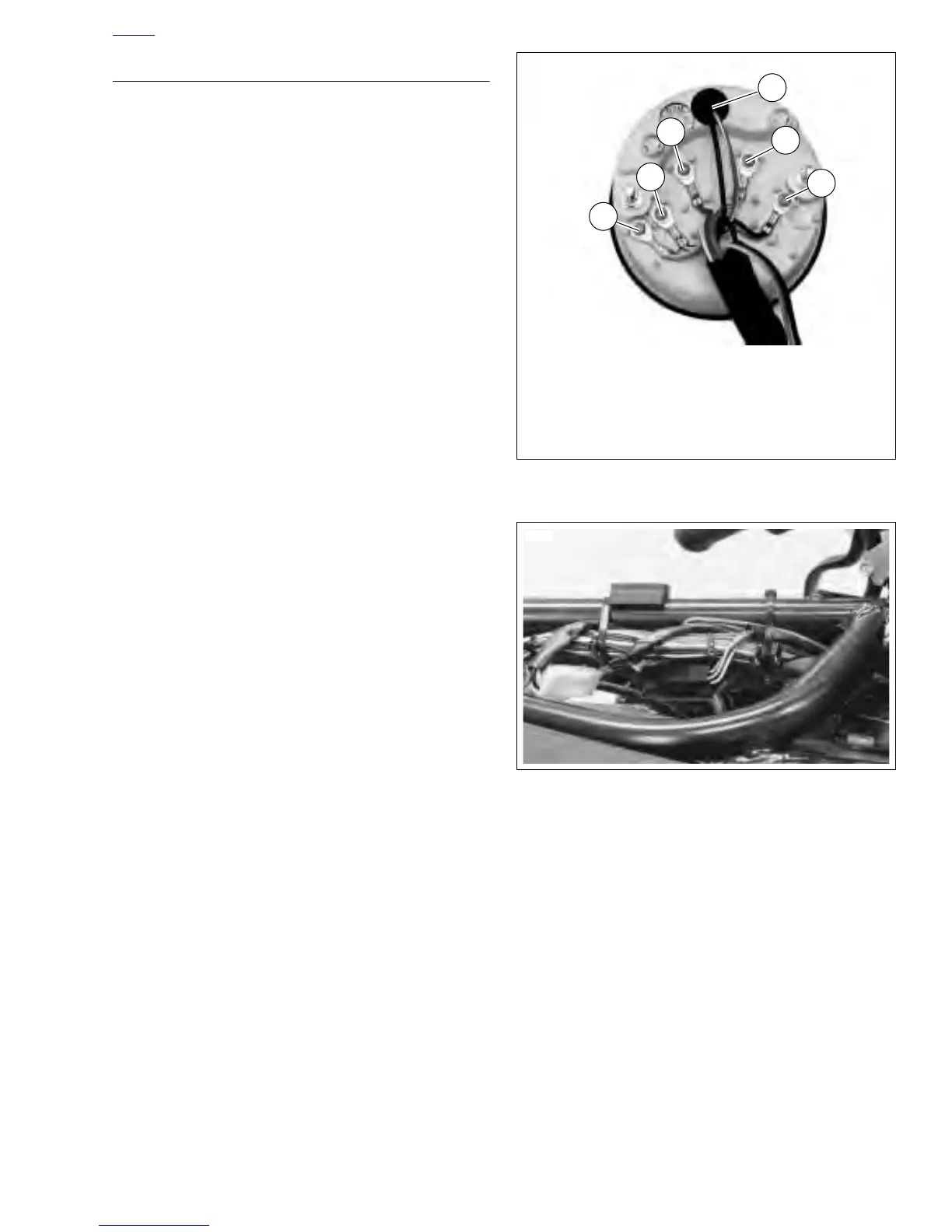
c. See Figure 7-60. Insert lamp (5).
d. Attach wires to speedometer as shown.
5. See Figure 7-59. Install speedometer cover (3).
a. Place speedometer cover over speedometer. Align
posts on back of speedometer with holes in cover.
Drain hole must be at the bottom of cover.
b. Apply LOCTITE THREADLOCKER 243 (blue) to
both nuts (metric).
c. Fasten cover (3) to speedometer using two nuts
(metric) and lockwashers (1).
6. See Figure 7-57. Position dash panel on front fairing
bracket.
7. Attach dash panel using three screws and washers (1).
Tighten screws to 7-9 ft-lbs (10-12 Nm).
8. Install front fairing by attaching turn signals and mirrors
(metric).
Figure 7-60. Speedometer Wiring
Figure 7-61. Speedometer Wiring Connector Locations
(Approximate)
1. Silver Blue/White
2. White/Green
3. Red
4. Orange/White
5. Lamp
6. Black
6940
2
5
4
6
1
3




 To Next Page