161I-Modell - 11/12 - Ausgabe 09/11 - 2096165 - BUE-0056-05EN
Appliances
9
Use the "+" (Fig. 171,19) and "–" (Fig. 171,18) buttons to set the desired
temperature.
Use the fan speed button (Fig. 171,10) to select the desired fan level.
Switching off:
Press the ON/OFF button (Fig. 171,9).
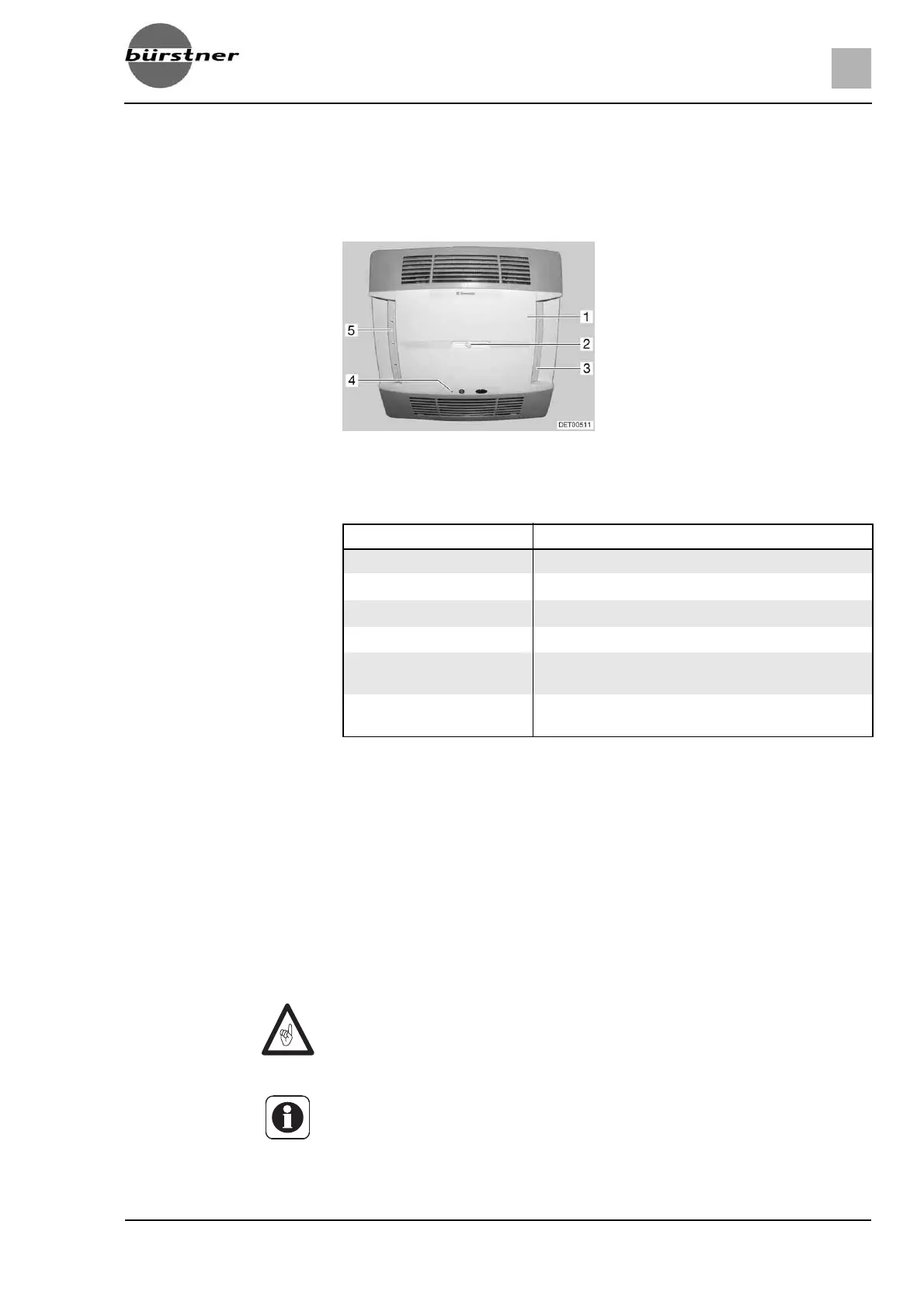
LED The LED (Fig. 172,4) on the ceiling unit (Fig. 172,1) displays the operating
status of the air conditioning unit:
Air current The air current can be directed in different directions. The distribution of the air
current toward the front or back is continuously adjustable.
Adjusting air current:
Align the two deflectors (Fig. 172,3 and 5) in the desired position.
Rotate knob (Fig. 172,2) on sliding regulator in an anticlockwise direction.
The sliding regulator for air distribution is released.
Slide the sliding regulator forwards or backwards to the desired position.
The side on which the sliding regulator is located is closed.
Turn the knob tight in the clockwise direction.
9.3.2 Telair
Fig. 172 Air conditioning unit (Dometic)
Status LED Signification
Off Air conditioning unit off
Orange Air conditioning unit ready to operate
Green Air conditioning unit in operation
Red (continuous) No 230 V power connection
Red (flashes once intermit-
tently)
Fault in the interior temperature gauge
Red (flashes twice intermit-
tently)
Fault in the exterior temperature gauge
Z Always wait at least 2 minutes between switching off and switching on
again. Otherwise the compressor will be damaged.
Z If the unit is operating, always open at least one ventilation flap.
Z The air conditioning unit only runs if the vehicle is connected to a 230 V
power supply.
Z In the winter, vehicle heating can be supported but not replaced by the air
conditioning unit.



 To Next Page