72 I-Modell - 11/12 - Ausgabe 09/11 - 2096165 - BUE-0056-05EN
Living
6
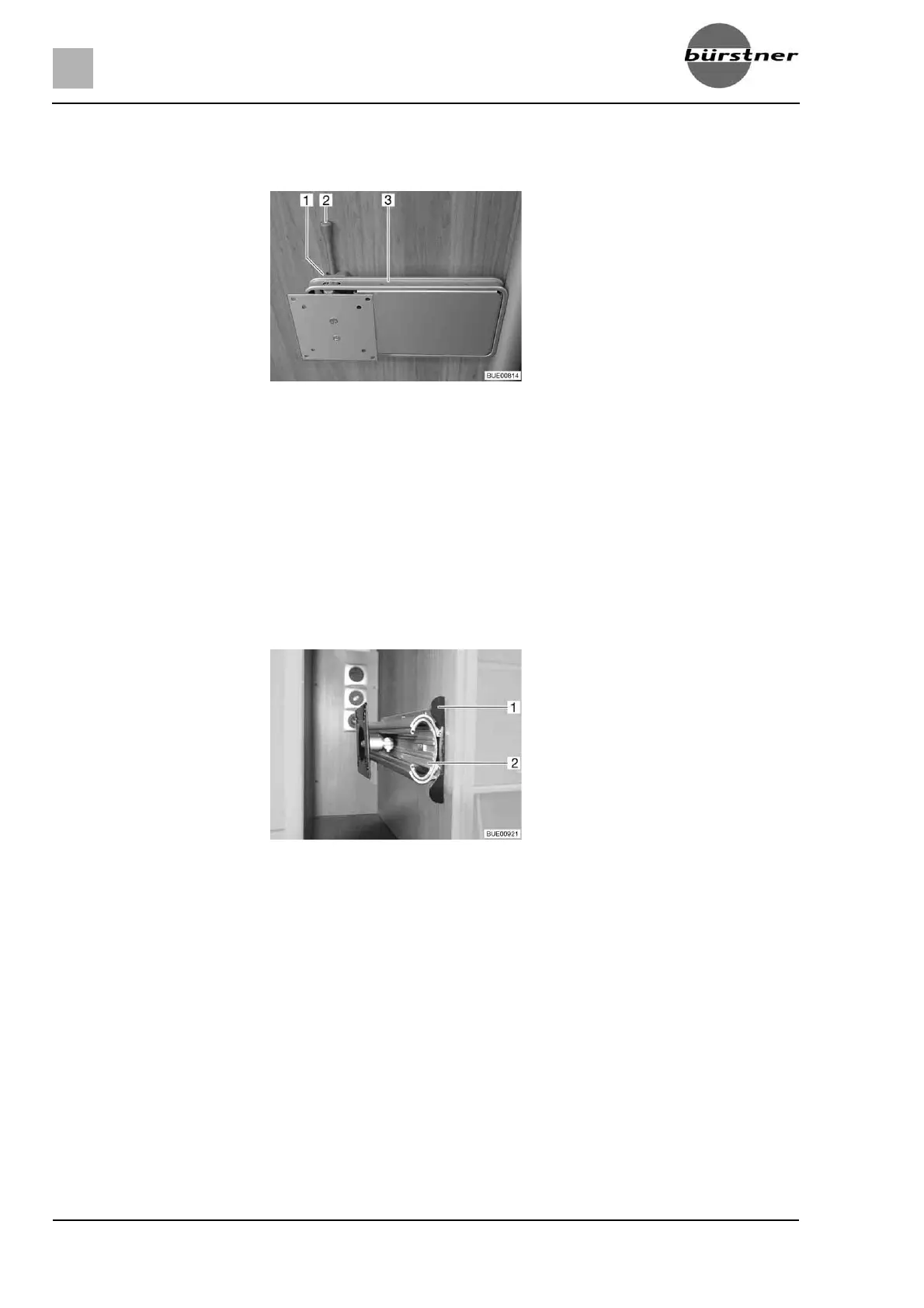
6.7.1 Holder on the column
The holder for the flat screen is attached to a column.
Positioning:
Push the release lever (Fig. 72,2) to the side and turn the holder (Fig. 72,3)
with the flat screen to the desired position.
Press flat screen slightly upward and swivel it to the desired position. Three
different inclination angles may be used.
Storing away:
Turn flat screen back until the holder (Fig. 72,3) engages in the lock
(Fig. 72,1).
6.7.2 Holder in the TV cabinet
The flat screen is attached to a console in the TV cabinet.
Positioning:
Push the unlocking bar (Fig. 73,1) in.
Pull out the extension (Fig. 73,2) as far as possible.
Swivel flat screen into the desired position.
Storing away:
Swing back flat screen into its original position.
Push in the extension (Fig. 73,2) until the unlocking bar (Fig. 73,1)
engages.
Fig. 72 Holder on the column
Fig. 73 Holder in the TV cabinet





 To Next Page