76 I-Modell - 11/12 - Ausgabe 09/11 - 2096165 - BUE-0056-05EN
Living
6
6.9.2 Hinged window with automatic hinges
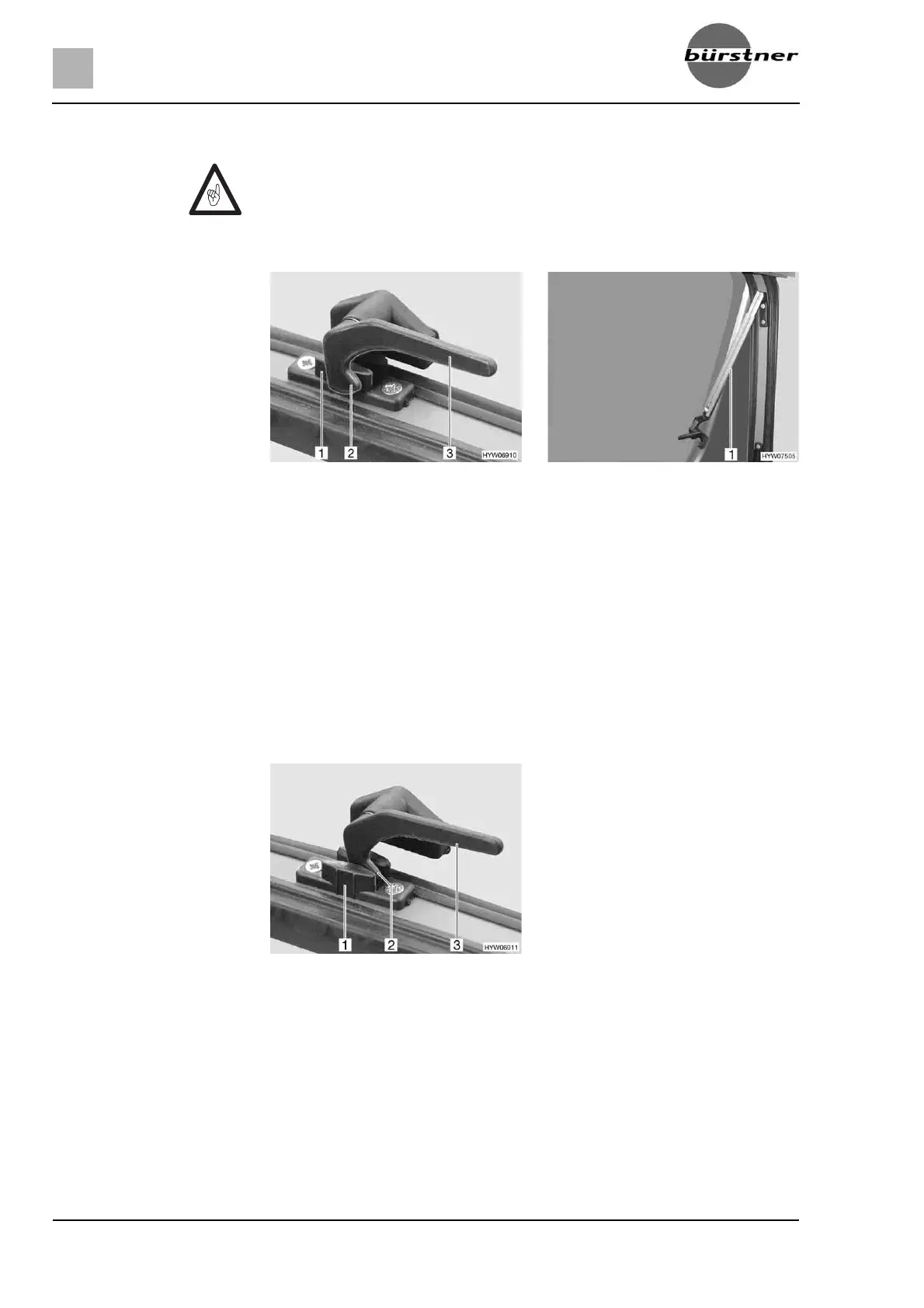
Opening: Turn the catch lever (Fig. 78,3) a quarter turn towards the centre of the
window.
Open the hinged window to the desired latched position. The automatic
hinge (Fig. 79,1) locks in place automatically.
The hinged window remains locked in the required position.
Closing:
Open the hinged window as wide as necessary until the latch releases.
Close the hinged window.
Turn the catch lever (Fig. 78,3) a quarter turn towards the window frame.
The locking catch (Fig. 78,2) is located on the inside of the window catch
(Fig. 78,1).
Continuous ventilation With the catch lever, the hinged window can be placed in two positions:
z "Continuous ventilation" (Fig. 80)
z "Firmly closed" (Fig. 78).
To place the hinged window into the "continuous ventilation" position:
Z Open the window completely, to release the lock. If the locking device is
not released and the window is closed nevertheless, there is the danger of
the window breaking due to the massive counter-pressure.
Z When opening the hinged windows, ensure that there are no torsional
forces. Open and close the hinged windows evenly.
Fig. 78 Catch lever in "closed" position Fig. 79 Hinged window with automatic
hinges, open
Fig. 80 Catch lever in the "continuous
ventilation" position



 To Next Page