31I-Modell - 11/12 - Ausgabe 09/11 - 2096165 - BUE-0056-05EN
Before the journey
3
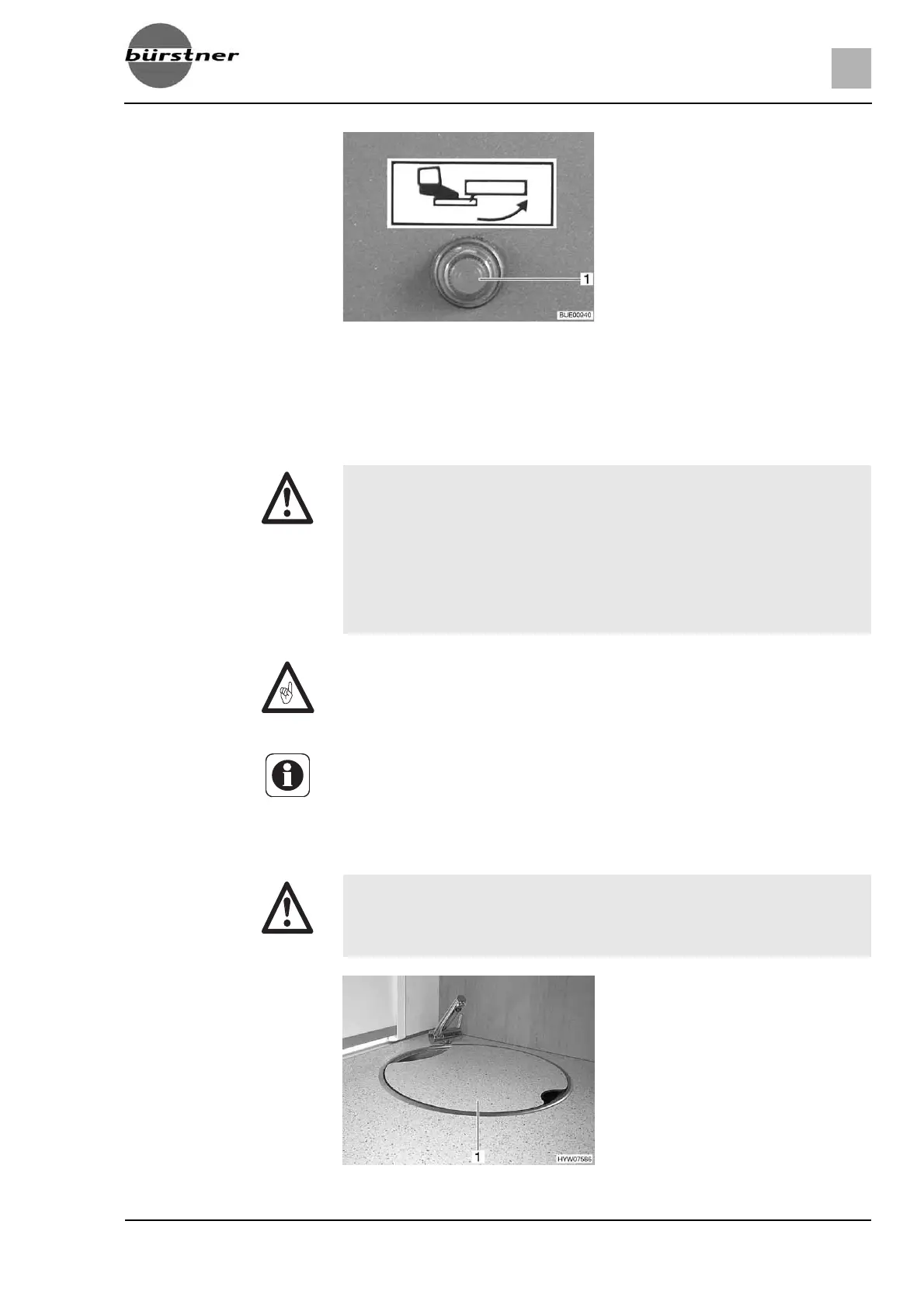
When the ignition is switched on and the entrance step is extended, an indi-
cator lamp (Fig. 10,1) is illuminated on the dashboard.
3.7 Television (special equipment)
3.8 Sink and drain basin covers
Fig. 10 Indicator lamp
X Before commencing the journey, remove the television from the support
and store it securely.
X Before commencing the journey, place and secure the flat screen and
screen support in the initial position. If the screen holder is installed in a
TV cabinet: Close TV cabinet.
X Before commencing the journey, ensure that the antenna is in park posi-
tion. Danger of accidents! Park position means: The antenna points
towards the back, is fully lowered and is locked in this position.
Z If there is a risk of frost, do not leave the flat screen television in the vehicle.
Z Further information on positioning the flat screen can be obtained from
chapter 6.
X In the event of an accident or emergency braking, the loose sink
(Fig. 11,1) and drain basin covers could injure the occupants of the
vehicle. Before commencing the journey, take the loose covers off and
store them securely in the kitchen unit or wardrobe.
Fig. 11 Sink cover



 To Next Page