70 I-Modell - 11/12 - Ausgabe 09/11 - 2096165 - BUE-0056-05EN
Living
6
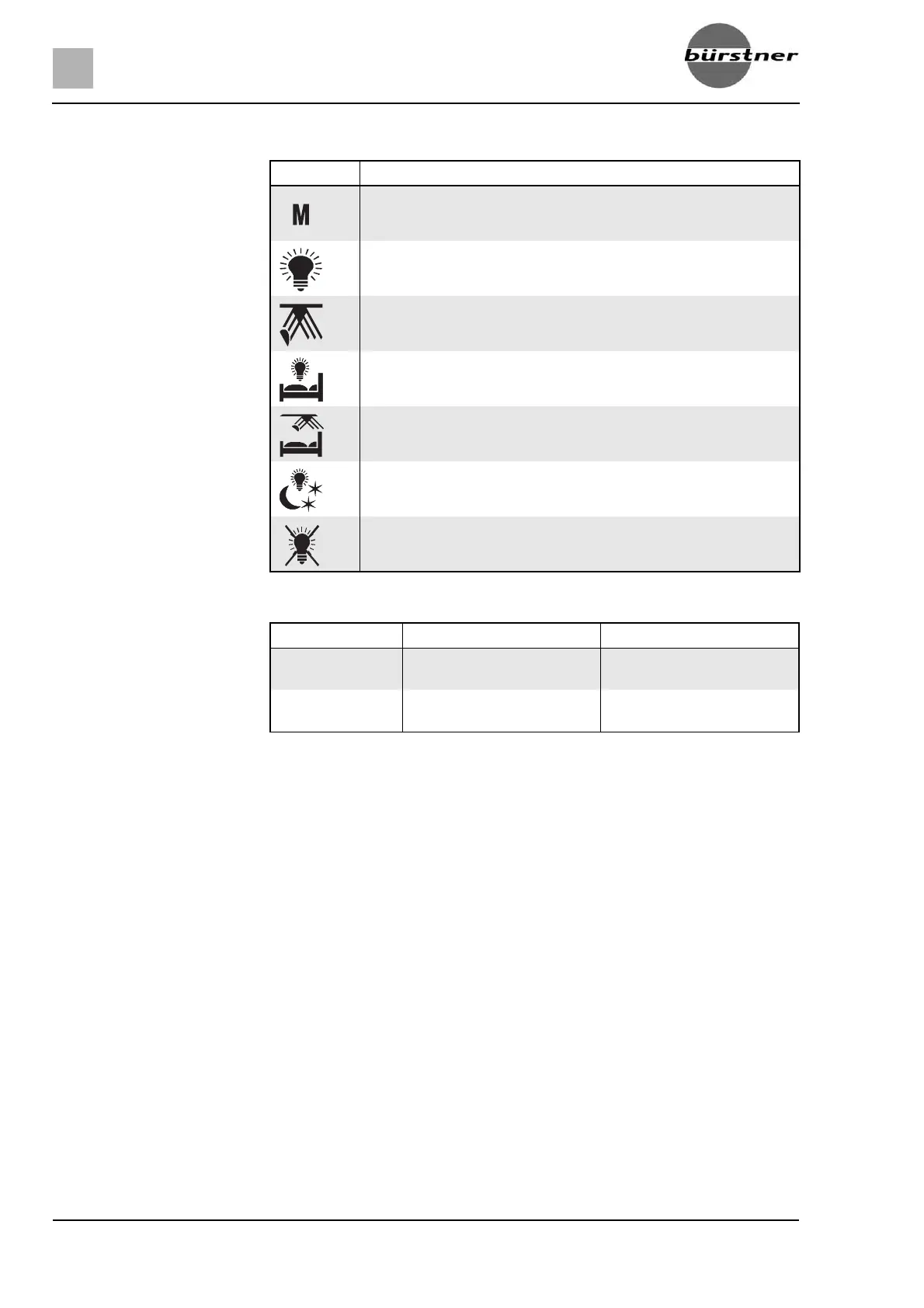
Symbols The symbols listed in the following table always have the same meaning.
Operation Each button has different functions:
Symbol Signification
Light scene
Main light, living area
Indirect lighting, living area
Main light, sleeping area
Indirect lighting, sleeping area
Night light
All lamps "OFF"
Button Press shortly Keep pressed
Scene Switch the preset scene on/
off
Save the current scene set-
ting (> 3 seconds)
Light Switch the appropriate lamp
on/off
Dim the appropriate lamp
(> 1 second)


 To Next Page